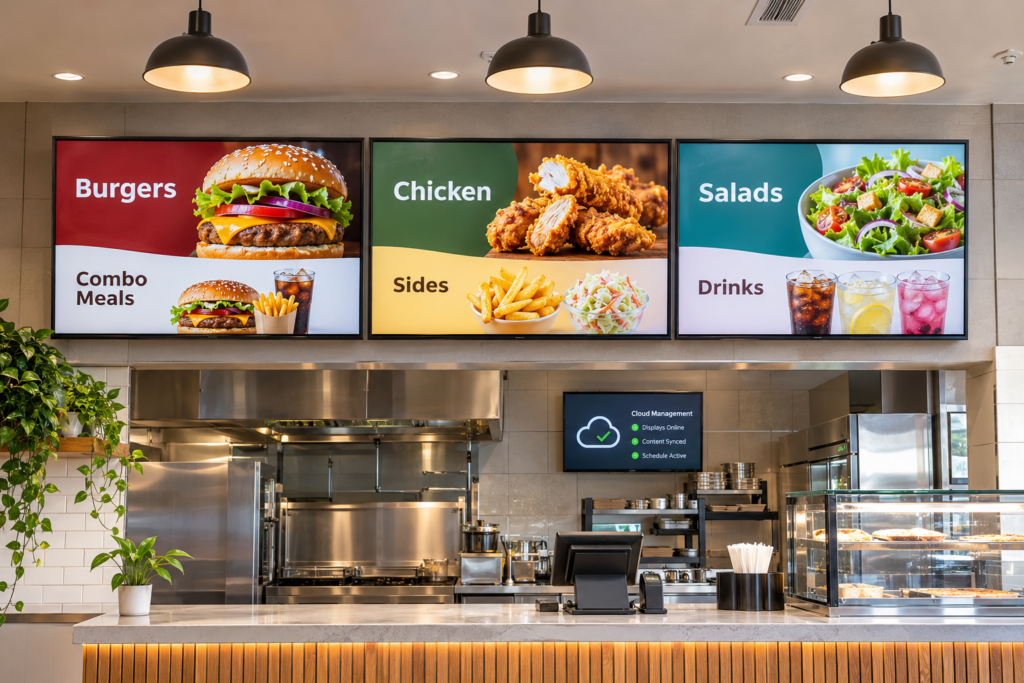
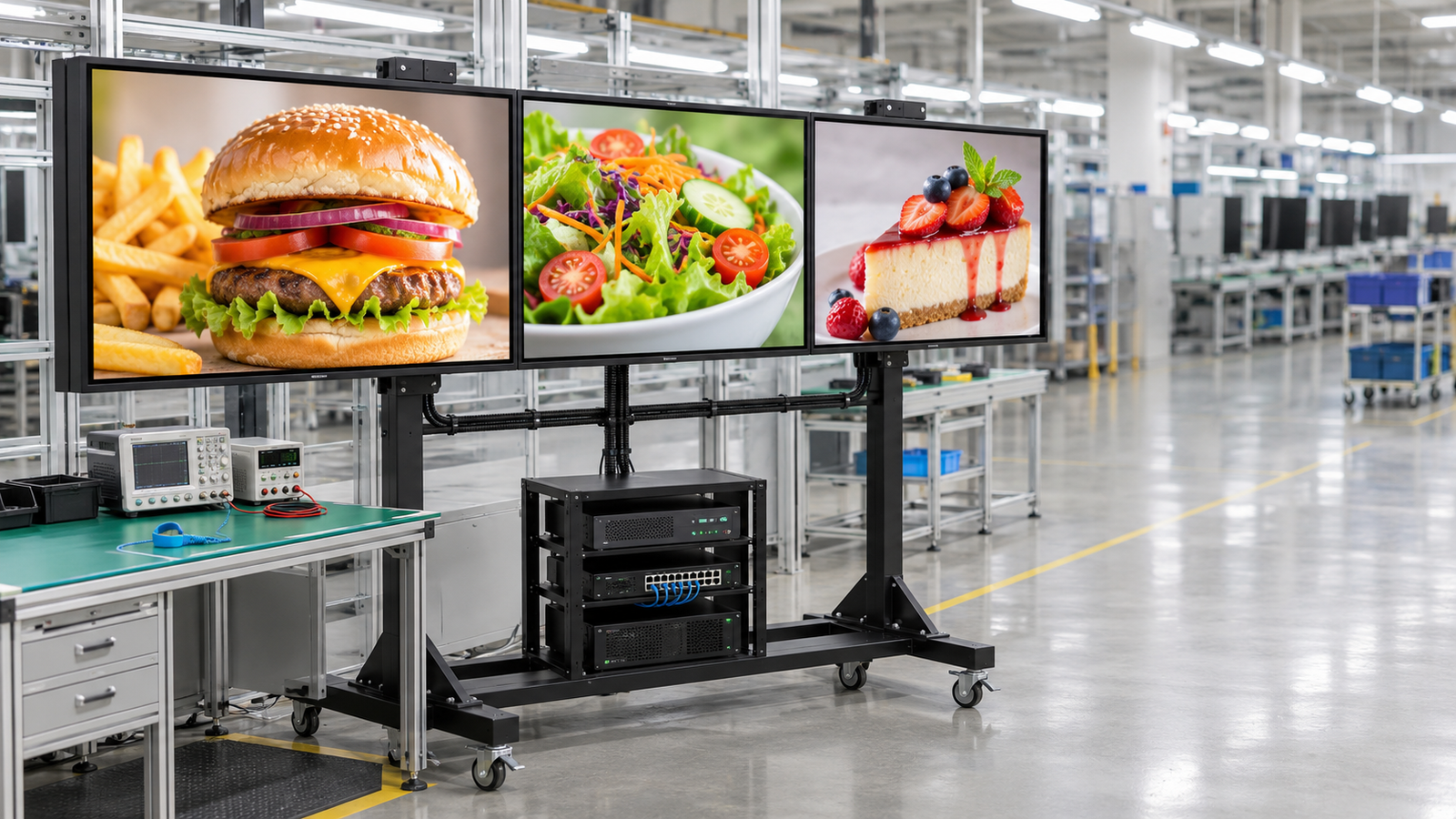
Digital menu boards typically cost USD 1,500 to USD 3,000 per indoor screen for a professionally deployed first-year system. A basic do-it-yourself setup using an existing TV may start below USD 500 per screen, while a commercial 55-inch menu board with mounting, content management, installation, and commissioning can exceed USD 2,500. Outdoor drive-thru displays cost considerably more because the enclosure, brightness, cooling, weather protection, foundation, electrical work, and installation all change.
The screen is only one part of the budget. A complete digital menu board project may include the commercial display, media player, CMS license, mounting structure, cabling, content design, POS or menu-data integration, installation, freight, tax or import charges, support, spare units, and electricity.
For a restaurant owner, franchise group, distributor, or system integrator, the useful question is therefore not only “How much is the display?” It is “What is the three-year total cost for the complete menu-board system at every location?”
Digital Menu Board Cost at a Glance
| Deployment type | Practical planning range | What the range usually covers |
|---|---|---|
| Existing TV plus software | USD 0–500 per screen initially | Existing or consumer TV, app or low-cost player, self-installation |
| Basic indoor single-screen system | USD 600–1,500 per screen | 43–55 inch display, mount, player or built-in Android, basic CMS |
| Professionally installed indoor system | USD 1,500–3,000 per screen in year one | Commercial display, mounting, installation, CMS, setup, basic content work |
| Premium large-format indoor system | USD 2,500–5,000+ per screen | 65–75 inch commercial display, difficult mounting, integration, managed service |
| Outdoor drive-thru display | USD 3,500–8,000+ per display before site work | High-brightness outdoor display or enclosure; foundation, trenching, power, and installation may be separate |
| CMS software | USD 8–30 per screen per month | Scheduling, playlists, dayparting, remote publishing, monitoring; advanced integrations cost more |
These are budgeting ranges, not a Lucky-XFC quotation. Screen grade, size, brightness, country, order quantity, installation conditions, software plan, freight terms, and project scope can move the final number substantially.
A useful current benchmark comes from a public U.S. school procurement schedule. It lists 43-, 50-, 65-, and 75-inch LG digital menu boards at USD 1,235, USD 1,540, USD 1,975, and USD 2,985 respectively, including mounting hardware. Optional installation is USD 500 per board for the 43- and 50-inch units and USD 750 for the 65- and 75-inch units. That produces published hardware-plus-installation examples from USD 1,735 to USD 3,735 per board before software and content work. The document warns that hardware pricing is subject to change; it is a purchasing reference, not a universal market rate. See the Brevard Public Schools procurement document.

What Determines the Price of a Digital Menu Board?
1. Display size and commercial grade
Screen size is the most visible cost driver. A 43-inch display generally costs less than a 55-, 65-, or 75-inch unit, but diagonal size alone is not enough for a B2B specification.
Commercial buyers should also define:
- Planned operating hours, such as 12/7, 16/7, or 24/7
- Portrait or landscape orientation
- Resolution and menu-text density
- Brightness at the actual mounting position
- Anti-glare needs near windows or strong lighting
- Operating temperature and ventilation
- Warranty and service boundary
- Remote restart and device-health requirements
- Required product life and spare-unit strategy
A consumer TV may be adequate for a low-risk café pilot that operates eight hours per day. A QSR chain that depends on three overhead boards for every order needs commercial-duty hardware, controlled firmware, repeatable color, remote management, and a replacement plan. A lower purchase price has little value if a failed screen removes one-third of the menu during lunch service. For a broader hardware overview, compare the available digital signage screens before fixing the screen size.
2. Brightness and installation environment
An indoor board in a controlled food court may work at 300–500 nits. A board facing a bright storefront may need a higher-brightness class. An outdoor drive-thru is a separate engineering category: it must remain readable in daylight and cope with rain, dust, solar heat, cold, condensation, UV exposure, corrosion, drainage, and secure cable entry.
Do not compare an indoor LCD price directly with an outdoor display quotation. Start with the installation environment and review an indoor digital signage or outdoor digital signage configuration accordingly.
3. Media player or system-on-chip
A digital menu needs a device to receive, store, and play content. The player may be:
- Built into a smart commercial display
- Built into an Android advertising display
- An external Android, Windows, ChromeOS, or Linux player
- A dedicated digital-signage appliance
An integrated player reduces cabling and avoids one external box, but the buyer must still verify operating-system support, CMS compatibility, video decoding, offline playback, memory, storage, security updates, and recovery after power loss. A USD 100 player is inexpensive compared with a site visit caused by unreliable playback.
4. CMS software
Cloud CMS pricing is usually charged per screen per month. As of November 2026, Yodeck publishes Basic, Premium, and Enterprise rates of USD 8, USD 12, and USD 16 per screen per month on annual billing. OptiSigns publishes annual rates of USD 9 for Standard and USD 13.50 for Pro-Plus, with monthly rates of USD 10 and USD 15. See the current Yodeck pricing and OptiSigns pricing.
Those prices are useful benchmarks, not recommendations for every restaurant. Before selecting software, confirm:
- Daypart scheduling for breakfast, lunch, dinner, and late-night menus
- Central templates with controlled local editing
- Screen and location grouping
- User roles, approval workflows, and audit logs
- Offline playback after a network interruption
- Device status, screenshots, and remote reboot
- Portrait, landscape, and multi-zone layouts
- POS, inventory, price, allergen, or nutrition-data integration
- API availability and integration fees
- Data hosting, security, and support requirements
The Lucky-XFC digital menu board page explains why the display, operating system, orientation, media formats, screen count, network behavior, and CMS must be checked as one system. A display does not create POS integration by itself.
5. Mounting, cabling, electrical work, and installation
Installation varies more than many online cost calculators suggest. A straight wall mount on a prepared surface is different from a three-screen ceiling structure above a service counter. The installer may need to coordinate structural support, fire-rated walls, cable paths, electrical outlets, network ports, lifts, after-hours access, permits, and safe working zones.
Howard Company’s August 2026 pricing guide publishes USD 1,000–2,200 in labor for an indoor digital menu board system. It also lists USD 250–400 for a digital connection with up to a 100-foot CAT6 or HDMI run. Its drive-thru menu-board labor range is USD 3,000–5,000, while foundations and final electrical connections are separate. These figures describe that installer’s stated scope, not a per-screen global standard. See the Howard Company installation-cost guide.
Ask every installation bidder to state whether the price includes:
- Site survey and installation drawings
- Mounts or ceiling structure
- Structural reinforcement
- Power outlets and final electrical connection
- Data cabling and network configuration
- Lifts, permits, travel, and after-hours labor
- Device setup, content test, and commissioning
- Removal and disposal of old menu boards
- Staff training and handover documents
6. Menu design and content production
The first menu template can cost more than the first month of software. A designer may need to create brand-safe layouts, typography, product hierarchy, photos, price fields, allergen marks, nutritional information, animations, and daypart versions.
Costs rise when each franchise location has different prices or products. The CMS and template should separate fixed brand elements from editable fields. This lets headquarters control the visual system while approved regional or store users update local information.
Do not assume that more animation automatically improves the menu. Text size, contrast, reading time, product grouping, and the physical viewing distance are more important than decorative motion.
7. POS, inventory, and data integration
Manual updates are affordable for one café with 20 products. A 100-location franchise with local pricing, unavailable items, limited-time offers, and nutrition rules may need automated data feeds.
Integration costs depend on:
- Whether the POS vendor exposes a suitable API
- The number of menu databases and price zones
- Product, modifier, image, allergen, and nutrition fields
- Update frequency and failure handling
- Local override rules
- Testing environments and vendor support
- Who owns ongoing connector maintenance
Treat integration as a software project with acceptance tests. A proof of concept should verify that a price change, sold-out item, scheduled promotion, and network interruption all produce the intended result on the correct screens.
8. Freight, import cost, tax, and spare units
An OEM/ODM factory price is not the landed project cost. A distributor, restaurant chain, or AV integrator should separate:
- EXW, FOB, CIF, DDP, or other Incoterm basis
- Export packaging and pallet quantity
- Ocean, air, rail, or local freight
- Insurance, duty, tax, brokerage, and final delivery
- Local certification or labeling
- Installation labor and travel
- Spare displays, players, power supplies, and cables
For a multi-location rollout, a common planning approach is to hold one or two spare units or approximately 2–5% of the deployed quantity, depending on service coverage and replacement lead time. The buyer should set the actual ratio from failure risk, geography, uptime target, and support contract rather than treating 5% as a universal rule.
What Does a Typical Three-Screen Restaurant System Cost?
The following model illustrates a three-screen indoor QSR installation. It is not a Lucky-XFC quotation or a record of a completed customer project.
| Cost item | Assumption | Three-year cost |
|---|---|---|
| Three 55-inch displays | 3 × USD 1,100 | USD 3,300 |
| Mounting and installation | 3 × USD 500 | USD 1,500 |
| Initial templates and content setup | Fixed | USD 600 |
| POS/data configuration allowance | Fixed | USD 1,200 |
| CMS | USD 12 × 3 screens × 36 months | USD 1,296 |
| Electricity | 150 W × 16 h/day × 365 × 3 years × USD 0.15/kWh × 3 | USD 1,183 |
| Maintenance and spare-parts reserve | Planning allowance | USD 900 |
| Illustrative three-year TCO | USD 9,979 |
In this model, the initial hardware, mounting, templates, and integration total USD 6,600. The remaining USD 3,379 is the three-year allowance for software, energy, maintenance, and spares. Dividing only the display price by three would conceal roughly two-thirds of the full project budget.
The power calculation uses the 150 W typical consumption published for Lucky-XFC’s 55-inch MZYHY55AZ display and an assumed electricity price of USD 0.15/kWh. Actual consumption varies with brightness and content; local electricity rates also differ.

What Does a 30-Screen Restaurant-Chain Rollout Cost?
Volume buying lowers some unit costs but adds central management, rollout logistics, content governance, integration, monitoring, and support. Consider an illustrative chain with 10 locations and three screens per location:
| Cost item | Assumption | Three-year cost |
|---|---|---|
| 30 commercial displays | 30 × USD 950 | USD 28,500 |
| Mounting and installation | 30 × USD 450 | USD 13,500 |
| CMS | USD 10 × 30 × 36 months | USD 10,800 |
| Master templates, data integration, and rollout setup | Fixed | USD 6,000 |
| Two spare displays | 2 × USD 950 | USD 1,900 |
| Support reserve | USD 300 × 10 locations × 3 years | USD 9,000 |
| Electricity | 120 W × 16 h/day × 365 × 3 years × USD 0.15/kWh × 30 | USD 9,461 |
| Illustrative three-year TCO | USD 79,161 |
That equals approximately USD 7,916 per location or USD 2,639 per installed screen over three years. The model assumes a volume hardware price, prepared sites, and one centrally managed content system. It excludes sales tax, import duty, financing, unusual structural work, and outdoor hardware.
For procurement, request both the one-time capital cost and a 36-month operating-cost schedule. A low-cost factory quotation can still become the higher TCO option if it requires separate players, frequent field visits, expensive CMS licenses, or long replacement lead times.
Lucky-XFC 55-Inch Hardware Reference
The Lucky-XFC knowledge base lists the MZYHY55AZ as a 55-inch wall-mounted commercial advertising display suitable for restaurant use. Its published configuration includes:
| Specification | MZYHY55AZ reference |
|---|---|
| Resolution | 3840 × 2160 at 60 Hz |
| Brightness | 300 cd/m² |
| Contrast ratio | 1200:1 |
| Viewing angle | 178° horizontal / 178° vertical |
| Operating system | Android 11 |
| Processor | Quad-core Cortex-A55, up to 1.8 GHz |
| Memory and storage | 2 GB RAM and 16 GB storage; listed options available |
| Connectivity | Ethernet, Wi-Fi, Bluetooth 4.0; optional 3G/4G |
| Ports | 2 × USB 2.0, RJ45, TF card, headphone |
| Audio | 2 × 5 W speakers |
| Typical / standby power | 150 W / no more than 1 W |
| VESA pattern | 400 × 400 mm |
| Net weight | 24.42 kg |
| Listed service life | More than 30,000 hours |
| Functions | Landscape/portrait, loop playback, split screen, scheduled power on/off |
This model reference helps define a supplier conversation, but it does not establish a selling price or guarantee suitability for every site. A buyer should confirm the production configuration, CMS, brightness at the installed location, mounting design, daily operating hours, warranty, certifications, delivery term, and current availability before ordering. For mounting options and related use cases, see wall-mounted digital signage.

Public Digital Menu Board Project References
The projects below are independent public references. They are not Lucky-XFC customers, endorsements, or evidence of Lucky-XFC pricing.
Brevard Public Schools, United States — education food service
The public procurement document cited above provides unusually clear unit prices. The listed 43-inch board is USD 1,235 plus USD 500 optional installation; the 75-inch version is USD 2,985 plus USD 750 installation. The schedule shows why a buyer should compare equal scopes: mounting hardware is included in the board price, while on-site installation is optional and separately priced.
Tim Hortons Mexico — quick-service restaurants
PosterBooking’s published case study says Tim Hortons Mexico manages 780 screens nationwide and has used the platform since January 2023. The case is relevant to multi-location budgeting because central screen management, brand consistency, subscription structure, and local publishing rules become material at hundreds of endpoints. See the Tim Hortons Mexico case study.
John Lewis Partnership, United Kingdom — department-store restaurants
Sharp/NEC’s public case study describes 25 × 23-inch displays and 2 × 46-inch displays deployed in food-service areas at the Oxford Street store. The system replaced typed A3 boards and enabled faster menu changes. It is a useful reminder that not every menu-board project needs three identical large screens; screen size and quantity should follow the service area and viewing distance. See the John Lewis Partnership case study.
Smoothie King, United States — QSR and drive-thru
Samsung’s case study describes a turnkey deployment covering indoor menu boards, outdoor multiscreen drive-thru systems, store-window displays, and remote monitoring. It names franchise owner Yonas Hagos, who operated seven stores, and Kevin King, Smoothie King’s Chief Business Development Officer. The reference illustrates why indoor and outdoor systems should not be priced as one hardware category. See the Samsung Smoothie King case study.
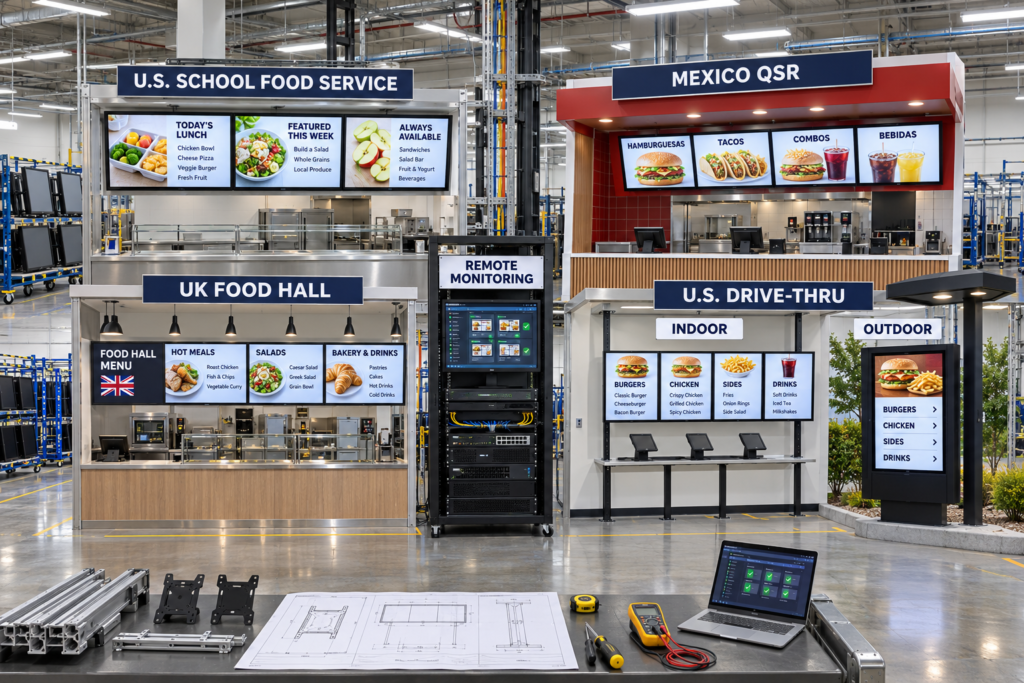
Representative B2B Budget Scenarios
The following anonymous scenarios are planning examples created to show how an RFQ changes by market. They are not signed customer records, testimonials, or actual Lucky-XFC orders.
Canadian café — two indoor boards
A café operator in Canada plans two 43-inch landscape displays operating 12 hours per day. The owner will update breakfast and lunch menus manually, so there is no POS integration. The RFQ covers two commercial displays, two mounts, a basic CMS, one master template, remote commissioning, and a three-year software cost. The buyer should compare a self-installed package with a local-installer package and confirm whether the electrical outlets are already in the correct position.
German QSR franchise — three 55-inch boards per site
A German franchise group is evaluating a five-location pilot, or 15 displays. It needs centrally approved templates, local prices, daypart scheduling, offline playback, remote screenshots, and a spare-display plan. The OEM/ODM manufacturer supplies display hardware, while the system integrator owns the CMS, POS connector, mounting, and commissioning. The buyer should require one production-intent site to pass a 30-day pilot before releasing the remaining four locations.
UAE food-court operator — 30 screens across 10 sites
A UAE operator is planning three screens per location, 16 hours per day, with English and Arabic content. Locations near glazed entrances require a brightness survey. The distributor’s RFQ should separate the 300-nit and higher-brightness options, centralized content service, local installation, DDP landed cost, two spare units, and 36-month support. The 30-screen TCO model above is a starting framework, not a quotation for this example.
U.S. drive-thru restaurant — two outdoor displays
A U.S. restaurant needs two outdoor menu displays, a vehicle-lane survey, foundations, conduit, data cabling, power, weather-protected enclosures, high-brightness panels, remote monitoring, and local permits. The hardware supplier should not quote the displays as a complete project unless civil and electrical scopes are explicitly included. A site-specific integrator price is more reliable than multiplying an indoor screen price by two.
Digital Menu Board vs. TV: Which Costs Less?
A consumer TV usually costs less at checkout. A commercial display can cost less over the operating life when the project needs long daily hours, portrait mounting, controlled firmware, remote management, commercial warranty coverage, consistent replacement models, and dependable playback.
Compare the two options by three-year TCO:
TCO = displays + players + mounts + installation + content + integration + CMS + energy + support + expected replacement cost
The digital signage vs. TV comparison explains the operational differences in more detail. For a general signage cost model that is not specific to restaurants, see how much digital signage costs.
How to Reduce Digital Menu Board Cost Without Creating Service Risk
Standardize the hardware
Use one approved display size, player image, mount, cable kit, and firmware version wherever site conditions allow. Standardization simplifies factory inspection, packaging, installation training, spare stock, remote support, and replacement.
Pilot one production-intent site
A showroom demo does not reproduce a restaurant’s wall, lighting, network, POS data, menu density, operating hours, or service workflow. Test the final screen, player, CMS, template, mount, cables, and update process at one real site.
Use templates instead of redesigning every menu
Create controlled master templates with editable product, price, image, and availability fields. This reduces recurring creative labor and prevents local changes from breaking brand rules.
Confirm whether an external player is necessary
If the approved CMS works reliably on the display’s built-in Android or system-on-chip platform, eliminating an external player can reduce hardware, cabling, power adapters, and failure points. Do not make that decision before compatibility and recovery testing.
Separate must-have and optional integrations
Automated POS and inventory integration can be valuable at scale, but it may be unnecessary for a one-site café. Quote manual publishing, scheduled data import, and real-time API integration as separate options.
Negotiate the complete batch scope
For a distributor or chain order, request price breaks by quantity, packaging dimensions, pallet loading, spare-parts pricing, warranty process, forecast lead time, Incoterm, and mixed-model container options. A lower unit price can be offset by inefficient packing or expensive local service.
What Should Be Included in a Manufacturer RFQ?
Send the digital menu board manufacturer, CMS vendor, and system integrator the same project brief:
- Country, restaurant type, and number of locations
- Indoor, window-facing, or outdoor installation
- Number of screens per site and total batch quantity
- Required screen sizes, orientation, resolution, and brightness
- Daily operating hours and target service life
- Viewing distance and available wall or ceiling structure
- Mounting drawings, power outlets, network ports, and cable distances
- Android, Windows, external player, or customer-supplied compute preference
- CMS, dayparting, local edit, approval, offline, and monitoring functions
- POS, inventory, nutrition, allergen, or price-data integration
- Languages, templates, content-production scope, and update frequency
- Certification, labeling, warranty, spare-unit, and service requirements
- Sample quantity, pilot plan, batch schedule, and forecast volume
- Packaging, destination, Incoterm, and installation responsibility
- Acceptance test for playback, network loss, power recovery, remote update, and screen grouping
Ask for a line-item quotation. The display, player, mount, software, content, integration, freight, tax, installation, commissioning, training, support, and spares should not be hidden inside one unexplained total.
Frequently Asked Questions
How much does one digital menu board cost?
A basic indoor system may cost USD 600–1,500 per screen, while a professionally installed commercial system commonly needs a first-year budget of approximately USD 1,500–3,000 per screen. Large premium displays, difficult installation, integration, or managed service can exceed that range.
How much does digital menu board software cost?
Standard cloud CMS plans commonly fall around USD 8–30 per screen per month. As of November 2026, Yodeck and OptiSigns publish entry plans in the USD 8–10 range per screen per month, with higher tiers for advanced features.
Can I use a normal TV as a digital menu board?
Yes, especially for a small pilot with modest operating hours. Verify orientation, app compatibility, auto power recovery, warranty, brightness, remote control, ventilation, and replacement risk. Commercial displays are usually better suited to long daily duty cycles and multi-location standardization.
Do I need a media player for every screen?
Not always. Some commercial displays and Android advertising screens have built-in playback. Other systems use one player per screen, while certain video-wall architectures distribute content differently. Confirm the CMS and final layout before ordering players.
How much does a three-screen restaurant menu cost?
A practical first-year budget is often USD 4,500–9,000 for three indoor screens, depending on display grade, mounting, content, installation, and integration. The illustrative model in this guide totals USD 9,979 over three years, including CMS, energy, maintenance, and POS/data configuration.
Are outdoor drive-thru menu boards more expensive?
Yes. High brightness, weather protection, thermal design, foundations, trenching, power, network, permits, and site labor can make the outdoor system several times more expensive than a basic indoor board. Request a site-specific quotation.
Does the screen price include the CMS and POS connection?
Usually not unless the quotation explicitly says so. Display hardware, CMS subscription, POS integration, content design, and installation are commonly separate scopes supplied by different vendors.
How long does it take for digital menu boards to pay back?
There is no universal payback period. It depends on avoided print and labor costs, update frequency, product mix, promotional performance, downtime, and deployment cost. Build the ROI model from the restaurant’s own baseline rather than using an unsupported sales-uplift percentage.
Request a Configuration-Specific Digital Menu Board Quote
Digital menu boards can start cheaply, but reliable B2B deployment requires a complete cost model. For most indoor restaurant projects, use USD 1,500–3,000 per professionally deployed screen as an early first-year planning range, then replace it with supplier, CMS, and local-installer quotations. Budget outdoor projects separately.
Send the country, restaurant type, indoor or outdoor environment, number of locations, screen quantity, size, brightness, daily operating hours, Android or external-player preference, CMS, POS integration, mounting drawings, delivery term, and rollout schedule through the Lucky-XFC contact page. The display manufacturer can then prepare a configuration-specific OEM/ODM hardware proposal, sample plan, packing data, lead-time basis, and B2B quotation for the distributor, franchise operator, or system integrator.