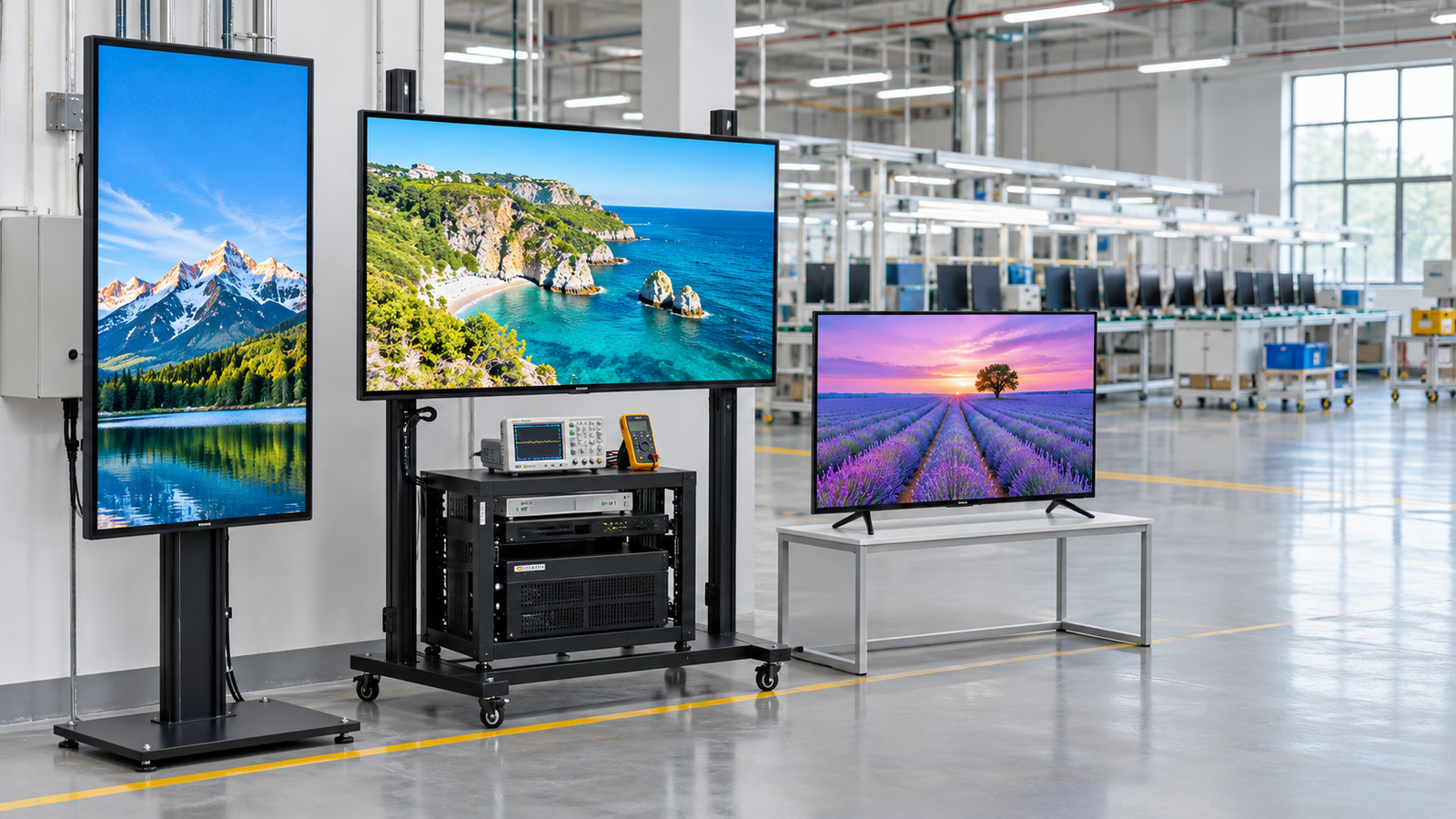
Choose a commercial digital signage display when the screen must run on a defined 16/7 or 24/7 schedule, show centrally managed content, operate in portrait mode, remain visible in bright public spaces, or support remote monitoring across multiple locations. Choose a consumer TV when the project is small, attended by staff, used mainly in landscape orientation for live television or streaming, and operates for limited hours in a home-like indoor environment.
The lowest purchase price does not identify the lower-cost business solution. A TV may be adequate for a two-screen waiting room, yet create avoidable service calls in a 40-location retail network. A digital signage display may cost more at purchase, but its commercial duty rating, content platform, control ports, orientation support, product lifecycle, and warranty terms can reduce deployment and operating risk.
For B2B buyers, distributors, system integrators, and OEM/ODM project owners, the correct comparison is not simply “55-inch TV versus 55-inch screen.” It is a comparison between two complete systems under the same content, brightness, operating-hour, mounting, control, service, and warranty requirements.
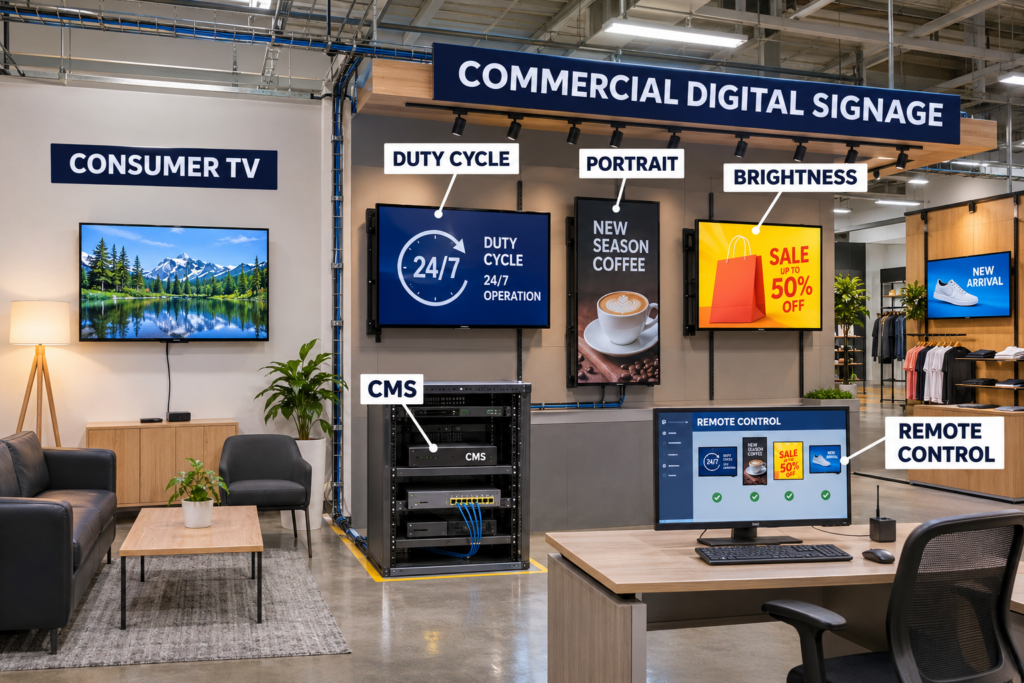
Digital Signage vs TV at a Glance
| Comparison factor | Commercial digital signage | Consumer TV |
|---|---|---|
| Primary design purpose | Advertising, information, menus, wayfinding, dashboards, public communication | Home entertainment, broadcast television, streaming, gaming |
| Operating schedule | Model-specific; common commercial ratings include 16/7 and 24/7 | Normally intended for consumer viewing patterns; approved use must be checked in the manual and warranty |
| Brightness | Available in indoor, window-facing, and high-brightness outdoor classes | Optimized mainly for residential viewing; peak HDR claims are not the same as sustained signage brightness |
| Orientation | Many models support both landscape and portrait | Usually designed and warranted for landscape installation |
| Content management | May include an embedded player, scheduling, templates, device management, and cloud or LAN publishing | Smart-TV apps focus on entertainment; business scheduling and fleet control normally require extra hardware or software |
| Remote control | RS-232, RJ45, API, control lock, automatic restart, timer, and health monitoring may be available | Consumer remote, app, HDMI-CEC, and limited network features; fleet functions are not guaranteed |
| Inputs and tuner | HDMI, DisplayPort, USB, LAN, RS-232, OPS or other commercial options depending on model; tuner often absent | HDMI, USB, Wi-Fi, speakers, streaming apps, and broadcast tuner depending on country/model |
| Installation | Wall, recess, floor stand, kiosk, video wall, ceiling, portrait, or custom enclosure | Table stand or conventional landscape wall mounting |
| Product availability | Commercial series may offer longer project availability and controlled revisions | Retail models can change frequently with seasonal product cycles |
| Warranty boundary | Commercial-use terms, hours, orientation, and service scope are defined by supplier/model | Commercial use may be restricted or excluded; terms vary by brand, model, and market |
| Best fit | Retail networks, QSR menus, transport, factories, corporate communications, public information | Small waiting rooms, staff rooms, temporary low-duty displays, live-TV viewing |
This table describes typical product positioning, not a universal specification. “Digital signage” is a product category, not a promise that every display is 24/7, high-brightness, outdoor-rated, or supplied with a free CMS. The purchase order must name the exact model, configuration, approved orientation, duty cycle, software license, warranty, and operating environment.
What Is the Difference Between a TV and Digital Signage?
A consumer TV is a viewing appliance. It normally combines an LCD or OLED panel, image processor, speakers, tuner or streaming platform, remote control, and consumer-oriented user interface. It is convenient when a person is nearby to select a channel, open an app, change the volume, or recover the input after a power interruption.
A digital signage display is a commercial visual endpoint. It is designed to present scheduled information or promotional content in a business workflow. The complete solution may combine the display, embedded system-on-chip or external media player, content management system, LAN or cloud connection, mounting hardware, enclosure, and remote device-control layer.
There is also a middle category: commercial or hospitality TV. These products may add cloning, control, management, and commercial warranty features while retaining tuners and hospitality functions. Do not assume that every “business TV” is equivalent to a professional signage display. In an RFQ, classify the proposed device as one of the following:
- Consumer television
- Commercial or hospitality television
- Commercial digital signage display
- High-brightness window-facing display
- Outdoor-rated digital signage display
- Interactive or touchscreen signage terminal
The classification matters because a hotel guest-room TV, a supermarket promotion screen, an outdoor drive-through menu, and a factory production dashboard have different requirements even when all four are 55 inches.
Duty Cycle and Thermal Design
Operating hours are one of the clearest selection criteria. Commercial displays are sold with model-specific schedules such as 16 hours per day, 7 days per week, or continuous 24/7 operation. The rating should appear on the manufacturer’s datasheet; it should not be inferred from the word “commercial.”
Samsung’s official commercial-display catalogue provides a useful model-level example. Its QBC series is listed at 350 nit and 16/7, while the QMC series is listed at 500 nit and 24/7. The QMC specification also supports landscape and portrait orientation. These figures apply to those product families, not to all signage displays. See the official Samsung display-solutions catalogue.
LG makes a similar distinction in its commercial range. Its hospitality brochure lists the UR640S commercial TV at 300–400 nit, 16/7, and landscape only, while the UH5N signage display is listed at 500 nit, 24/7, and landscape/portrait. This side-by-side example shows why “commercial TV” and “digital signage” should not be treated as identical products. See the LG B2B hospitality and signage comparison.
Thermal design also changes with installation. Portrait rotation changes internal heat paths. A recessed wall or kiosk enclosure reduces natural airflow. Direct sunlight can increase cabinet temperature even when ambient air remains acceptable. The display manufacturer or system integrator should therefore approve:
- Daily operating hours and days per week
- Landscape or portrait orientation
- Ambient and internal enclosure temperature
- Ventilation clearances and fan strategy
- Sunlight exposure and solar loading
- Recessed, wall-mounted, floor-standing, or kiosk installation
- Automatic power schedule and restart behavior
A buyer who needs continuous service should also define what “24/7 availability” means. A 24/7 panel rating does not guarantee uninterrupted content if the media player, network, CMS, power supply, application, or cooling system fails.
Brightness and Readability
Brightness must be selected for the installation, not for the screen size. A 300-nit display may be adequate in a controlled indoor corridor. A bright retail entrance, window-facing installation, or semi-outdoor location may require a 500-, 700-, 1,000-nit or higher class after glare, viewing angle, heat, and content are evaluated. Outdoor installations need a complete environmental design rather than brightness alone.
Do not compare a TV’s advertised HDR peak brightness directly with a signage display’s typical operating brightness. Peak highlights, test-window size, automatic brightness limiting, picture mode, measurement duration, and full-screen content can produce different numbers. Ask each supplier for typical brightness, minimum brightness if available, measurement condition, surface haze, and brightness through any protective or touch glass.
For indoor projects, start with the intended lighting and content. Lucky-XFC’s indoor digital signage options can be configured around screen size, orientation, system platform, interfaces, mounting, and enclosure. For exposed locations, review the thermal, sealing, and readability requirements through the outdoor digital signage project route rather than specifying a high-nit indoor screen alone.
Portrait Mode and Mechanical Installation
Portrait orientation is common for directories, posters, retail promotions, wayfinding, and narrow wall zones. A commercial display approved for portrait use has a defined mechanical and thermal installation path. A consumer TV may physically rotate, but that does not prove that its panel, ventilation, stand, software, warranty, or logo orientation supports the installation.
The integrator should request a production drawing showing:
- Overall dimensions and depth
- Active display area
- VESA or custom mounting pattern
- Cable exit and bend radius
- Ventilation zones
- Portrait rotation direction
- Service-access clearance
- Bracket, recessed-box, or floor-stand load rating
Lucky-XFC’s wall-mounted digital signage range is relevant when buyers need portrait or landscape mounting, Android integration, touch options, and OEM/ODM enclosure work. For freestanding entrance, lobby, and retail formats, the floor-standing digital signage category provides a more appropriate mechanical starting point than adding a domestic TV to a generic stand.

Content Management and Remote Operation
The most important operational difference may be what happens after the screens are installed. A TV can play content from HDMI or USB, but multi-site signage usually needs a repeatable publishing and recovery process.
A digital signage workflow may include:
- Central media library and user permissions
- Playlists, zones, templates, and daypart scheduling
- Publishing to one screen, a group, a store, or an entire network
- Proof-of-play or playback logs
- Online/offline status and screenshots
- Remote reboot, input control, volume lock, and timer control
- Automatic launch after power restoration
- Emergency-message override
- Firmware, application, and player management
Samsung’s QMC documentation lists RJ45 and RS-232 interfaces as well as an embedded Tizen platform. LG’s UH5N documentation lists its webOS smart-signage platform and SuperSign compatibility. These are model examples showing how commercial displays can integrate playback and management. They do not mean every control or CMS function is included without a license.
Before approving a supplier, ask whether the quotation includes only hardware or also includes the player, CMS subscription, server or cloud service, onboarding, templates, user training, and support. A display with Android does not automatically include a fleet-management platform. Conversely, a TV connected to a professional external player can become a capable content endpoint, but the display’s duty rating, orientation, controls, and warranty still remain those of the TV.
Interfaces, Control, and Unauthorized Changes
Consumer TVs are designed for viewers to interact with them. Accessible buttons, consumer remotes, source menus, streaming accounts, automatic picture features, and firmware prompts are convenient at home. In a public network, the same features can cause inconsistent settings or downtime.
Commercial signage may provide control lockouts, automatic input selection, scheduled power, watchdog behavior, LAN commands, RS-232, and remote status. Samsung’s business guidance describes control lockout and remote fleet functions as important differences between consumer TVs and commercial signage. See Samsung Business Insights on consumer TVs and digital signage.
The RFQ should define the commands the integrator actually needs. “Remote control supported” is too vague. A practical control list can include power on/off, reboot, input, volume, mute, backlight, schedule, application launch, network status, temperature or fault status, and recovery after a failed update.
Warranty, Service, and Product Lifecycle
Warranty is not determined by the panel size or purchase channel. It depends on the exact model, destination market, seller, operating hours, orientation, installation, and commercial-use terms.
Some consumer-TV warranties explicitly limit commercial use. For example, Samsung’s current Hong Kong warranty page states that a TV warranty can be invalid when the product is used for commercial purposes and separately notes that the term does not apply to commercial TV. That is evidence for one brand and market, not a universal rule. Buyers should read the actual warranty supplied with the proposed SKU and destination. See the Samsung Hong Kong warranty terms.
For a B2B batch order, confirm in writing:
- Warranty duration and start date
- Approved daily operating hours
- Approved landscape or portrait orientation
- On-site, depot, parts-only, or return-to-factory service
- Dead-pixel and brightness-uniformity policy
- Media-player and software coverage
- Freight, customs, removal, and reinstallation responsibility
- Advance replacement or spare-unit arrangement
- Product change-notice and end-of-life process
- Spare parts and compatible replacement period
Retail TV models can change quickly. A replacement purchased 12 months later may have different dimensions, VESA holes, firmware, remote codes, panel behavior, or app support. For rollout consistency, professional buyers should ask the digital signage manufacturer or supplier to control the approved bill of materials and notify them before material changes.
Can You Use a TV for Digital Signage?
Yes. A TV can be a reasonable signage endpoint when all of the following are true:
- The installation is indoors with controlled light and temperature.
- The screen operates for limited hours rather than continuous duty.
- Landscape orientation is acceptable.
- Staff can see and recover the screen quickly.
- The content comes from one simple HDMI or streaming source.
- The project does not require centralized fleet monitoring.
- The model’s manual and warranty permit the intended business use.
- The buyer accepts shorter model availability and possible replacement mismatch.
A TV is often practical for a single office staff room, a small clinic waiting room showing live news, a temporary event screen, or a meeting space used intermittently. It becomes less attractive as the number of sites, operating hours, brightness, orientation, and response-time requirements increase.
For a network rollout, price the TV together with any external player, cable, mounting adapter, remote-management device, software subscription, commissioning labor, spare stock, and service visits. Comparing the bare TV price with an integrated signage display is not an equivalent comparison.
Total Cost of Ownership: A Quantified Planning Method
Use a five-year or project-specific total-cost model rather than purchase price alone:
TCO = display hardware + player + CMS + mounts/enclosures + installation + energy + connectivity + support labor + spares + replacement downtime
Energy matters, but service labor can be larger. The following calculations are illustrative planning examples, not Lucky-XFC quotations or predicted savings.
Energy sensitivity example
If one candidate consumes 30 W more than another and operates 16 hours per day for 365 days:
- Annual difference per screen: 0.03 kW × 16 × 365 = 175.2 kWh
- At USD 0.15/kWh: 175.2 × 0.15 = USD 26.28 per screen per year
- Across 10 screens for 5 years: 26.28 × 10 × 5 = USD 1,314
This does not prove that a TV uses less power than signage. Actual power depends on screen technology, size, brightness setting, content, sensors, player, and operating schedule. Use the quoted configuration’s measured or declared values.
Support-labor sensitivity example
Assume a 20-location network requires one 15-minute local intervention per site each month because of changed inputs, lost remotes, application prompts, or power-recovery issues:
- Annual labor: 20 sites × 0.25 hour × 12 = 60 hours
- Five-year labor: 60 × 5 = 300 hours
- At an illustrative loaded labor rate of USD 35/hour: 300 × 35 = USD 10,500
This is not a claim that every TV network creates one incident per month. It shows why buyers should model incident frequency, response time, travel, lost advertising time, and remote-recovery capability. Replace every assumption with pilot data or an agreed service-level estimate.

A Documented 55-Inch Digital Signage Configuration
Lucky-XFC’s internal product specification documents a 55-inch wall-mounted digital signage configuration, model MZYHY55AZ, with the following project reference data:
| Parameter | Documented value |
|---|---|
| Display | 55-inch TFT-LCD, 16:9 |
| Native resolution | 3840 × 2160 at 60 Hz |
| Typical brightness | 300 cd/m² |
| Contrast ratio | 1,200:1 |
| Viewing angle | 178° horizontal / 178° vertical |
| Response time | 8 ms |
| Platform | Android 11 |
| Processor | Quad-core Cortex-A55, up to 1.8 GHz |
| Memory/storage | 2 GB RAM / 16 GB storage in the documented configuration |
| Networking | Ethernet and Wi-Fi; optional 3G/4G |
| Ports | 2 × USB 2.0, RJ45, TF slot, headphone output |
| Audio | 2 × 5 W speakers |
| Typical power | 150 W |
| Standby power | 1 W or less |
| VESA pattern | 400 × 400 mm |
| Net weight | 24.42 kg |
| Documented functions | Landscape/portrait, loop playback, split screen, scheduled power on/off |
This is one configured product example, not the specification of every Lucky-XFC display or every commercial signage screen. Its 300 cd/m² brightness is an indoor-class starting point and should not be presented as window-facing or outdoor performance. Screen platform, memory, connectivity, mounting, touch, brightness, enclosure, and CMS scope should be reconfirmed for each RFQ through the digital signage screens product route.
Representative B2B Project Scenarios
The following cases are anonymous procurement and engineering scenarios. They illustrate selection logic and quantified RFQ inputs; they are not named Lucky-XFC customer records, signed contracts, or promised performance results.
German supermarket group: 32 in-store promotion screens
A German retail integrator is planning 32 portrait 55-inch screens across eight supermarkets. The preliminary requirement is 16 hours per day, 500-nit-class brightness, LAN publishing, four content zones, scheduled power, remote status, and a three-year service plan. New campaigns must reach all sites within 30 minutes without staff using USB drives.
Commercial digital signage is the stronger choice. Portrait approval, central publishing, control lockout, and remote status directly match the operating model. The pilot should include two screens in the brightest store for at least two weeks, with readability, temperature, network recovery, playback logs, and power-schedule results recorded before the 32-unit batch order.
UAE quick-service restaurant: 18 digital menu boards
A UAE QSR contractor is specifying 18 screens for six indoor restaurants, three displays per site. The screens are planned for 16/7 operation above the service counter, with 4K layouts, breakfast/lunch/dinner dayparting, price updates, fail-safe local playback, and a target content update time below 15 minutes. Because the screens sit near lighting and kitchen heat, the integrator is evaluating 700-nit-class displays and measuring the enclosed ceiling-zone temperature.
A signage display with an embedded player or a controlled external-player design is preferable to consumer TVs. The factory sample should be tested as a three-screen group with actual mounts, cables, content, ventilation, and network interruption. Buyers can begin format selection through Lucky-XFC’s digital menu boards solutions while keeping the final brightness and thermal decision configuration-specific.
United States medical clinic: two waiting-room screens
A U.S. clinic needs two 55-inch landscape displays for six hours per weekday. One screen shows live television; the other shows an HDMI slideshow from a nearby mini PC. Staff can see both screens from reception, audio is required, and no portrait mode, cloud CMS, or fleet dashboard is planned.
A consumer or commercial TV may be the rational choice if its warranty permits the intended location and use. The tuner, speakers, familiar remote, and low operating duty are useful. A professional signage display becomes more attractive if the clinic later needs centrally scheduled health information, locked controls, silent operation, proof-of-play, or expansion to many branches.
Netherlands manufacturing plant: 12 production dashboards
A Dutch industrial system integrator needs 12 wall-mounted 55-inch dashboards across one factory. The provisional requirement is 24/7 operation, 500-nit-class brightness, HDMI and LAN, remote power control, automatic recovery after outages, fixed IP configuration, and five years of spares or compatible replacements. The plant estimates that a failed screen must be diagnosed remotely within 30 minutes.
Commercial 24/7 signage should be specified. The integrator should verify the exact control protocol, backlight life assumptions, power-failure behavior, thermal environment, spare-unit strategy, and model-change process. A generic retail TV may show the dashboard, but it does not automatically satisfy the duty, remote-diagnosis, lifecycle, or warranty requirements.

Which Display Fits Each Application?
| Application | Starting recommendation | Main reason |
|---|---|---|
| Multi-store retail promotions | Digital signage | Central scheduling, portrait options, lockout, remote status |
| QSR menu boards | Digital signage | Dayparting, synchronized layouts, long daily operation |
| Factory dashboards | 24/7-rated signage | Continuous duty, control interfaces, recovery, lifecycle |
| Public wayfinding | Digital signage | Portrait formats, reliability, remote updates |
| Shop-window advertising | High-brightness signage | Sustained visibility and thermal design |
| Outdoor public information | Outdoor-rated signage | Brightness, sealing, temperature, corrosion and solar-load design |
| Single waiting room with live TV | TV or commercial TV | Tuner, audio, staff attendance, limited duty |
| Temporary trade-show playback | TV or signage, depending on logistics | Short duration; mounting, transport, brightness, and control decide |
| Interactive product finder | Touch digital signage | Touch integration, application, player, enclosure, fleet control |
For custom advertising screens, the advertising display screen range covers wall-mounted, floor-standing, touch, kiosk, and outdoor configuration paths. If the project combines a television-like viewing experience with touch input, use the touchscreen TV monitor page as an integration starting point, then confirm whether the required product is a monitor, commercial TV, interactive display, or complete signage terminal.
What Should a Buyer Put in the RFQ?
A professional digital signage manufacturer, OEM/ODM factory, distributor, or system integrator can quote accurately only when the operating conditions are defined. Include:
- Screen size, quantity, forecast volume, and destination country
- Native resolution and content format
- Typical/minimum brightness requirement and lighting condition
- Daily operating hours and days per week
- Landscape, portrait, or both orientations
- Indoor, window-facing, semi-outdoor, or outdoor environment
- Ambient temperature, enclosure temperature, and ventilation constraints
- Wall, recess, floor stand, ceiling, kiosk, or custom mounting
- Android, Windows, Linux, external player, or signal-only requirement
- HDMI, DisplayPort, USB, LAN, Wi-Fi, RS-232, GPIO, or other interfaces
- CMS functions, license duration, user count, hosting region, and API needs
- Remote monitoring, control commands, logs, and service-level requirement
- Touch technology, touch points, cover glass, and bonding if interactive
- Speaker, tuner, camera, NFC, printer, scanner, or other peripheral needs
- Compliance, labeling, packaging, and documentation requirements
- Sample quantity, pilot duration, acceptance test, MOQ, and delivery schedule
- Warranty, spare-unit ratio, repair route, and product lifecycle expectation
Ask suppliers to separate the quotation into display hardware, player, CMS, mount or enclosure, customization, sample engineering, certification, packaging, freight, installation, and support. This makes competing offers comparable and prevents an apparently low screen price from hiding missing system components.
Frequently Asked Questions
Is digital signage just a TV?
No. Both may use similar panel technologies, but digital signage is designed as a commercial content endpoint with model-specific duty cycles, orientation support, controls, installation options, and management capabilities. A complete signage system also includes content delivery and operational support.
Why is digital signage more expensive than a TV?
The price may include a commercial-duty panel, thermal design, brighter backlight, anti-glare surface, portrait approval, control interfaces, embedded player, longer product availability, commercial warranty, and management features. Compare equivalent configurations rather than the bare screens.
Can a smart TV replace a digital signage player?
Sometimes for a simple, attended installation. A smart TV app may play cloud content, but the buyer must verify auto-launch, scheduling, cache behavior, remote status, security, updates, compatibility, and recovery after power or network loss. Consumer app availability can also change.
Is every digital signage display rated for 24/7 use?
No. Some are rated 16/7, while others are rated 24/7. Samsung’s QBC and QMC series provide a clear example of this distinction. Always verify the exact datasheet and warranty.
How many nits are needed for digital signage?
There is no single number. Around 300–500 nits can fit many controlled indoor applications, while bright entrances, windows, and outdoor sites may need substantially more. Measure the location, reflections, viewing distance, content, and thermal conditions before fixing the brightness class.
Can a TV be installed vertically?
Only if the exact manufacturer documentation approves portrait operation. Physical rotation alone does not confirm airflow, panel behavior, software orientation, mounting safety, or warranty coverage.
Does digital signage include the CMS?
Not always. The screen may include an embedded operating system or player while the CMS requires a separate license. Ask what hardware, software, hosting, updates, support, and subscription period are included.
Which option is better for a small business?
A TV can be sufficient for one or two low-duty, staff-attended landscape screens. Digital signage becomes more valuable when content changes frequently, screens are unattended, portrait mode is required, or the network expands across locations.
Choose the Operating Model Before the Screen
Choose a TV for limited-hour, landscape, staff-attended viewing where live television, streaming, speakers, and a consumer remote are useful. Choose digital signage for scheduled commercial operation, portrait installation, bright environments, centralized content, locked settings, remote control, multi-site deployment, and controlled lifecycle support.
Do not release a batch purchase from screen size and price alone. Approve a production-intent sample with the actual player, CMS, network, mount, enclosure, content, orientation, power schedule, and recovery procedure. Record the model, firmware, settings, bill of materials, warranty, and acceptance results before mass production.
Send the project location, screen size, quantity, brightness, duty cycle, orientation, mounting drawing, content platform, control requirements, touch options, compliance needs, and delivery schedule through the Lucky-XFC contact page. The display manufacturer can then prepare a configuration-specific OEM/ODM proposal, sample plan, and B2B quotation instead of treating a TV and a commercial signage system as interchangeable products.