
Lucky-XFC Logo
QHD touchscreen monitor project evaluation for custom 2560 x 1440 display integration

QHD Touchscreen Monitor Manufacturer for Custom 2560 × 1440 Project Evaluation

Lucky XFC evaluates custom QHD touchscreen monitor projects around the required 2560 × 1440 panel, touch system, host graphics output, display controller, housing and installation conditions. The recommended starting direction is a 27-inch external-host PCAP monitor, with open-frame, 31.5-inch and project-specific configurations available for engineering review.

Qualification note: QHD availability is project-specific. Final resolution, refresh rate, interfaces, touch behavior and mechanical specifications must be confirmed before quotation or production.
Discuss QHD Requirements on WhatsApp

QHD Touchscreen Monitor Project Scope at a Glance

2560 × 1440 Target Resolution

QHD is treated as a precise native-resolution requirement, not as an undefined “2K” marketing label.

27-Inch Main Direction

The primary development path is a finished 27-inch PCAP monitor connected to an external host.

Four Configuration Paths

Compare a finished 27-inch monitor, 27-inch open-frame format, 31.5-inch format and a custom integration route.

Project-Specific Validation

Panel, display controller, touch controller, video input, cable path and housing must be approved together.

QHD Touchscreen Monitor Configuration Paths

27 inch QHD PCAP touchscreen monitor project direction with finished housing

27-Inch QHD PCAP Touchscreen Monitor

This is the primary project direction for buyers who need a finished external monitor with a 2560 × 1440 desktop workspace and direct touch input. Lucky XFC’s documented 27-inch products provide a mechanical and touch-platform reference, but the QHD panel and controller configuration require separate confirmation.

Selection cue: Choose this path for a finished monitor connected to a PC, industrial computer or compatible embedded host.

Status: Candidate configuration — QHD specification requires engineering confirmation.

27 inch open frame QHD touchscreen monitor integration path

27-Inch Open-Frame QHD Touchscreen Monitor

An open-frame structure is intended for installation behind a machine panel, kiosk fascia or custom equipment enclosure. The documented XFC-OF270-PCAP is a Full HD open-frame starting platform; a 2560 × 1440 version requires panel, controller and mechanical review.

Selection cue: Choose this path when cutout dimensions, rear depth, mounting points and cable clearance are controlled by the equipment enclosure.

Status: Verified open-frame customization path — QHD configuration is not yet verified.

31.5 inch QHD PCAP touchscreen monitor project direction

31.5-Inch QHD PCAP Touchscreen Monitor

This path provides a larger physical interaction area for dashboards, control interfaces and information systems. The documented TP315-JX-DR-02 starting platform is Full HD; QHD panel availability and the complete electrical configuration must be reviewed separately.

Selection cue: Choose this path when operator reach, viewing distance and enclosure space support a larger display.

Status: Candidate configuration — size platform verified, QHD configuration unverified.

custom QHD touchscreen monitor OEM integration path

Custom QHD Touchscreen Monitor Integration

Use this engineering route when the project combines a 2560 × 1440 requirement with a custom housing, cover glass, mounting structure, connector direction, branding or equipment-specific installation.

Selection cue: Choose this route when no standard mechanical format matches the equipment design.

Status: Verified customization direction — every QHD specification remains project-dependent.

finished housing and open frame QHD touchscreen monitor structure comparison 27 inch and 31.5 inch touchscreen monitor size planning comparison
QHD 2560 x 1440 touchscreen monitor pixel resolution explanation

What Is a QHD Touch Screen Monitor?

A QHD touch screen monitor combines a display with a native resolution of 2560 × 1440 pixels and a touch sensor that returns user input to a connected host. QHD contains 3,686,400 addressable pixels—about 78% more than 1920 × 1080 Full HD—so it can display finer interface elements or more information within the same screen area.

Resolution and touch are separate system functions. The graphics source, cable and display controller produce the image, while the touch sensor and touch controller send coordinates back to the host. A monitor can display a QHD image without touch working, or report touch input while the video path is incorrectly configured.

Screen size alone does not establish resolution. A 27-inch monitor may be Full HD, QHD or 4K, depending on its LCD panel and controller. Always verify the native pixel matrix rather than relying on diagonal size or an undefined “2K” label.

For this page, QHD means exactly 2560 × 1440.

QHD Touchscreen Monitor Integration Problems to Prevent

The Host Outputs an Unsupported Resolution

A connector may fit while the graphics hardware, dock or operating system still fails to output 2560 × 1440 at the required refresh rate. Confirm the host output, adapter path and display timing before approving the monitor.

The Image Works but Touch Does Not

HDMI or DisplayPort can carry the picture while a separate USB connection is still required for touch data. Define video, touch and power paths independently unless a combined interface is verified.

Scaling Makes Controls Too Small or Inconsistent

QHD increases desktop workspace, but software scaling, button dimensions and multi-display mapping affect usability. Test the actual application at the intended viewing distance and operating-system scale.

A Full HD Platform Is Mistaken for a QHD Product

A similar housing or screen size does not confirm QHD support. The LCD panel, timing controller, firmware, input board, cables and touch assembly must belong to the approved QHD configuration.

27-Inch QHD Touchscreen Monitor Project Starting Point

Lucky XFC 27 inch touchscreen platform used for QHD feasibility evaluation

The recommended QHD project starts from the required function rather than by relabeling an existing Full HD model. The documented Lucky XFC 27-inch platforms establish relevant housing and touch-format references, while the QHD display system must be evaluated as a separate approved configuration.

Swipe to view full table

Field Project Position
Intended product type External-host touchscreen monitor
Main size direction 27 inch
Target native resolution 2560 × 1440, subject to project confirmation
Aspect-ratio direction 16:9
Main touch direction PCAP, with touch points confirmed by selected controller
Finished-housing reference TP270-JX-DR-02, documented at 1920 × 1080
Open-frame reference XFC-OF270-PCAP, documented at 1920 × 1080
QHD LCD panel Must be selected and approved
QHD display controller Must match panel timing and host signal
Video inputs Confirm from the selected QHD controller
Touch-data interface Confirm from the selected touch controller
Refresh rate Project-specific; do not assume gaming-class refresh
Brightness and optical data Confirm from approved panel specification
Mechanical dimensions Confirm from approved drawing
Production status QHD configuration requires feasibility and sample validation

The final quotation and production specification must identify one approved combination of panel, display board, touch controller, housing, interfaces and accessories.

2560 × 1440 Touchscreen Monitor Signal Path

2560 x 1440 touchscreen monitor video touch data and power signal path

Video Path

The host graphics system must output 2560 × 1440 through an approved connection. The display controller must recognize that timing and drive the selected LCD panel at its native resolution.

Host GPU → Video Output → Cable or Adapter → QHD Display Controller → 2560 × 1440 LCD

Touch-Data Path

The touch controller reports coordinates to the host through its approved data interface. USB is common on complete touch monitors, but the final connection and driver behavior must be verified for the selected controller.

Touch Surface → Touch Controller → Touch-Data Connection → Host Operating System

Power Path

The monitor, LCD backlight and touch electronics require the approved power input. Connector type alone does not establish available power or stable system operation.

Approved Power Source → Display and Touch Electronics

QHD Touchscreen Monitor vs Full HD and 4K

Swipe to view full comparison

Resolution Pixel Matrix Total Pixels Practical Selection Direction
Full HD 1920 × 1080 2,073,600 Suitable when the software layout, viewing distance and interface density do not require additional desktop space
QHD 2560 × 1440 3,686,400 Useful when a 27-inch-class interface needs more visible data or finer UI detail without moving directly to 4K
4K UHD 3840 × 2160 8,294,400 Consider when the application requires very dense visual information and the host, software scaling and budget support the higher pixel load

QHD is not automatically better for every touchscreen project. Additional pixels can improve workspace and detail, but they may also require stronger host graphics support, different UI scaling and a compatible display controller. Full HD remains the verified resolution of Lucky XFC’s documented 27-inch and 31.5-inch flat starting models. QHD requires a separate project review, while 4K belongs to the existing 4K product intent.

Compare the documented 27-inch touchscreen monitor
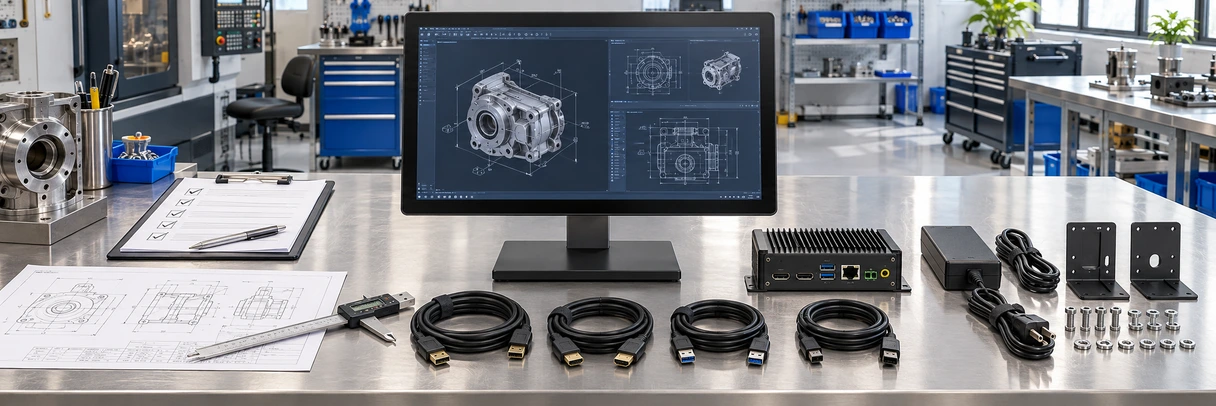
QHD touchscreen monitor host graphics cable interface and touch compatibility

QHD Touchscreen Monitor Host and Interface Compatibility

Successful QHD operation depends on the complete connection chain. Verify each device in the signal path rather than assuming that HDMI, DisplayPort or USB-C automatically provides the required result.

  • Confirm that the host graphics output supports 2560 × 1440 at the intended refresh rate.
  • Record the exact video port, dock, adapter and cable path.
  • Confirm that the selected monitor controller accepts the required signal timing.
  • Use cables rated for the required video mode and installation length.
  • Define the separate touch-data connection where required.
  • Confirm the operating system, touch-controller support and driver requirements.
  • For multi-display systems, test touch mapping to the correct screen.
  • Test startup, restart, sleep recovery and cable reconnection behavior.
  • Do not assume that a USB-C connector supports video, power and touch simultaneously.

QHD Touchscreen Monitor Touch, Scaling and OS Validation

Native Resolution and Scaling

Run the display at its approved native 2560 × 1440 resolution whenever possible. Review operating-system scaling with the actual application so text, controls and touch targets remain readable and easy to operate.

Touch Mapping

In a multi-display workstation, the operating system may initially map touch input to the wrong screen. Calibration or display assignment may be required after installation, system imaging or cable changes.

Touch Points and Gestures

PCAP does not automatically guarantee a specific touch-point count or every gesture. Confirm the touch controller, operating system and application behavior together.

Windows, Linux and Android

Compatibility is model- and controller-specific. Record the operating-system version, kernel or driver requirements, expected gestures and any kiosk or locked-down system behavior before approval.

Stylus Requirements

A capacitive touchscreen is not automatically compatible with an active pen, pressure sensitivity or palm rejection. Treat pen input as a separate requirement and validate the complete hardware and software combination.

WQHD touchscreen monitor touch mapping operating system scaling and gesture validation

QHD Touchscreen Monitor Applications

Application suitability depends on viewing distance, UI design, operator reach, host performance, mounting and environmental requirements.

QHD touchscreen monitor for detailed industrial control dashboard

Data-Rich Industrial Control Interfaces

QHD can provide additional workspace for trends, process status, alarms and controls when the software has been designed for the higher-resolution layout.

QHD touchscreen monitor for visual inspection and diagnostic workstation

Inspection and Diagnostic Workstations

A 2560 × 1440 display may help operators review detailed images, measurement panels and control tools within one interface. The host graphics and application scale must be validated.

QHD touch screen monitor for CAD and equipment configuration

Equipment Configuration

Suitable for applications that need a detailed visual area beside direct configuration controls.

QHD touchscreen display for retail product configuration

Interactive Product Configuration

QHD can support detailed product views and comparison controls where the content is prepared for touch interaction.

WQHD touchscreen monitor for simulation and training controls

Simulation and Training

Useful where instructors or operators need a larger visible workspace without moving to a larger-format 4K display.

2560 x 1440 touchscreen monitor for information and data terminal

Information and Data Terminals

Consider QHD when one screen must combine navigation, detailed records and contextual information.

illustrative QHD touchscreen monitor engineering evaluation for machine vision workstation

QHD Touchscreen Monitor Evaluation Scenario

Machine-Vision Review Console

An equipment integrator is planning a 27-inch operator console that combines live camera images, measurement results, alarm history and machine controls. Full HD limits the amount of information that can remain visible at one time, while 4K may introduce unnecessary graphics and scaling requirements for the existing host.

A 2560 × 1440 touchscreen is therefore evaluated as the middle resolution path. The review covers the host graphics output, QHD panel availability, controller timing, PCAP touch mapping, application scaling, enclosure dimensions and cable clearance.

The configuration should proceed only after the proposed panel, display board, touch controller and mechanical drawing have been approved and the sample has been tested with the intended host and software.

Disclosure: This is an illustrative specification-planning scenario, not a published customer case or claim of completed project performance.

Custom QHD Touchscreen Monitor Options

custom QHD touchscreen monitor display touch housing interface and mounting options

Display Configuration

Evaluate the 2560 × 1440 panel, active area, brightness, viewing characteristics and refresh requirement from the approved panel specification.

Touch Configuration

Define PCAP requirements, touch-point count, cover-glass structure, gesture behavior and any glove, water or stylus conditions.

Product Structure

Compare a finished metal housing, open-frame structure or equipment-specific enclosure according to the final installation.

Video and Touch Interfaces

Select the display controller from the host output and required timing. Define touch-data and power connections separately unless a combined path is verified.

Mechanical Integration

Review overall dimensions, visible area, mounting holes, rear depth, cable exit, ventilation and landscape or portrait orientation.

Brand and Project Details

Logo, labels, packaging and accessories may be reviewed only within the approved project scope.

Customization does not mean that every combination is automatically available. The approved specification defines the final supply.

QHD Touchscreen Monitor Project Workflow

QHD touchscreen monitor application review

Application Review

Define the software layout, viewing distance, operator interaction and equipment environment.

2560 x 1440 LCD panel availability review

QHD Panel Availability

Identify a 2560 × 1440 panel candidate and confirm its specification and supply status.

QHD display controller and host matching

Controller and Host Matching

Match the panel timing and display controller to the host graphics output and connection path.

QHD touchscreen mechanical drawing review

Touch and Mechanical Review

Coordinate the touch controller, cover glass, housing, mounting and cable clearance.

QHD touchscreen monitor sample validation

Sample Configuration Validation

Evaluate native resolution, image stability, touch mapping, restart behavior and application scaling.

approved QHD touchscreen monitor production configuration

Approved Production Specification

Use one controlled specification and drawing to define the production configuration and inspection scope.

QHD Touchscreen Monitor Manufacturing and Inspection

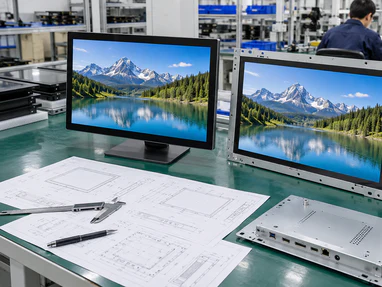
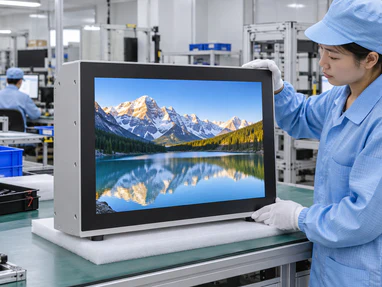
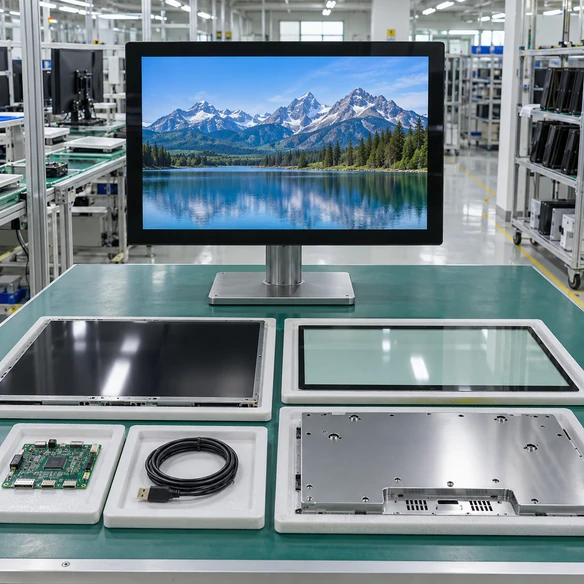
A project-specific QHD monitor must be inspected against its approved configuration rather than against a generic touchscreen description. The inspection plan should identify the panel, controller, touch assembly, housing, interfaces, cables and accessories included in the order.

Lucky XFC touchscreen monitor manufacturing and configuration based inspection

Inspection scope may include:

  • • Component and model identification
  • • Native-resolution output at 2560 × 1440
  • • Image stability through the approved video input
  • • Touch detection, coordinate mapping and required gesture behavior
  • • Startup, restart and reconnection checks
  • • Visual screen and cover-glass inspection
  • • Connector position and cable-clearance inspection
  • • Housing, mounting and dimensional checks against the approved drawing
  • • Accessory and packaging verification
The exact inspection items, acceptance criteria and test conditions must be defined for the approved project. Do not publish an unverified claim of zero defects or guaranteed performance.

Why Choose Lucky XFC for a QHD Touchscreen Monitor Project?

documented Lucky XFC 27 inch touchscreen starting platforms

Documented 27-Inch Starting Platforms

Existing finished and open-frame 27-inch products provide practical references for structure and integration while the QHD display system is evaluated separately.

finished and open frame touchscreen monitor structures

Finished and Open-Frame Structures

The project can begin from a finished external monitor direction or an equipment-integrated open-frame direction.

touchscreen monitor video touch data and power review

Video and Touch Paths Reviewed Separately

Separating video, touch data and power reduces ambiguity when matching the monitor to the host.

touchscreen monitor mechanical integration drawing review

Mechanical Integration Review

Housing, mounting, rear depth, connector direction and enclosure clearance can be evaluated around the installation.

OEM ODM touchscreen monitor project coordination

OEM and ODM Project Coordination

Display, touch, structure, connection and branding requirements can be organized within one approved project specification.

touchscreen monitor configuration based functional validation

Configuration-Based Validation

The sample and inspection scope can be aligned to the approved panel, controller, touch and mechanical configuration.

QHD Touchscreen Monitor Selection Matrix

QHD touchscreen monitor configuration selection matrix

Swipe to view full matrix

Project Requirement Recommended Direction Critical Review
Finished desktop or equipment-side monitor 27-inch QHD PCAP finished monitor Panel, controller, host output, stand or VESA requirement
Monitor installed behind an equipment fascia 27-inch open-frame QHD monitor Cutout, mounting holes, rear depth and cable direction
Larger physical interaction area 31.5-inch QHD PCAP monitor Viewing distance, operator reach, panel availability and enclosure space
Unique enclosure or branded product Custom QHD integration Drawing, glass, structure, interfaces, logo and validation plan
Existing application designed for Full HD Compare Full HD before selecting QHD UI scaling and visible benefit
Very dense graphics or detailed multi-window content Compare QHD with the 4K path Host graphics, software scaling and project cost
High-refresh application Separate feasibility review Panel refresh, controller bandwidth, cable and host output
Active-pen workflow Separate pen-system validation Pen protocol, touch controller, software and palm rejection
Select the resolution because it improves the application—not because QHD is a higher number. The final decision should consider pixel density, interface density, viewing distance, host capability and the complete installation.

QHD Touchscreen Monitor Buying Guide

QHD touchscreen monitor resolution host touch and integration buying guide

Is QHD the same as 2K?

Not always. QHD and WQHD normally refer to 2560 × 1440 in the monitor market, while “2K” is used inconsistently. A quotation should state the exact native pixel matrix instead of relying on the 2K label.

When is QHD more useful than Full HD?

QHD is most useful when a 27-inch-class screen must show more interface content or finer visual detail while remaining practical for normal desktop and equipment-control viewing distances. If the application contains only large buttons and simple status information, Full HD may already be sufficient.

When should I consider 4K instead of QHD?

Consider 4K when the application requires substantially denser drawings, detailed imagery or several high-resolution windows. Also confirm that the host graphics system, software scaling and user interface can use the additional pixels effectively.

What host hardware is required for a QHD touchscreen monitor?

The host must provide a compatible 2560 × 1440 video output at the intended refresh rate. Check the graphics adapter, output port, dock, adapter, cable and operating system as one chain. Touch data normally requires a compatible controller connection in addition to video.

Does a QHD touchscreen monitor require a separate USB cable?

Many touchscreen monitors use HDMI or DisplayPort for video and USB for touch data. A USB-C configuration may combine functions only when the host port, cable and monitor controller all support the required video, touch and power behavior. Do not infer capability from connector shape alone.

Can a QHD touchscreen monitor operate at a high refresh rate?

QHD resolution does not establish refresh rate. The LCD panel, display controller, input bandwidth, cable and host graphics output must all support the requested mode. Treat high-refresh operation as a separate specification requiring validation.

What should be approved before ordering?

  • ✓ Exact native resolution and panel specification
  • ✓ Refresh rate and accepted signal timing
  • ✓ Touch technology, touch points and controller
  • ✓ Host model, operating system and graphics output
  • ✓ Video, touch-data and power connections
  • ✓ Overall dimensions, mounting and cable clearance
  • ✓ Sample validation conditions
  • ✓ Controlled product specification and mechanical drawing

QHD Touchscreen Monitor FAQ

Does Lucky XFC currently have a verified standard QHD touchscreen monitor model?
The currently documented 27-inch and 31.5-inch flat starting models use 1920 × 1080 Full HD resolution. A 2560 × 1440 touchscreen monitor must therefore be treated as a project-specific configuration until the panel, controller, touch system and complete product specification have been approved.
Which size is recommended for a QHD touchscreen project?
The primary direction is 27 inches because QHD provides a useful increase in pixel density and workspace at that size. A 31.5-inch configuration may also be evaluated when the project needs a larger physical interaction area.
Is a model name containing 2K proof of QHD resolution?
No. Product naming is not sufficient evidence. Confirm that the LCD panel’s native resolution is explicitly stated as 2560 × 1440.
Does the QHD touchscreen monitor include a computer?
The main product direction is an external-host monitor. It requires a compatible computer, industrial PC or embedded host to run the operating system and application.
Can HDMI, DisplayPort or USB-C carry QHD video?
Potentially, but compatibility depends on the host output, protocol version, cable, adapter path and selected monitor controller. The connector name alone does not confirm the supported resolution or refresh rate.
Does the proposed QHD monitor support ten touch points?
Touch-point count is not yet verified for the QHD configuration. The documented Full HD XFC-OF270-PCAP uses 10-point PCAP touch, but this specification must not be transferred to a new QHD configuration without confirmation.
Can the screen be used with a stylus?
Basic capacitive stylus behavior and active-pen functions are different requirements. Active-pen protocol, pressure sensitivity, palm rejection and software support must be validated separately.
Can a QHD touchscreen monitor be used in portrait orientation?
Portrait installation may be evaluated, but the panel, housing, mounting, cable direction, thermal conditions and application orientation must be approved for the selected configuration.
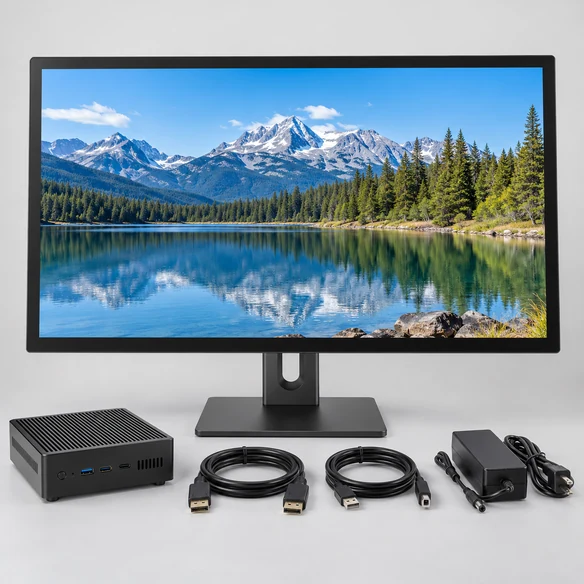
What information is needed for a QHD project review?
Provide the preferred screen size, application, host model, operating system, graphics output, required refresh rate, touch behavior, mounting method, enclosure drawing and estimated quantity.
Request a QHD Touchscreen Monitor Project Review

A useful QHD quotation begins with the complete display system rather than the resolution alone. Share the intended screen size, host, software, connection path and mechanical requirements so the panel, display controller, touch system and product structure can be reviewed together.

Helpful information:

  • ■ Preferred screen size: 27 inch, 31.5 inch or another requirement
  • ■ Required native resolution and refresh rate
  • ■ Host computer, operating system and graphics output
  • ■ Required video, touch-data and power connections
  • ■ Touch-point, gesture, glove or stylus requirements
  • ■ Finished housing or open-frame installation
  • ■ Mounting, cutout, rear depth and cable clearance
  • ■ Application and expected operating conditions
  • ■ Project quantity and development stage

QHD Touchscreen Monitor Project Inquiry