
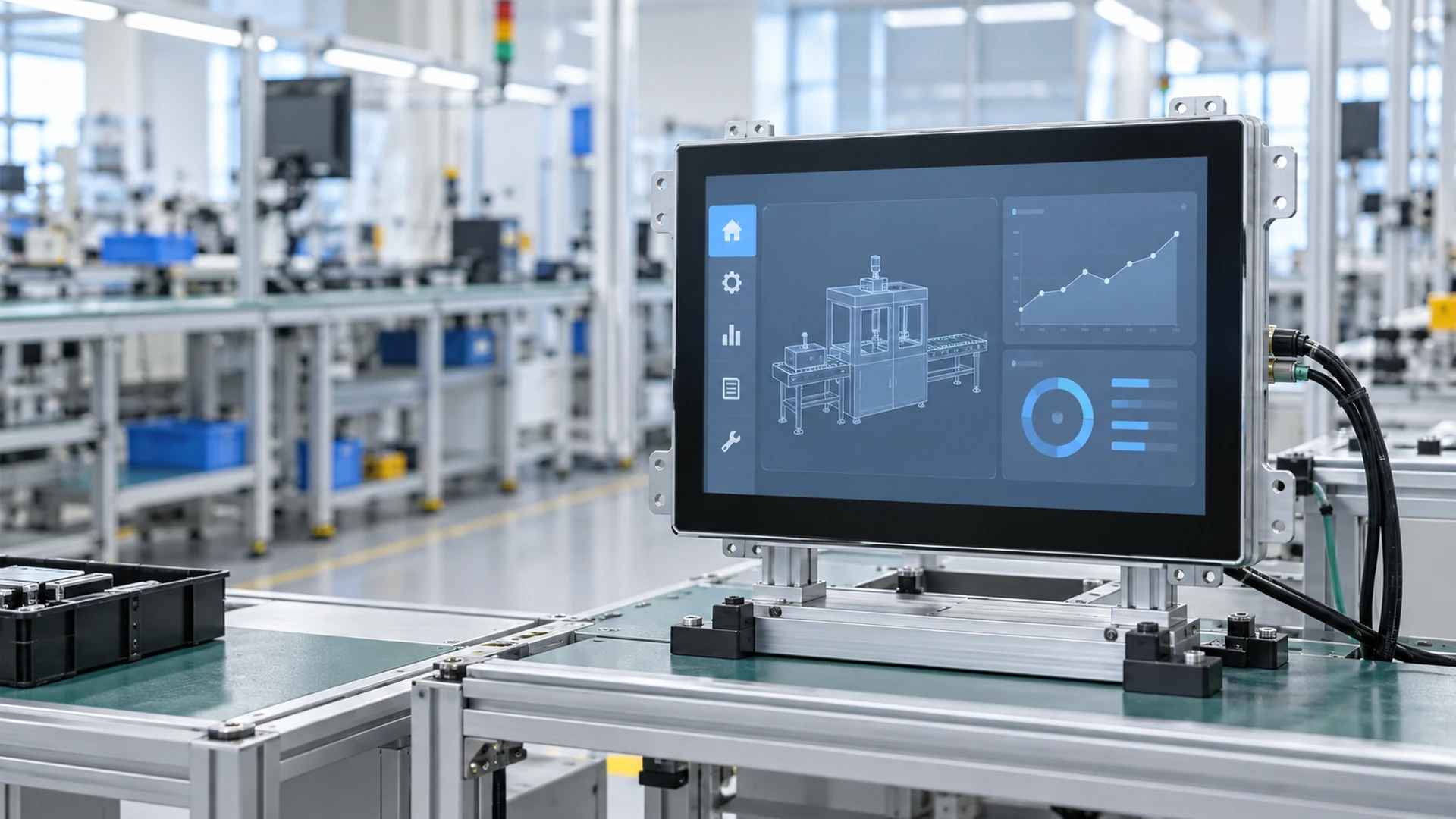
Custom Touchscreen Panel Manufacturer for Equipment Integration
Source touchscreen panels, complete touch panel monitors and application-ready display solutions from one manufacturing partner. Lucky XFC supports equipment builders with PCAP and resistive touch options, standard and custom mechanical formats, practical interface planning, prototype review and production coordination.
Configurations are reviewed by model and project requirement. Display size, brightness, touch technology, interfaces, mounting structure and environmental specifications are confirmed before production.
What Is a Touchscreen Panel?
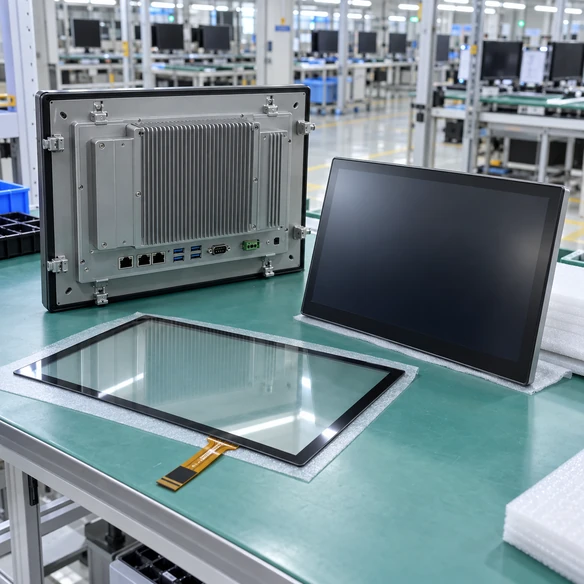
A touchscreen panel is the interactive front end of a digital system. Depending on the project, the term may refer to a touch sensor bonded or integrated with a display, a complete touchscreen monitor with housing and video inputs, or an embedded panel prepared for installation inside equipment.
Clarifying the required product level at the beginning prevents enclosure conflicts, missing controllers, incorrect interfaces and unnecessary redesign.
Touch Sensor Panel
A touch sensor, controller and optional cover glass intended for integration with a separate display and mechanical structure. This format is suitable when the equipment manufacturer controls the complete display assembly.
Best for: custom display stacks and specialized front-glass designsTouchscreen Monitor
A complete display solution combining an LCD, touch system, controller, video input, touch-data connection and either a finished housing or open-frame structure. It normally connects to an external computer or media host.
Best for: kiosks, machinery, POS systems and commercial equipmentPanel PC
An integrated system that adds computing hardware such as processor, memory, storage and operating system support to the touchscreen display. Select this format when local computing must be built into the operator interface.
Best for: standalone control and application environmentsNot sure which level you need? Send the host system, installation drawing and application details for a configuration review.
Touchscreen Panel Formats for Different Equipment Designs
Choose a format based on how the display will be installed, operated and connected. Lucky XFC can review standard products and project-specific adaptations without assuming that one construction fits every application.
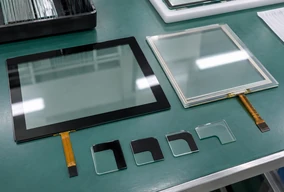
Custom PCAP & Resistive Touch Panels
Configure the touch sensor, controller and cover-glass concept around the required display and enclosure. PCAP solutions support modern glass-front interfaces, while resistive options remain practical for applications that prioritize pressure-based input.
Suitable for: custom front panels, equipment overlays and specialized display assemblies
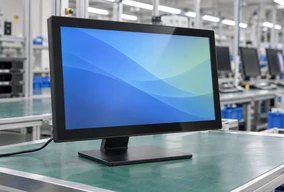
Standard Flat Touchscreen Panels
Complete flat touch displays combine an LCD, touch system, metal housing and project-selected interfaces. Standard flat formats provide a practical starting point for desktop, wall-mounted and equipment-connected applications.
Suitable for: control stations, POS equipment, information systems and commercial interfaces
View Touchscreen Monitors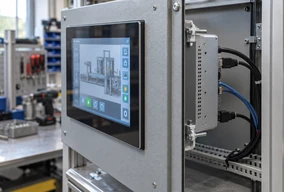
Open-Frame & Panel-Mount Touchscreen Panels
Open-frame displays are designed for installation behind a machine bezel or inside a cabinet. The final selection should be based on active area, cutout, rear depth, mounting points, connector position and service access.
Suitable for: embedded equipment, control cabinets, kiosks and machine consoles
View Open-Frame Touch Monitors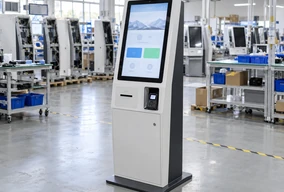
Kiosk Touchscreen Panels
Touch displays for self-service projects can be coordinated with the kiosk structure, host computer and peripheral layout. Interface planning should consider the application software, touch-data path and integration space.
Suitable for: check-in, ordering, ticketing, information and payment terminals
View Kiosk Touchscreen Solutions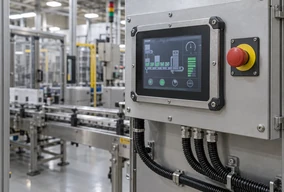
Industrial & Rugged Touchscreen Panels
Industrial touchscreen configurations focus on stable mechanical integration, continuous operator use and model-specific environmental requirements. Protection level, operating temperature, brightness and electrical requirements must be confirmed for the selected model.
Suitable for: machinery, industrial HMI, production equipment and control systems
View Industrial Touch Screens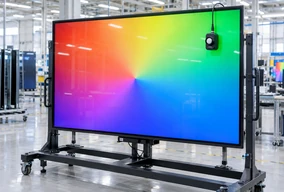
Large-Format & 4K Touchscreen Panels
Large touch displays support visual interaction where screen area and information clarity matter. Resolution, viewing distance, mounting support, touch method and host-system output should be reviewed together.
Suitable for: commercial interaction, presentation, wayfinding and collaborative display projects
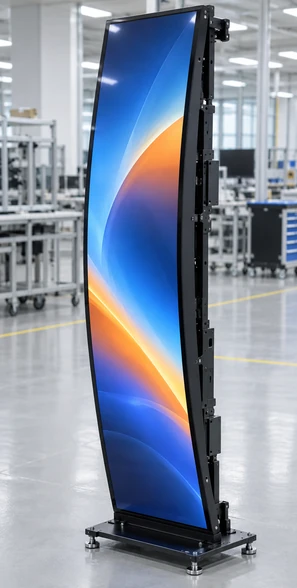
Curved Touchscreen Panels
C-type and J-type curved displays create distinctive interactive structures for specialized commercial equipment. Lucky XFC currently supports verified curved capacitive-touch model families in selected 32-inch to 55-inch formats, depending on the curve type and model.
Suitable for: gaming equipment, entertainment systems and custom commercial installations
View Curved Touch MonitorsCompare Touchscreen Panel Construction Options
The correct format depends on which parts of the display system are already included in your equipment design.
Selection Reminder
Do not select by diagonal size alone. Two displays with the same nominal size can have different outer dimensions, active areas, rear structures and mounting positions. Use the approved model datasheet and mechanical drawing before finalizing the enclosure.
Flat Touchscreen Panels for Common Integration Sizes
For projects that do not require a specialized curved or custom mechanical format, the following flat capacitive-touch models provide practical starting points. Final configuration remains subject to the selected model and project review.
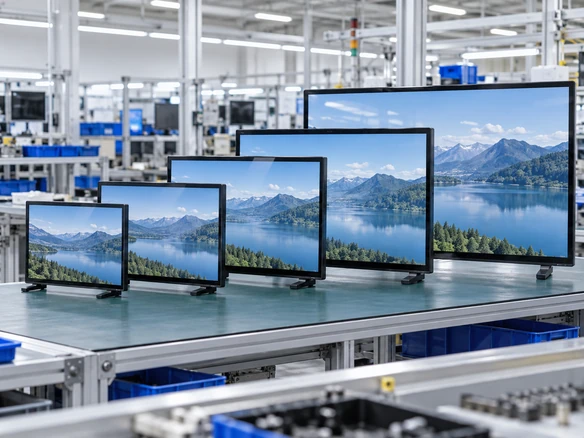
21.5 inch
23.8 inch
27 inch
31.5 inch
43 inch
| Nominal Size | Touch Option | Aspect Ratio | Display Resolution | Construction |
|---|---|---|---|---|
| 21.5 inch | PCAP capacitive touch | 16:9 | 1920 × 1080 | Metal housing |
| 23.8 inch | PCAP capacitive touch | 16:9 | 1920 × 1080 | Metal housing |
| 27 inch | PCAP capacitive touch | 16:9 | 1920 × 1080 | Metal housing |
| 31.5 inch | PCAP capacitive touch | 16:9 | 1920 × 1080 | Metal housing |
| 43 inch | PCAP capacitive touch | 16:9 | 1920 × 1080 | Metal housing |
Brightness, touch-point configuration, interface combination, power input, mounting details and overall dimensions must be confirmed against the selected model.
Lucky XFC also reviews custom display projects beyond these standard starting points. Company-wide display projects may cover a broader size range, but availability depends on product format, panel sourcing and technical evaluation.
Choose the Touch Method Around the Real Operating Environment
Touch technology affects input behavior, cover-glass design, glove requirements, surface durability and integration cost. Confirm how the operator will use the screen before selecting the display.
PCAP Capacitive Touch
PCAP is commonly selected for glass-front interfaces and responsive multi-touch interaction. It is a strong fit for modern kiosks, commercial controls and equipment that requires a clean front appearance.
Confirm: cover-glass thickness, glove use, water exposure, required touch points and controller compatibility
Resistive Touch
Resistive touch responds to physical pressure and can suit applications operated with a finger, glove or stylus. It remains useful where the input method and operating process matter more than a smartphone-style gesture experience.
Confirm: required actuation method, overlay durability, display size and controller interface
IR or Project-Specific Touch
Infrared or other touch approaches may be considered for selected large-format or specialized projects. Availability and suitability must be evaluated against the intended screen size, bezel design, environment and accuracy requirement.
Confirm: frame allowance, ambient conditions, touch accuracy, object detection and installation structure
Use the Application to Make the Decision
- Choose PCAP when a glass-front appearance and modern finger interaction are priorities.
- Consider resistive touch when pressure activation, glove input or stylus operation is central to the workflow.
- Evaluate project-specific alternatives when the display size, bezel structure or interaction method falls outside standard configurations.
- Prototype testing is recommended when thick gloves, water, specialized cover glass or unusual mounting conditions are involved.
Match the Display to Lighting, Viewing Distance and Content
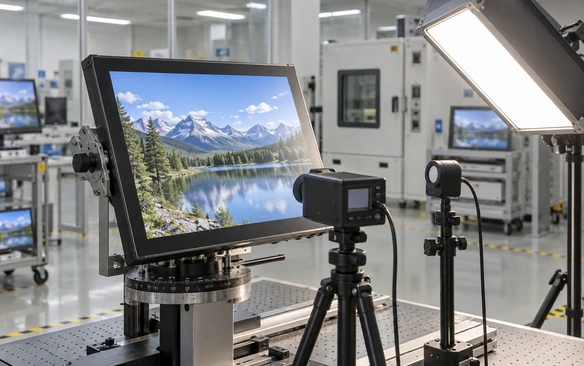
A suitable touchscreen panel must remain usable in its actual installation. Resolution alone does not determine the result. Ambient light, viewing distance, screen orientation, content density and cover-glass treatment should be considered together.
Screen Size
Base the size on viewing distance, available enclosure space and the amount of information shown on screen.
Resolution
Confirm that the host system can output the selected native resolution and refresh requirement.
Brightness
Specify whether the panel will be used indoors, near windows, under strong lighting or in an outdoor-facing position.
Viewing Angle
Consider whether operators view the display directly, from the side or from different standing heights.
Surface Treatment
Discuss glare, reflection, cover-glass finish and cleaning requirements during project review.
Orientation
Confirm landscape or portrait use before approving the structure, cable direction and interface position.
Optical bonding, specialized glass or high-brightness requirements should be treated as project-specific options and confirmed during technical evaluation.
Design the Enclosure Around Verified Drawings
The most common integration problems are mechanical rather than visual. A screen may have the correct diagonal size but still conflict with the bezel, cabinet depth, cable routing or maintenance access.
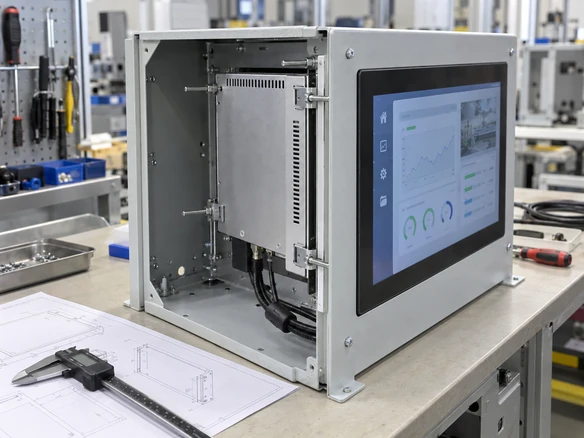
- Desktop or finished housing — for independent placement or connection to an adjustable stand.
- VESA or wall mounting — for arms, brackets, wall structures and equipment frames.
- Open-frame installation — for mounting behind a custom bezel inside equipment.
- Panel or cabinet mounting — for control consoles and machine enclosures that require a defined front opening.
Mechanical Review Checklist
Do Not Release the Enclosure from a Reference Image
Approve the exact model datasheet and mechanical drawing before cutting metal, tooling a front panel or releasing a production enclosure. Reference images and nominal screen sizes are not manufacturing drawings.
Confirm Both the Display Signal and the Touch-Data Path
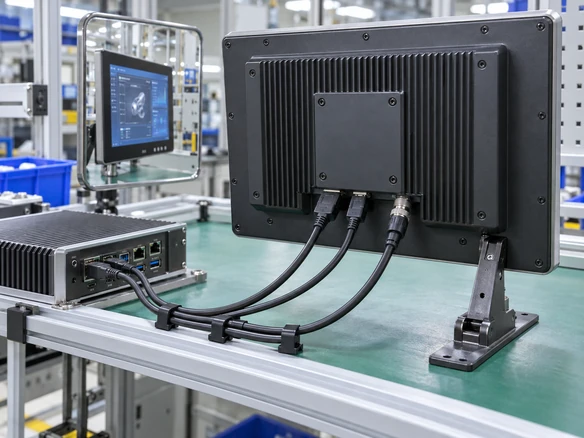
A working image does not automatically mean the touch function is connected. In many configurations, video and touch data travel through separate connections. The exact interface combination depends on the selected touchscreen panel.
Video connection carries the image from the host to the display.
Touch-data connection sends operator input from the touch controller back to the host.
Power is supplied according to the selected model and should be confirmed separately.
Information Required for Compatibility Review
Do not assume that a USB-C connector provides video, touch data and power through one cable. Single-cable operation must be explicitly confirmed for the selected model and host system.
Have a Host Device and Enclosure Drawing?
Send the operating system, available interfaces, installation drawing and target screen size. Our team will review the connection and mechanical requirements before recommending a configuration.
Reduce Integration Risk Before Production
A touchscreen display project can fail even when the panel turns on. Lucky XFC structures the review around the complete application rather than treating screen size as the only specification.
Problem: The screen does not fit the enclosure
Project Response: Review the cutout, active area, overall dimensions, rear depth, mounting points and connector clearance against the exact mechanical drawing.
Problem: The image works, but touch does not
Project Response: Check the touch-data interface, controller, operating system, driver condition and cable path separately from the video connection.
Problem: The touch technology does not match the operator
Project Response: Confirm finger, glove, stylus, water and cover-glass requirements before selecting PCAP, resistive or another project-specific method.
Problem: The display is difficult to read in the real environment
Project Response: Review ambient light, viewing angle, brightness requirement, reflection, content size and installation orientation as one system.
Problem: The production unit differs from the expected sample
Project Response: Record approved sample details, drawings, interface selections and agreed changes before moving into production coordination.
Touchscreen Panels Built Around the Equipment Workflow
The same display size can require a different construction when it is installed in a kiosk, machine cabinet or commercial terminal. Start with the operator workflow and installation environment.
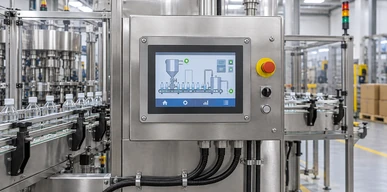
Industrial HMI
Machine interfaces require clear mechanical integration, reliable host communication and controls suited to the operator’s working method.
Typical starting point: industrial or panel-mount touchscreen
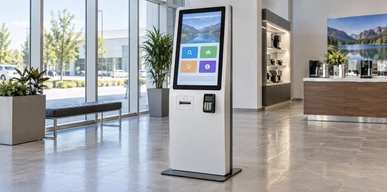
Self-Service Kiosks
Check-in, ordering and information terminals require coordination between the touch display, enclosure, host system and installed peripherals.
Typical starting point: open-frame or kiosk touchscreen
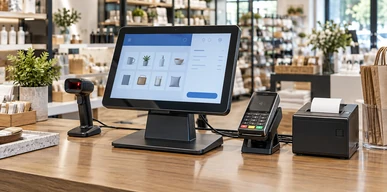
POS & Payment Equipment
Counter systems benefit from compact mounting, practical cable routing and a touch interface matched to the transaction workflow.
Typical starting point: housed or embedded touchscreen monitor
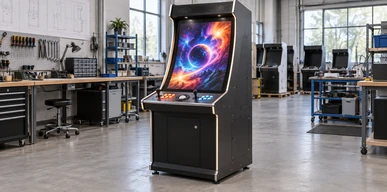
Gaming & Entertainment
Distinctive structures may require curved, large-format or custom touch displays integrated with purpose-built cabinets.
Typical starting point: curved or custom touchscreen panel
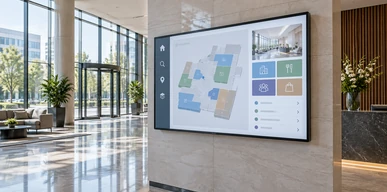
Commercial Information Displays
Wayfinding, product information and interactive presentation systems should balance screen size, resolution, viewing distance and mounting support.
Typical starting point: flat or large-format touch display
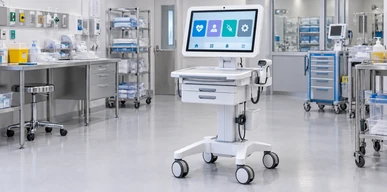
Healthcare Information Equipment
Information terminals may require project-specific surface, cleaning and integration considerations. Regulatory and cleaning requirements must be confirmed separately for the intended use.
Typical starting point: enclosed or open-frame touchscreen
From Touchscreen Sample to a U.S. Kiosk Project
A U.S. self-service kiosk project required a custom check-in terminal that combined a touchscreen interface with A4 printing and ID scanning. The project moved through requirement review, software validation and structural adjustment before phased delivery planning.
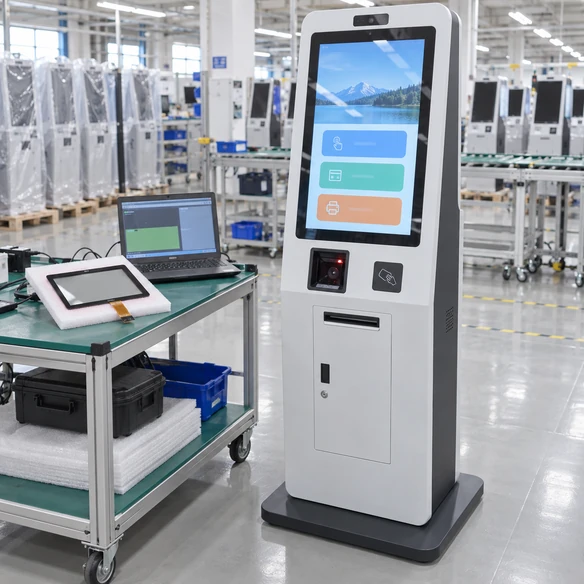
1. Requirement
The requested kiosk needed to support check-in interaction, A4 printing and ID scanning within one equipment structure.
2. Evaluation
Printer drivers were tested with the customer’s Windows IoT environment as part of the integration review.
3. Sample
One prototype was produced for the software team to validate the system and operating workflow.
4. Confirmation
Minor structural adjustments were made to improve access for paper loading.
5. Bulk Order Planning
A phased delivery schedule was established for the regional rollout.
This example shows why a touchscreen project should be reviewed as a complete system. Display selection, software, peripherals, structure and service access all influence the final equipment design.
Configure the Touchscreen Panel Around Your Equipment
Lucky XFC can review customization across the display, touch system, mechanical structure and connection requirements. Feasibility depends on the selected panel platform, quantity, technical target and validation result.
Display Size & Format
Review standard flat, open-frame, large-format, curved and project-specific display structures.
Touch Technology
Evaluate PCAP, resistive or another suitable method according to the intended interaction.
Cover Glass
Discuss dimensions, edge treatment, printed border, opening positions and surface requirements.
Housing & Frame
Coordinate finished housing, open-frame structure, panel-mount design or equipment-specific mechanical adaptation.
Mounting Method
Review VESA, bracket, rear fastening, cabinet installation and service-access requirements.
Interface Combination
Select video, touch-data, power and other required connections according to the host system and model capability.
Display Performance
Review resolution, brightness, viewing requirements and orientation for the intended environment.
Branding & Project Details
Discuss model labeling, approved visual details, packaging and project documentation where applicable.
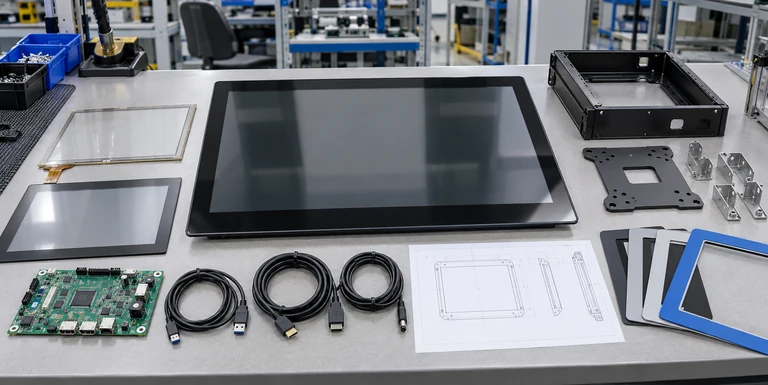
Custom requests are evaluated before quotation. Provide drawings and target specifications so that the response can be based on a real configuration rather than a generic product image.
From Requirement Review to Production Coordination
A structured process keeps the display, touch system, mechanics and host connection aligned throughout the project.
Requirement Review
Share the application, installation method, target size, operating environment, host system and required interfaces.
Component Evaluation
Review the LCD platform, touch method, controller, cover glass and interface feasibility.
Industrial Design
Align the visible appearance, operator position, orientation and equipment concept.
Mechanical Design
Confirm the outer dimensions, active area, cutout, mounting method, connector position and cable space.
Prototype & Sample Review
Validate appearance, installation, display output, touch response and host compatibility before production planning.
Assembly & Shipment Coordination
Record the approved configuration and coordinate assembly, inspection, packing and shipment requirements.
Project timing depends on the level of customization, component confirmation, sample revision and order requirements. Any schedule should be confirmed in the formal project review.
Verify the Complete Touch Display Before Equipment Release
Lucky XFC applies 100% inspection within its production process. For custom equipment projects, the buyer should also validate the approved sample inside the intended host system and enclosure.
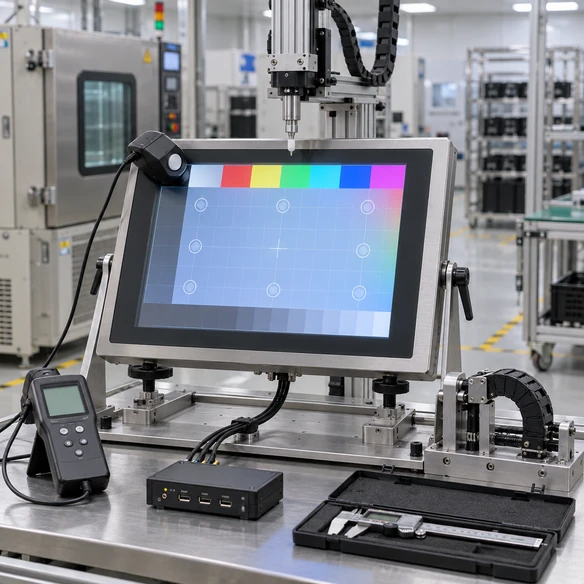
Visual & Mechanical Review
- • Visible area and screen orientation
- • Housing or frame condition
- • Mounting-hole alignment
- • Connector position
- • Cable clearance
- • Cover-glass appearance
- • Access for installation and maintenance
Display Review
- • Native resolution
- • Image stability
- • Brightness suitability
- • Color and content readability
- • Landscape or portrait behavior
- • Sleep and wake response
Touch Review
- • Touch response across the active area
- • Required touch-point behavior
- • Finger, glove or stylus operation where applicable
- • Controller and operating-system compatibility
- • Restart and reconnect behavior
System Review
- • Host video output
- • Touch-data connection
- • Power input
- • Driver condition
- • Cable length
- • Peripheral interaction
- • Application software workflow
Approve the exact sample, drawing and configuration record before bulk production. Any change to the host, enclosure, cable or operating environment should be reviewed for possible compatibility impact.
Work with a Touchscreen Display Manufacturer, Not Only a Product Listing
Lucky XFC supports touchscreen display projects through product selection, mechanical review, sample coordination, assembly and inspection. The goal is to provide a configuration that can be evaluated against the buyer’s real equipment requirements.
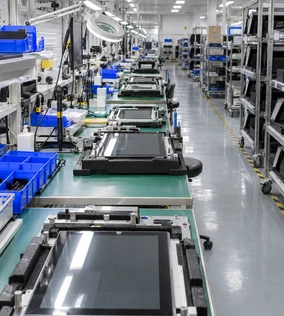
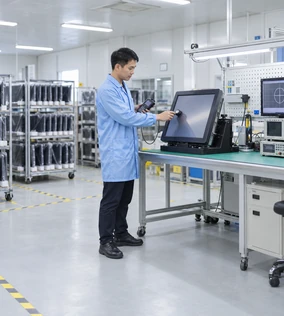
OEM and ODM support is available for suitable projects. Custom display programs may cover a broad company-wide range from compact displays to large-format solutions, but the available size, panel platform and construction depend on the individual product category.
- Product selection based on application and installation
- Mechanical details reviewed before enclosure approval
- Touch, video and host compatibility considered separately
- Prototype validation available for custom projects
- Approved configurations recorded for production coordination
Build a Clear Touchscreen Panel Requirement in Four Steps
Step 1 — Define the Product Level
Decide whether you need a touch sensor panel, a complete touchscreen monitor, an open-frame display or a panel PC.
Step 2 — Define the Installation
Select desktop, VESA, wall, open-frame, panel-mount or custom cabinet integration.
Step 3 — Define the Operating Method
Describe finger, glove or stylus use, expected touch points, ambient light and cleaning conditions.
Step 4 — Define the Host Connection
Provide the operating system, video output, touch-data interface, resolution, power environment and cable requirements.
Your Minimum RFQ Package
For a faster technical review, send the target size, application, installation drawing, host information, touch requirement, interface list, expected quantity and project schedule.
Questions Buyers Ask Before Selecting a Touchscreen Panel
What is the difference between a touch panel and a touchscreen monitor?
What is the difference between a touchscreen monitor and a panel PC?
Should I choose PCAP or resistive touch?
Which touchscreen panel format is suitable for a kiosk?
Can a touchscreen panel be installed in an industrial control cabinet?
Does HDMI carry the touch signal?
Can USB-C carry video, touch and power through one cable?
What dimensions are needed for an open-frame touchscreen?
Can Lucky XFC customize the cover glass, housing or interfaces?
What should I send when requesting a quotation?
Related Touchscreen Display Solutions
Touch Screen Solutions
Review touch sensor, controller and custom touch integration options.
Explore Touch Screen SolutionsOpen-Frame Touch Monitors
Compare display formats intended for installation inside equipment and cabinets.
Explore Open-Frame MonitorsIndustrial Touch Screens
Review touchscreen display options for machinery and control applications.
Explore Industrial Touch ScreensKiosk Touch Screens
Explore touch displays for self-service, ordering and information terminal projects.
Explore Kiosk Touch ScreensLarge Touch Displays
Review larger interactive display formats for commercial and information applications.
Explore Large Touch DisplaysCurved Touch Monitors
Explore verified C-type and J-type curved capacitive-touch display families.
Explore Curved Touch MonitorsTell Us How the Touchscreen Panel Will Be Used
Share your application, installation method and host-system details. A clear requirement helps our team review the appropriate display format, touch technology, interfaces and mechanical direction.
Include These Details When Available
- Target screen size
- Touch sensor, monitor, open-frame display or panel PC
- Equipment application
- Installation or enclosure drawing
- Operating system and host output
- Required touch method
- Interface requirements
- Expected quantity and project schedule
If your enclosure or technical specification is not complete, send the information currently available. Reference drawings and project files can be attached for review.
Application Review · Model Selection · Mechanical Coordination · Sample Validation · Production Inspection
