
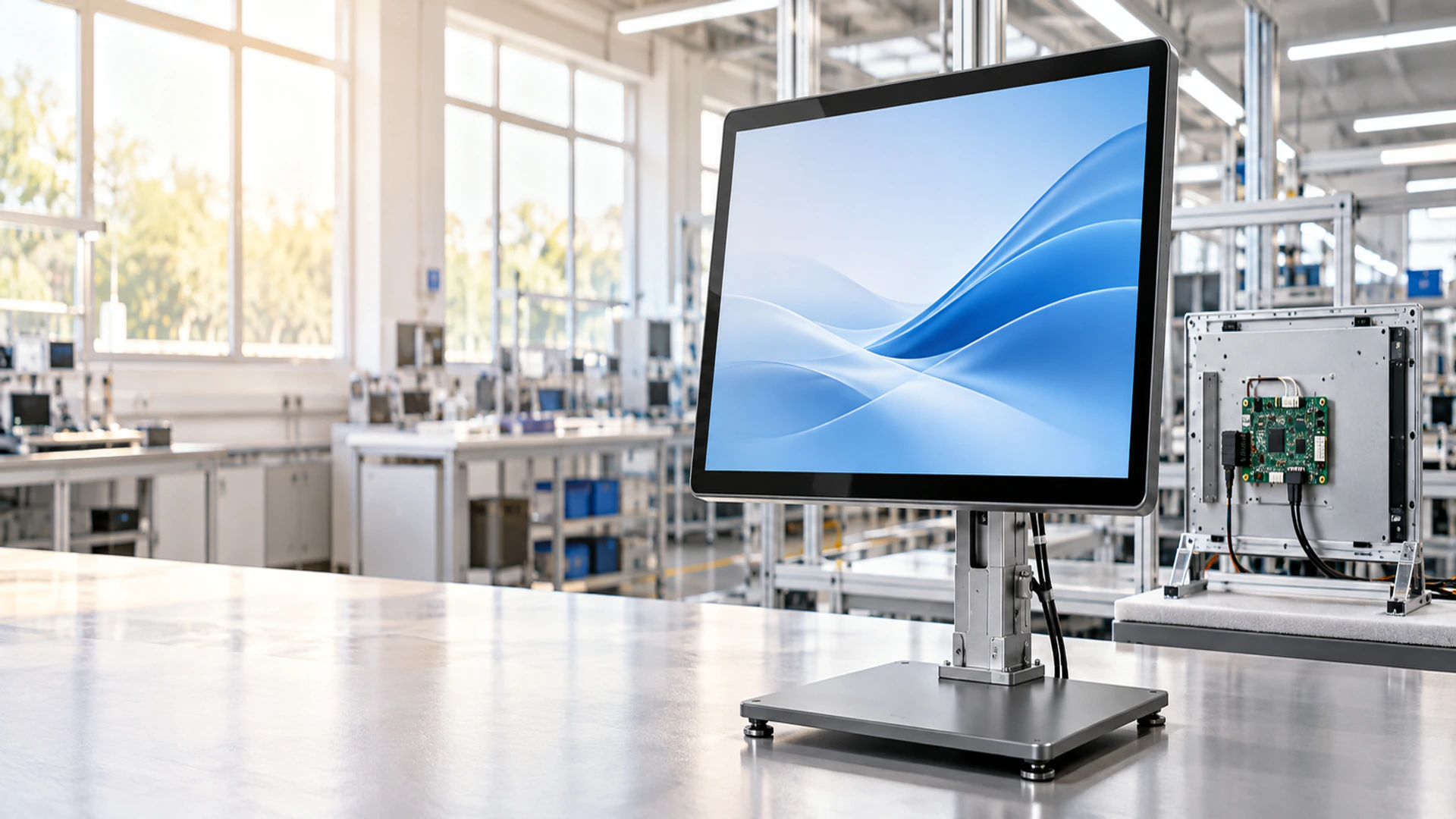
27 Inch Touchscreen Monitor Manufacturer for Custom Display Projects
Lucky-XFC supplies 27 inch touchscreen monitor configurations for desktop equipment, open-frame integration, industrial workstations, kiosks and custom OEM enclosures. Start with a verified Full HD PCAP model, then confirm the mounting, touch behavior, interfaces and mechanical drawing for your project.
- Standard metal-housed and open-frame models
- 1920 × 1080 Full HD starting configurations
- PCAP capacitive touch options
- OEM/ODM mechanical and interface review
Final dimensions, touch behavior, interfaces and environmental requirements are confirmed at model and project level.
What Is a 27 Inch Touchscreen Monitor?
A 27 inch touchscreen monitor combines a 27-inch LCD, touch sensor, touch controller and display electronics to provide image output and direct touch input. It connects to an external computer, industrial PC, embedded controller or other compatible host.
The term covers more than one mechanical structure. A standard monitor has a finished external housing. An open-frame monitor is installed inside a machine or cabinet. Industrial and kiosk projects may require additional review of brackets, cover glass, interfaces, cable direction and operating conditions.
Choose the mechanical structure before finalizing the equipment housing.
Standard monitor
Finished metal housing
Open-frame monitor
Installed inside equipment
Industrial configuration
Reviewed around operating and mounting requirements
Kiosk/OEM configuration
Reviewed with the complete enclosure
Choose a 27 Inch Touchscreen Monitor Configuration
Select the display structure according to how the monitor will be mounted, connected and serviced.
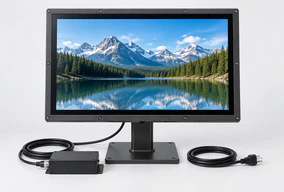
Standard 27 Inch Touchscreen Monitor
A finished metal-housed monitor with a 27-inch capacitive touch display, 1920 × 1080 resolution and 16:9 format.
Finished housing · External host required
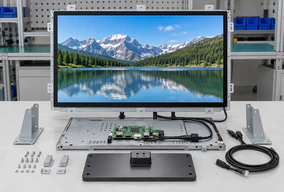
27 Inch Open Frame Touchscreen Monitor
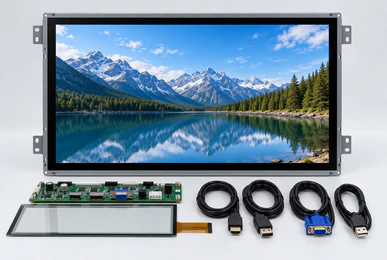
An integration-ready Full HD monitor with 10-point PCAP touch, 300-nit reference brightness, HDMI, DisplayPort and VGA video inputs, plus side-bracket and VESA mounting.
Equipment integration · Approved enclosure drawing
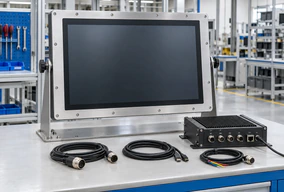
27 Inch Industrial Touchscreen Monitor
A project configuration reviewed around panel openings, workstation supports, external host connections, operator input and operating conditions.
Installation structure · Operating requirements
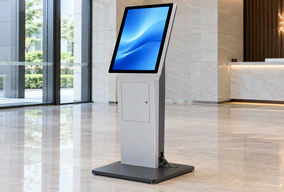
27 Inch Kiosk and OEM Touchscreen Monitor
A display route for information terminals, vending equipment, retail interaction and custom cabinets where the monitor must match the enclosure and service layout.
Cabinet fit · Touch workflow

Finished External Monitor
Use a standard metal-housed model when the display remains visible as a complete external product.

Embedded Open-Frame Monitor
Use an open-frame model when the customer’s machine or cabinet provides the finished exterior.
27 Inch Touchscreen Monitor Integration Problems to Resolve
The screen size fits, but the monitor housing does not
The 27-inch diagonal does not define the outside dimensions, active area, rear depth or mounting positions. Use the approved drawing before manufacturing the equipment opening or bracket.
The monitor shows an image, but touch input is missing
Video and touch data normally use separate connections. Confirm the video input, USB or approved touch-data path, controller and operating-system requirements.
The interface is difficult to reach
A 27-inch touch area requires suitable operator distance and touch-target placement. Review user reach, viewing angle and software layout before fixing the monitor position.
Competitor specifications are treated as universal
A 27-inch monitor may be Full HD or 4K, standard or high brightness, enclosed or open frame. Confirm every parameter from the selected Lucky-XFC model instead of transferring another manufacturer’s specification.
Approve the display, touch, mounting, host and enclosure as one system.
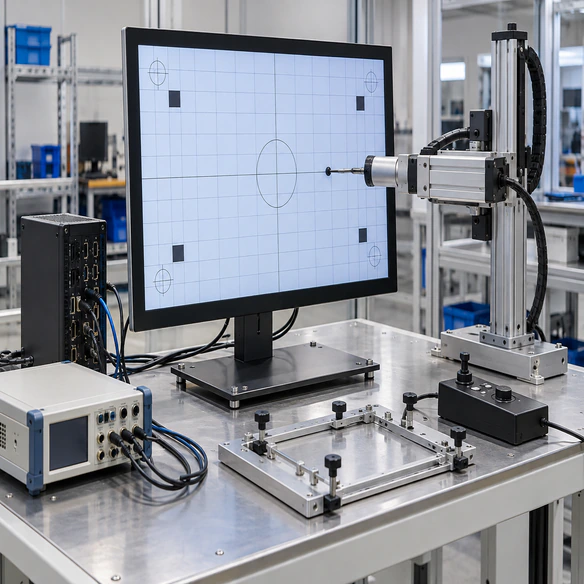
27 Inch Touchscreen Monitor Standard Model Specification
TP270-JX-DR-02 is the documented standard starting model. Final optical, electrical, mechanical and environmental details belong in the approved product specification.
| Specification | TP270-JX-DR-02 |
|---|---|
| Product format | Finished external touchscreen monitor |
| Display size | 27 inch |
| Resolution | 1920 × 1080 |
| Aspect ratio | 16:9 |
| Touch technology | Capacitive touch |
| Housing | Metal |
| Computer included | No |
| Brightness | Confirm from selected datasheet |
| Touch points | Confirm from selected datasheet |
| Video inputs | Confirm from selected datasheet |
| Touch-data interface | Confirm from selected datasheet |
| VESA and mounting details | Confirm from mechanical drawing |
| Overall dimensions | Confirm from mechanical drawing |
Standard or Open Frame 27 Inch Touchscreen Monitor?
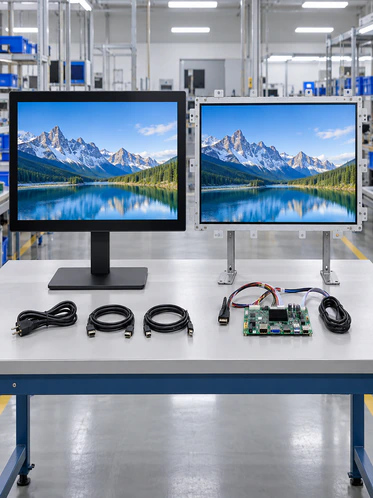
Choose the standard model when the monitor remains a finished external unit. Choose XFC-OF270-PCAP when the display must become part of the customer’s machine or cabinet.
| Selection Factor | Standard TP270-JX-DR-02 | Open Frame XFC-OF270-PCAP |
|---|---|---|
| External structure | Finished metal housing | Open integration chassis |
| Installation | Desktop, VESA, wall or equipment support, subject to confirmation | Inside machine, kiosk or custom enclosure |
| Resolution | 1920 × 1080 | 1920 × 1080 |
| Touch | Capacitive touch | 10-point PCAP |
| Brightness | Confirm from model specification | 300 nits reference |
| Video inputs | Confirm from model specification | HDMI, DisplayPort, VGA |
| Mounting | Confirm for selected configuration | Side brackets and VESA |
| Enclosure drawing | Recommended | Required for integration review |
| External host | Required | Required |
27 Inch Touchscreen Monitor Connection Planning
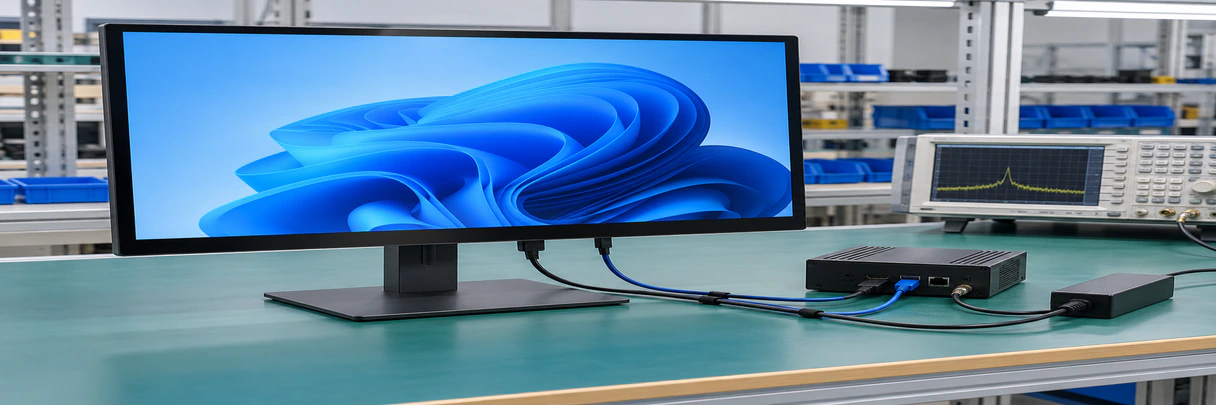
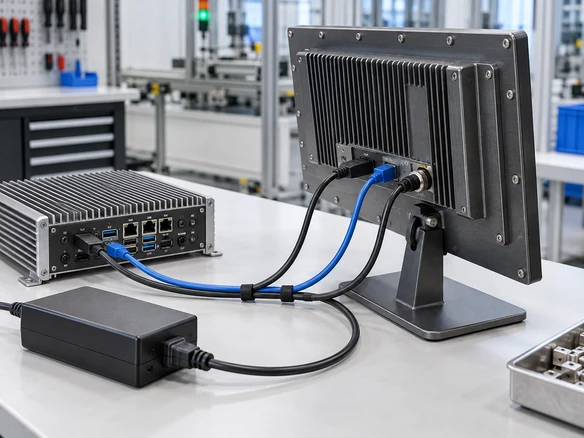
A touch monitor project normally contains three connection functions. Each function must be confirmed even when the connectors sit on the same product.
| Function | Purpose | Project Check |
|---|---|---|
| Video | Sends the image from the host | Match HDMI, DisplayPort, VGA or another approved output and input |
| Touch data | Returns touch coordinates to the host | Confirm USB or the selected controller interface and driver requirement |
| Power | Supplies the monitor electronics | Confirm voltage, connector and adapter arrangement |
| Optional combined connection | May combine selected functions | Confirm the monitor, host port, cable and power roles before describing single-cable use |
Open-Frame Note: XFC-OF270-PCAP lists HDMI, DisplayPort and VGA as video inputs. The final touch-data connection and supplied cables must still be confirmed in the order specification.
Warning: HDMI alone normally carries the image and does not activate touch input.
27 Inch Touchscreen Monitor PCAP Operation
Projected capacitive touch detects conductive input through the touch surface. It is commonly selected for smooth glass interfaces, finger input and multi-touch interaction.
Do not infer glove, water or stylus performance from the term PCAP alone.
XFC-OF270-PCAP Confirmed
- 10-point PCAP touch
- 27-inch display
- 1920 × 1080 resolution
- 300-nit reference brightness
TP270-JX-DR-02 Confirmed
- Capacitive touch
- 27-inch display
- 1920 × 1080 resolution
- Metal housing
Requires Project Confirmation
- Glove type and thickness
- Passive or active stylus requirement
- Wet-hand behavior
- Touch through additional glass
- Palm rejection
- Operating-system and driver behavior
- Controller tuning
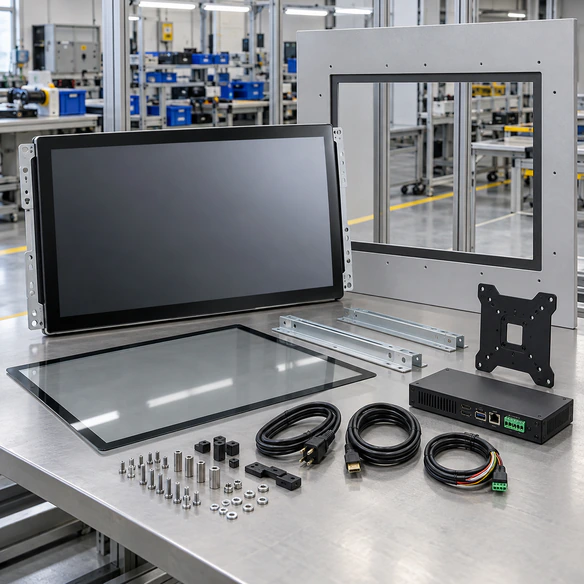
27 Inch Touchscreen Monitor Mechanical Integration
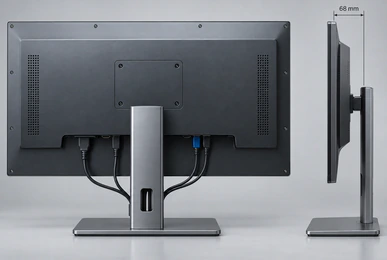
Mechanical design should start from an approved drawing rather than the diagonal size. Two 27-inch monitors can have different active areas, chassis dimensions, mounting patterns and connector positions.
Design Checks
- Overall monitor width and height
- Active display area
- Recommended front opening
- Maximum rear installation depth
- Cover-glass or bezel overlap
- Mounting-hole positions
- Permitted screw depth
- Connector locations
- Cable-bending space
- Ventilation clearance
- Landscape or portrait orientation
- Installation and replacement access
Send a dimensioned PDF, DWG, DXF or STEP file when the monitor must fit an existing machine or cabinet.
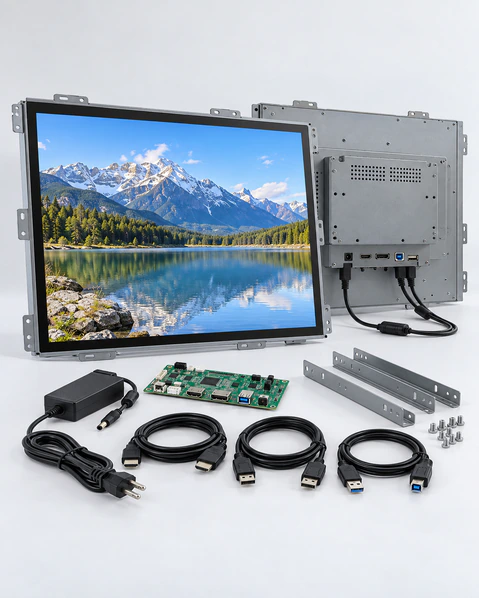
XFC-OF270-PCAP 27 Inch Touchscreen Monitor
XFC-OF270-PCAP is the documented Lucky-XFC starting model for a 27-inch open-frame PCAP touch monitor project.
| Model | XFC-OF270-PCAP |
|---|---|
| Display size | 27 inch |
| Resolution | 1920 × 1080 |
| Touch technology | 10-point PCAP |
| Reference brightness | 300 nits |
| Video inputs | HDMI, DisplayPort, VGA |
| Mounting | Side brackets, VESA |
| Computer included | No |
| Intended structure | Machine, cabinet and OEM enclosure integration |
The equipment manufacturer provides the finished enclosure and external host. The monitor supplies the display, touch sensor, controller, display electronics and integration structure.
Final external dimensions, active area, touch-data interface, power input, cable direction, environmental limits and supplied accessories must be confirmed against the selected datasheet and approved drawing.
27 Inch Touchscreen Monitor Product Advantages
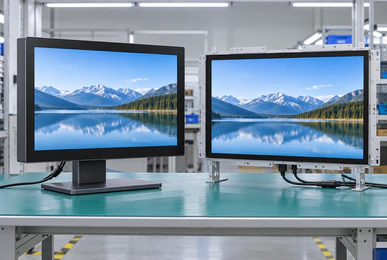
Two documented product structures
Choose a finished TP270 metal-housed monitor or the XFC-OF270-PCAP open-frame platform according to the installation.
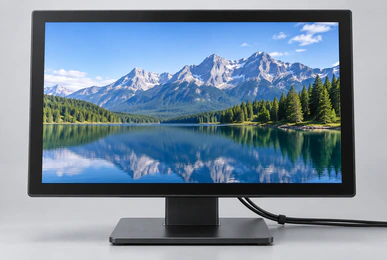
Full HD widescreen starting point
Both documented 27-inch configurations use 1920 × 1080 resolution for standard 16:9 software layouts.
Verified open-frame touch specification
XFC-OF270-PCAP provides a defined 10-point PCAP, 300-nit, HDMI, DisplayPort and VGA starting configuration.
Drawing-based mechanical review
The enclosure opening, rear depth, fixing points, connector positions and service access can be reviewed before the customer finalizes the cabinet.
Configurable project scope
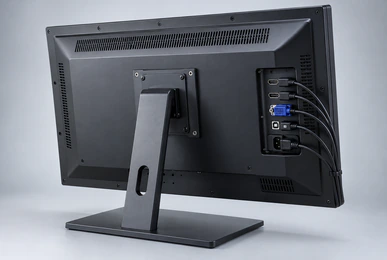
Applicable projects can evaluate cover glass, printed borders, surface treatment, interfaces, cable direction, brackets, housing and packaging according to feasibility.
Display and touch checked separately
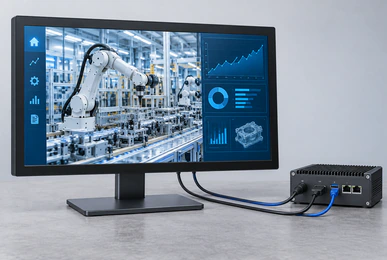
Separating video output from touch-data return helps identify connection and host compatibility requirements before installation.
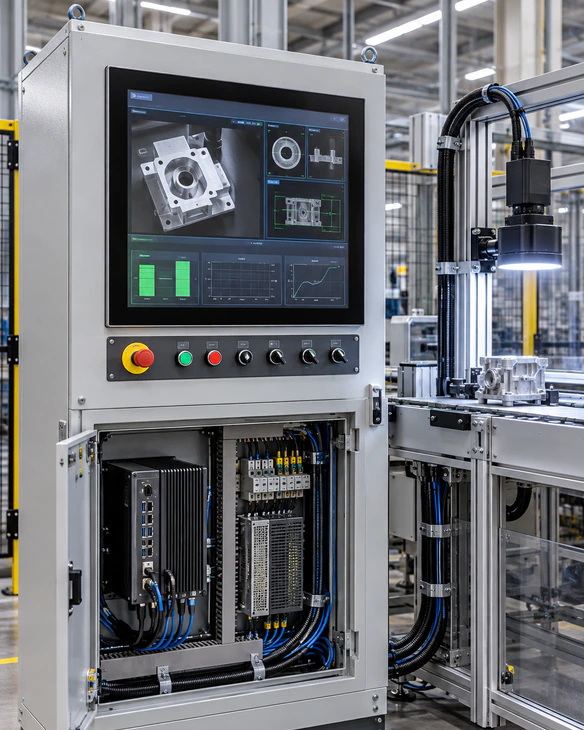
27 Inch Industrial Touchscreen Monitor Integration
An industrial monitor configuration should be selected around the equipment, operator and host system rather than the screen size alone.
Applicable Directions
- • Factory equipment and operator stations
- • Production information terminals
- • Inspection workstations
- • Industrial control cabinets
- • Testing and configuration equipment
- • OEM machinery
Project Confirmations
- • Panel, open-frame or enclosed installation
- • Equipment opening and rear clearance
- • Host video output and touch connection
- • Glove or stylus requirements
- • Cleaning, moisture, temperature and vibration conditions
- • Required documentation and destination-market standards
The standard 27-inch product specification does not automatically include an IP rating, extended-temperature rating, vibration certification or glove mode. Confirm these requirements at model level.
27 Inch Kiosk and OEM Touchscreen Monitor
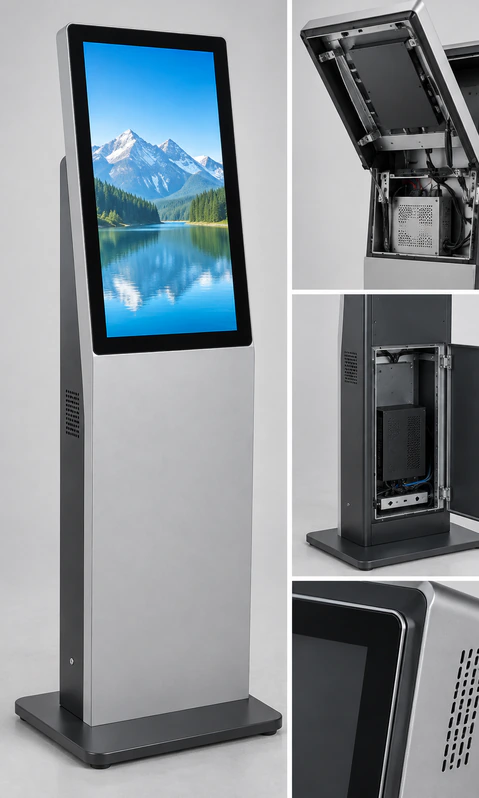
A 27-inch display provides a larger touch interface for product selection, information lookup, ordering and equipment control. The cabinet and monitor must be planned together.
Front opening
Match the visible opening to the active display area and required bezel or glass overlap.
Rear depth
Leave space for the monitor chassis, connectors, cable bends, ventilation and servicing.
Touch workflow
Review target size, gesture requirements, operator reach and expected user position.
Host system
Confirm the external computer, operating system, content application and connection paths.
Service access
Plan how the monitor and cables will be inspected, removed or replaced after installation.
27 Inch Touchscreen Monitor Project Checklist
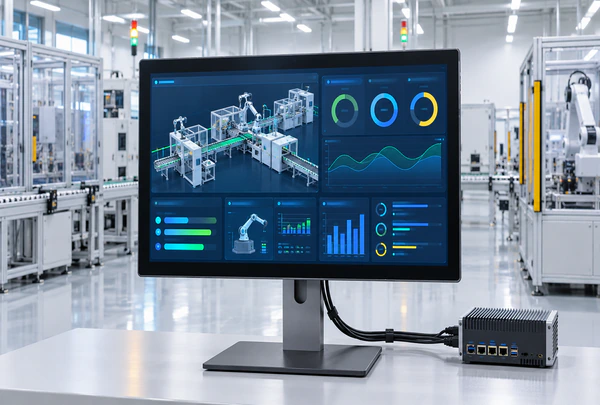
Display
Confirm Full HD or another required resolution, brightness and viewing conditions.

Touch
Define touch points, finger, glove or stylus input and cover-glass conditions.
Structure
Choose standard metal housing, open frame or an evaluated industrial structure.

Mounting
Confirm side brackets, VESA, equipment supports, orientation and permitted screw depth.
Connections
Separate video, touch data and power unless a combined connection is confirmed.

Environment
Record operating hours, cleaning, temperature, moisture, vibration and compliance requirements.
27 Inch Touchscreen Monitor Size Comparison
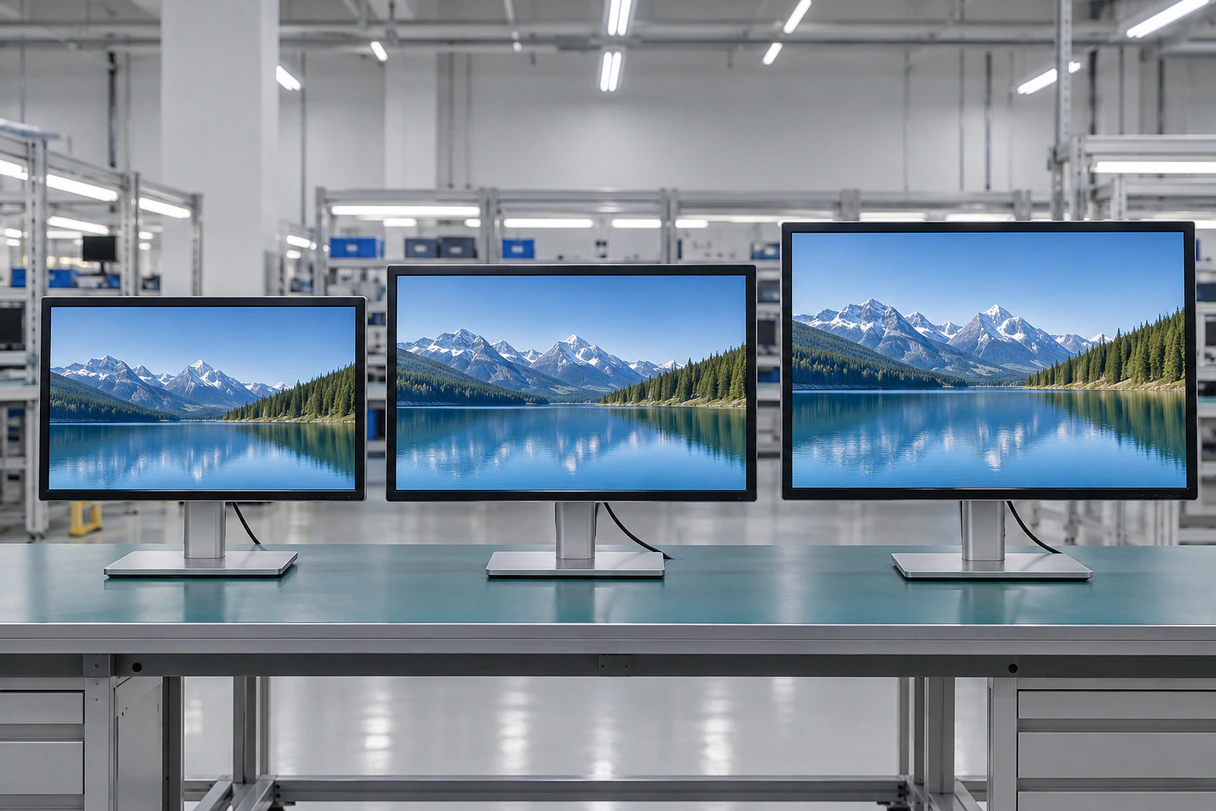
Compare the 27-inch TP270 starting point with the nearest documented Lucky-XFC flat monitor sizes.
| Display Size | Reference Model | Resolution | Touch | Housing | Typical Selection Direction |
|---|---|---|---|---|---|
| 23.8 inch | TP238-JX-DR-02 | 1920 × 1080 | Capacitive | Metal | Desktop equipment and interactive counters with shorter reach |
| 27 inch | TP270-JX-DR-02 | 1920 × 1080 | Capacitive | Metal | Operator workstations and commercial terminals needing more physical interface area |
| 31.5 inch | TP315-JX-DR-02 | 1920 × 1080 | Capacitive | Metal | Larger information terminals and cabinets with adequate mounting space |
Choose by installation space, viewing distance, operator reach, software layout and mounting load. These documented flat starting models share Full HD resolution, so increasing screen size does not automatically increase pixel count.
If the application requires 4K at 27 inches, treat it as a separate project requirement. Do not substitute a Full HD TP270 or XFC-OF270-PCAP specification without review.
27 Inch Touchscreen Monitor Applications
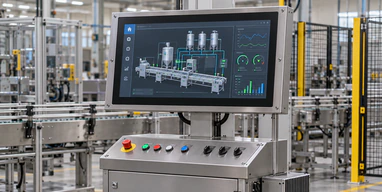
Industrial Operator Workstations
A larger touch area for production information, machine status and operator controls connected to an external industrial computer.
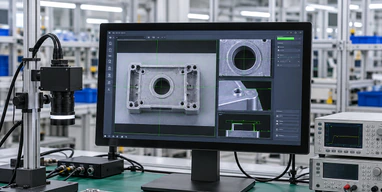
Inspection and Testing Stations
Touch navigation and visual review for quality, laboratory or equipment-testing software supplied by the customer.

Interactive Retail Displays
Product browsing and option selection where the interface benefits from a larger physical display area.
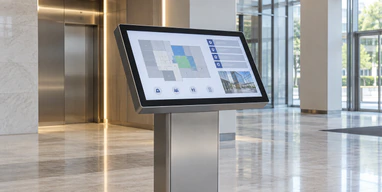
Information and Directory Terminals
Full HD interactive information presented through a kiosk, cabinet or supported external monitor.
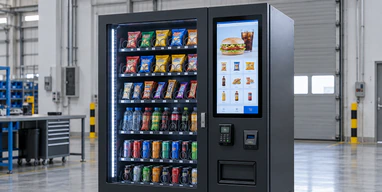
Vending and Self-Service Equipment
Open-frame touch interaction integrated into a cabinet after confirming the opening, reach and service layout.
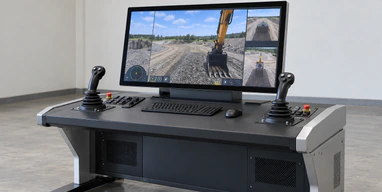
Training and Simulation Controls
A touch interface for simulation, training or presentation control where software scaling and user reach have been validated.
27 Inch Touchscreen Monitor Project Scenario in Ireland
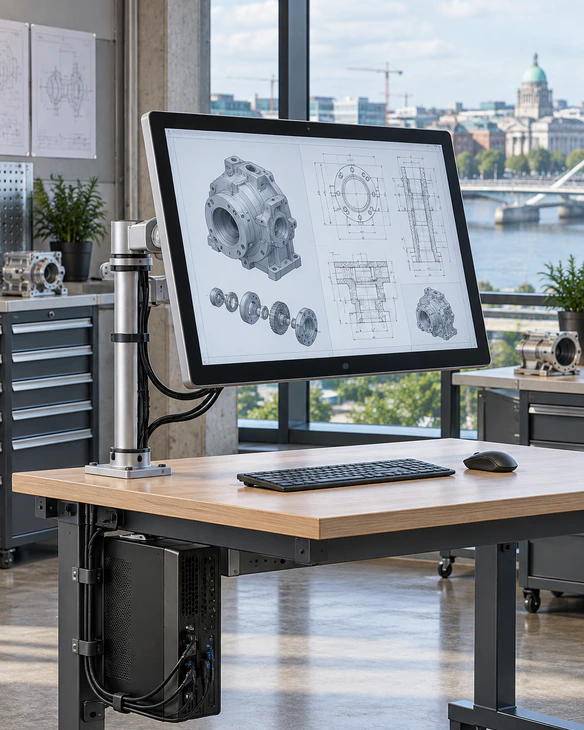
An Irish industrial-design studio needed a touch display for reviewing equipment layouts with customers. A compact monitor restricted the visible drawing area, while a larger commercial screen placed interface controls beyond comfortable touch reach.
The project direction moved to a 27-inch Full HD touchscreen monitor connected to the studio’s existing workstation. TP270-JX-DR-02 provided the finished metal-housed product direction, while the installation review focused on the support arm, operator reach, viewing angle and separate video and touch-data connections.
Project Focus Points
- • 27-inch physical display area selected for drawing review
- • 1920 × 1080 software layout checked before approval
- • Metal-housed external monitor direction
- • Support structure and user reach reviewed together
- • Video and touch-data connections checked separately
- • Final touch behavior left subject to sample validation
The proposed configuration gave the integrator a clearer balance between visible interface area, touch reach and workstation mounting without adding an unnecessary embedded computer.
This anonymized representative scenario illustrates a typical project approach and does not identify a specific customer or disclose confidential project data.
27 Inch Touchscreen Monitor Quality and Inspection
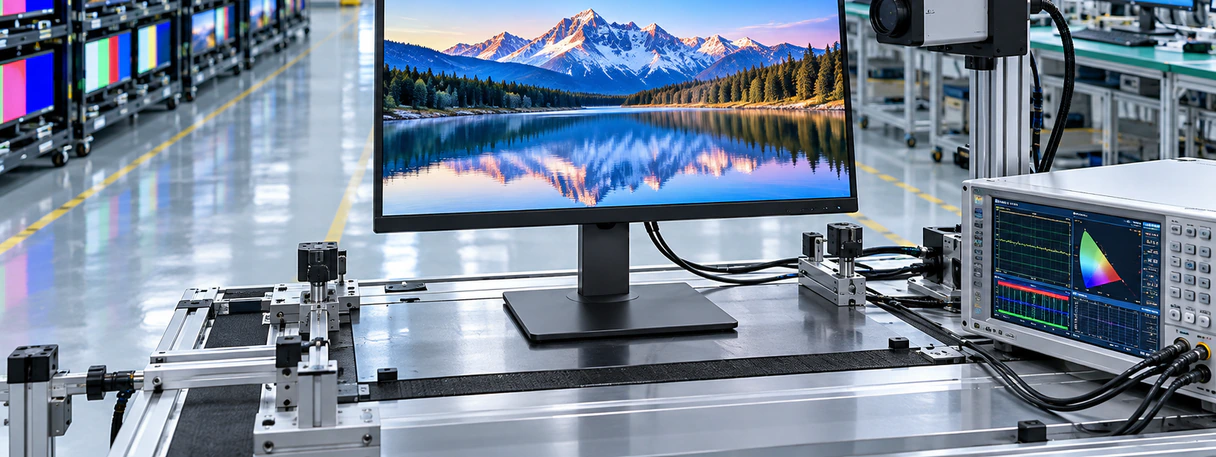
Pre-Shipment Checks
The approved product should be checked as a complete display, touch and mechanical configuration before shipment.
- • Display appearance and image output
- • Resolution and selected display configuration
- • Touch response
- • Video and touch-interface connection
- • Dimensions and mounting points
- • Housing or open-frame structure
- • Packaging and order identification
Project Documentation
Applicable project documents may include a product datasheet, 2D dimensional drawing, recommended cutout drawing and touch-driver information. STEP or IGES files may be available for confirmed projects under the applicable document-sharing arrangement.
Supplier Foundation
Lucky-XFC has manufactured touch display products since 2013. The company operates a 3100㎡ factory with more than 160 employees and a 26-person quality-control team. Applicable projects can start from one piece, support OEM/ODM requirements and receive pre-shipment inspection.
Certification documents and environmental ratings are confirmed according to the selected model, destination market and project scope.
27 Inch Touchscreen Monitor Buyer Guide
Choose the correct product structure
Use TP270-JX-DR-02 when the project needs a finished metal-housed monitor. Use XFC-OF270-PCAP when the display must be installed inside a machine or cabinet.
Confirm Full HD or 4K requirements
The documented Lucky-XFC 27-inch starting models use 1920 × 1080 resolution. If the application requires 4K, define it as a separate product requirement and confirm panel availability, controller capability, interfaces and software scaling.
Separate video and touch data
HDMI, DisplayPort or VGA carries the image according to the selected model. USB or another approved controller interface normally returns touch input. A working image does not confirm a working touch connection.
Check touch behavior
Specify the number of touch points, gestures, glove or stylus requirements, cover glass and operating conditions. XFC-OF270-PCAP documents 10-point PCAP, while the TP270 touch-point count remains subject to the selected specification.
Review operator reach
A 27-inch touch surface should be positioned so frequently used controls remain within comfortable reach. Review interface scale, touch-target size, mounting height and screen angle with the real software.
Approve the mechanical drawing
Check active area, outside dimensions, mounting holes, connector direction, cable space, ventilation and maintenance access before manufacturing the equipment housing.
Validate the final sample
Test the selected monitor with the intended host, cables, operating system, software, operator workflow and mounting arrangement. Configuration approval should reflect the real application rather than a generic touch demonstration.
27 Inch Touchscreen Monitor FAQ
Which Lucky-XFC 27 inch touchscreen monitor models are documented?
Is the Lucky-XFC 27 inch touchscreen monitor Full HD or 4K?
Does the 27 inch touchscreen monitor include a computer?
Does the 27 inch touchscreen monitor support ten touch points?
Which interfaces are available on XFC-OF270-PCAP?
Can the 27 inch touchscreen monitor fit an existing enclosure?
Related Touch Display Paths
Request a 27 Inch Touchscreen Monitor Configuration
Send the information needed to compare TP270-JX-DR-02, XFC-OF270-PCAP or a related industrial and kiosk configuration. Lucky-XFC will use the submitted details to discuss the display, touch, mounting and connection requirements that still need confirmation.
Submission Checklist:
- Required product structure
- Application and operating environment
- Full HD or other resolution requirement
- Touch-point and input requirements
- Host device and operating system
- Video, touch-data and power connections
- Mounting method or enclosure drawing
- Quantity and destination market
Your information will be used only for product evaluation, quotation and project communication.
