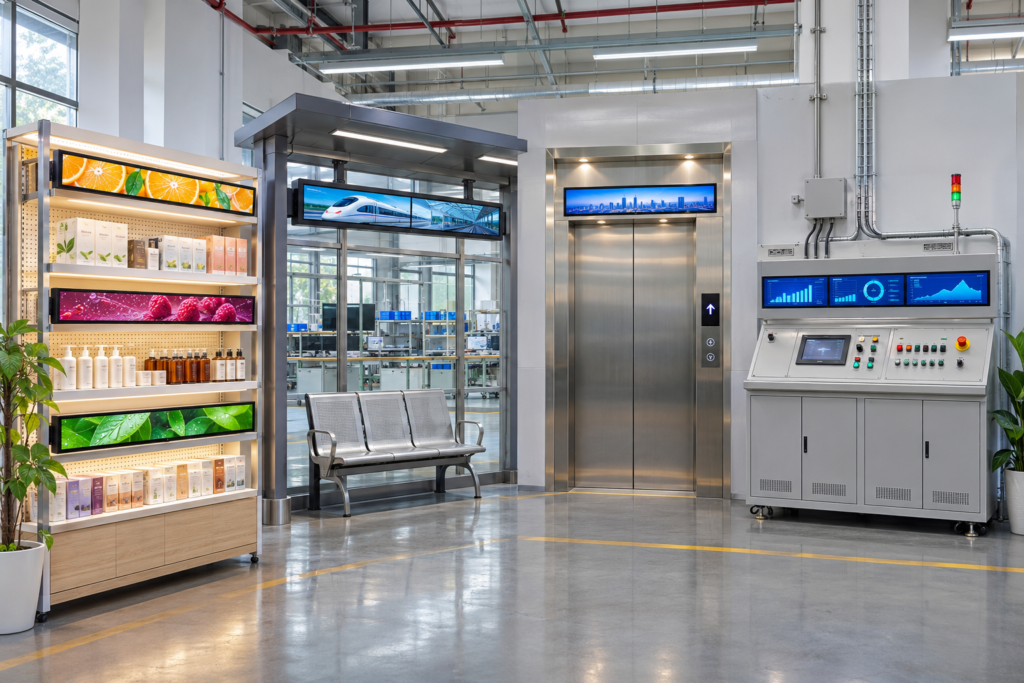

A stretched bar LCD display is a long, narrow TFT-LCD designed for spaces where a conventional 16:9 screen is too tall, visually awkward, or mechanically impossible to install. It may also be called a bar-type LCD, ultra-wide LCD, panoramic display, shelf-edge display, letterbox display, or resized LCD.
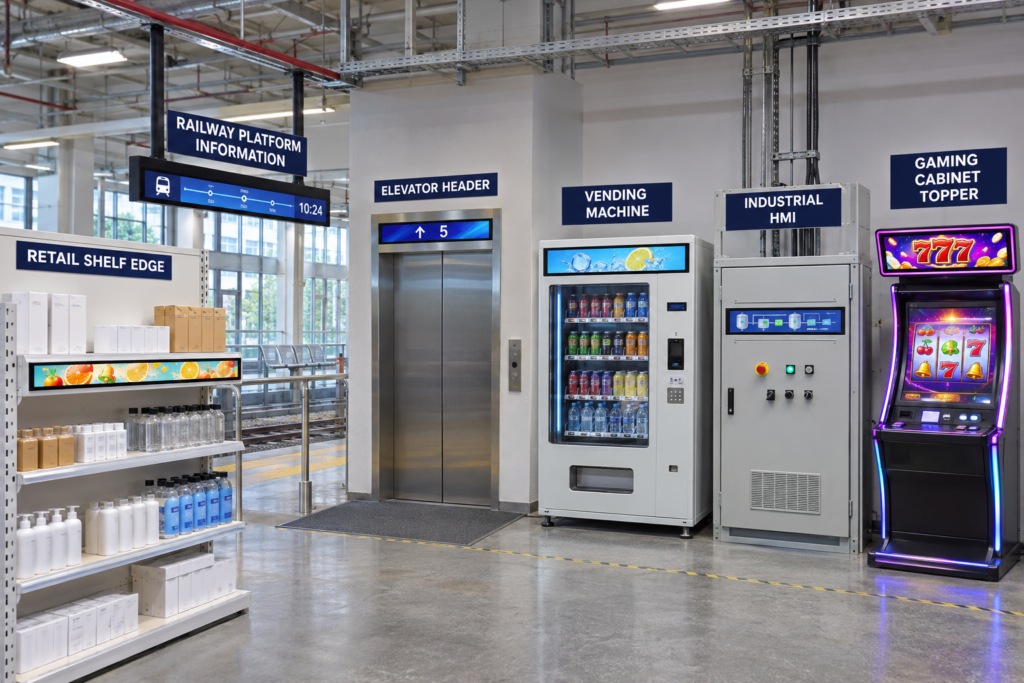
The defining characteristic is its unusually wide aspect ratio. A standard Full HD screen uses 1920 × 1080 pixels, or 16:9. A 1920 × 540 stretched display retains the 1920-pixel width but uses half the vertical pixels, producing a 32:9 format. A 1920 × 360 display is even narrower at 16:3. These shapes suit retail shelves, transport information bands, elevator headers, vending machines, gaming cabinets, industrial equipment, and architectural installations.
For a professional buyer, however, the aspect ratio is only the beginning. The display must fit the available aperture, show correctly prepared content, remain readable under the actual lighting, connect to the selected player or host, and survive the required operating schedule. A reliable stretched bar LCD display manufacturer or OEM supplier therefore evaluates the panel, backlight, controller, enclosure, thermal path, media platform, mounting, and service plan as one system.

What Makes an LCD Display “Stretched”?
The term describes geometry, not one fixed size or technology. A stretched display has a much greater width-to-height ratio than a conventional monitor. It can operate horizontally as a panoramic information strip or vertically as a narrow digital column.
Two production approaches are available:
- Native bar-type panel: The LCD is manufactured in an ultra-wide format from the beginning. The pixel matrix, driver arrangement, glass, and mechanical outline are designed for that geometry.
- Resized or cut panel: A specialist processor starts with a larger standard TFT-LCD and precisely resizes it to create a narrower active display. The controller and enclosure are then adapted to the resulting resolution and outline.
Neither label alone determines whether a product is suitable. A native panel can simplify long-term integration when its size and supply lifecycle match the project. A professionally resized panel can provide unusual dimensions or higher flexibility for a specific enclosure. The buyer should assess the finished product drawing, optical performance, validation records, production continuity, and warranty terms rather than assuming that every panel with the same diagonal size is equivalent.
Industry examples show how widely the specifications can vary. Crystal Display Systems describes formats such as 1920 × 540 and common ultra-wide ratios in its stretched bar display FAQ. Litemax lists a 49.5-inch model at 3840 × 1080, 1800 cd/m², and a 16:4.5 ratio in its published product specification. These figures are third-party market examples, not Lucky-XFC product specifications; they illustrate why every RFQ needs a model-level datasheet.
How Does a Stretched Bar LCD Display Work?
A stretched bar LCD uses the same basic image-forming principle as another active-matrix TFT-LCD. The backlight supplies light, liquid-crystal cells control how much light passes through each subpixel, color filters create red, green, and blue output, and the timing electronics address the pixel matrix. What changes is the physical shape, native pixel map, and the way content and electronics are integrated.
TFT-LCD panel and LED backlight
The panel creates the image while the LED backlight provides illumination. Brightness is normally expressed in candelas per square metre, commonly written as cd/m² or nits. The required value depends on ambient light, viewing distance, reflections, cover glass, installation depth, and whether the screen faces a window.
A higher headline brightness is not automatically a better system. More backlight power can increase internal temperature, power demand, and cooling requirements. Optical treatments, enclosure ventilation, thermal conduction, and automatic brightness control can be as important as the nominal luminance figure.
Timing controller and display interface
The timing controller converts incoming image data into the row and column signals required by the panel. An integrated monitor may provide HDMI, DisplayPort, DVI, or another external input, while a panel-level assembly may use LVDS, eDP, V-by-One, or a model-specific interface inside the system.
The input board must support the exact native resolution. If a 1920 × 540 screen receives ordinary 1920 × 1080 content, the controller or player must crop, scale, letterbox, or otherwise map the image. Unplanned scaling can make text look soft, distort product images, or leave blank areas.
Media player, operating system, and CMS
A display-only monitor receives video from an external computer or media player. An integrated digital-signage unit can add an Android board or another embedded platform. The player decodes content, schedules playback, connects to the network, and communicates with a content management system.
Lucky-XFC’s existing digital signage screens are configured by project around screen format, installation, touch, interfaces, and system platform. A stretched-bar inquiry should follow the same system-level logic, but panel availability and the non-standard resolution must be confirmed separately before the specification is frozen.
Optional touch layer
Touch is optional. A projected-capacitive sensor can be designed for an ultra-wide cover glass, but the touch sensor, controller channel count, USB interface, operating-system support, grounding, and edge geometry must all be reviewed. Long cover glass can also require tighter control of flatness, bonding, and mechanical stress.
An interactive project should be evaluated as an interactive digital signage system, not as a standard LCD with touch added at the last minute. The application must also use buttons, text, and gestures that remain practical on a shallow screen.

Common Stretched LCD Resolutions and Aspect Ratios
There is no universal resolution for this product category. Buyers should match the native pixel map to the content workflow and viewing distance rather than select a display only by diagonal size.
| Illustrative native resolution | Approximate ratio | Content implication |
|---|---|---|
| 1280 × 480 | 8:3 | Compact equipment interfaces and embedded information bands |
| 1920 × 540 | 32:9 | Half-height Full HD canvas; relatively easy to adapt from 1920-wide assets |
| 1920 × 360 | 16:3 | Narrow panoramic signage with limited vertical space |
| 1920 × 270 | 64:9 | Very shallow information strip requiring purpose-built layouts |
| 3840 × 1080 | 32:9 | Half-height UHD-width canvas with greater media and GPU requirements |
| 3840 × 540 | 64:9 | Extremely wide high-resolution format for close-view information or large installations |
These are common design patterns, not a list of in-stock Lucky-XFC models. Actual availability, active area, brightness, interface, operating temperature, and lifecycle depend on the selected panel and production route.
Aspect ratio can be calculated by reducing width and height to a common proportion. For example, 1920 ÷ 540 equals 3.56, which is the same width-to-height relationship as 32:9. Resolution does not reveal the physical dimensions: two 1920 × 540 panels can have different active areas, pixel pitches, bezels, and mounting structures.
For content production, use the exact native pixel dimensions as the canvas whenever possible. A 1920 × 540 screen should normally receive a 1920 × 540 composition, not a squeezed 16:9 advertisement. Keep critical text inside a safe area, test the smallest font at the real viewing distance, and verify how the player handles content before deployment.
Where Are Stretched Bar LCD Displays Used?
Retail shelf-edge advertising
Shelf-edge displays place product videos, prices, promotions, stock messages, or brand content immediately beside merchandise. Their narrow height can fit below a shelf without blocking products. A networked player can update multiple stores from one CMS, while a local USB workflow may suit a small installation.
The engineering challenge is not only screen size. Buyers must confirm shelf depth, rail geometry, cable routing, power distribution, product impact risk, viewing angle from standing height, cleaning method, and the number of screens per electrical circuit. Content must remain legible when viewed obliquely and from one or two metres away.
Public transport and passenger information
Ultra-wide displays can show route maps, next-stop data, platform information, service alerts, advertising, or wayfinding above doors and along concourses. Long horizontal information is a natural match for train diagrams and multi-column schedules.
Transport projects may require extended operating hours, controlled brightness, remote health monitoring, secure mounting, vibration review, and a defined response to network loss. The applicable rail, vehicle, fire, accessibility, and EMC requirements depend on whether the display is installed in a station, onboard a vehicle, or in an unrelated commercial space.
Elevators and building information bands
A shallow display can fit above an elevator door, inside a cab, in a reception desk, or within a decorative wall panel. It can show floor information, tenant directories, news, safety messages, and advertising without occupying a conventional 16:9 area. The installation shares enclosure, service-access, and content-planning questions with other wall-mounted digital signage projects, although its panel geometry is more specialized.
The available recess may be extremely limited. The project drawing should include the full enclosure depth, connector exit direction, service access, heat path, cover-glass thickness, and the space required to remove the display after installation.
Vending machines, kiosks, and self-service equipment
A bar display can occupy an otherwise unused header, side strip, or control area. It may present product categories, machine status, animated instructions, promotions, or navigation. If the machine already has a main touchscreen, the stretched screen can act as a secondary information channel.
The integrator should decide whether the bar display mirrors the host, extends the desktop, or runs independent signage content. That decision affects the GPU outputs, operating-system display settings, application design, boot sequence, and failure recovery.
Industrial control and equipment integration
An ultra-wide HMI can display a production line, machine sequence, alarm history, or multi-zone dashboard across a narrow control panel. Industrial use places more emphasis on operating temperature, long-term panel availability, glove input, front sealing, connector retention, grounding, and replacement compatibility.
Where the screen becomes part of machinery, the complete machine risk assessment and market-specific standards remain the responsibility of the final equipment manufacturer. A component certificate or supplier declaration does not automatically certify the assembled machine.
Gaming, entertainment, and branded installations
Stretched LCDs are used as cabinet toppers, score strips, panoramic information panels, and decorative displays. Content can extend the visual identity of the main machine without requiring a second full-height monitor.
Gaming and entertainment OEMs should confirm image synchronization, start-up behavior, burn-in controls, service access, electromagnetic environment, and jurisdiction-specific approval requirements. A distinctive shape supports industrial design, but it also creates a more specialized spare-parts obligation.
Which Specifications Matter Most to a B2B Buyer?
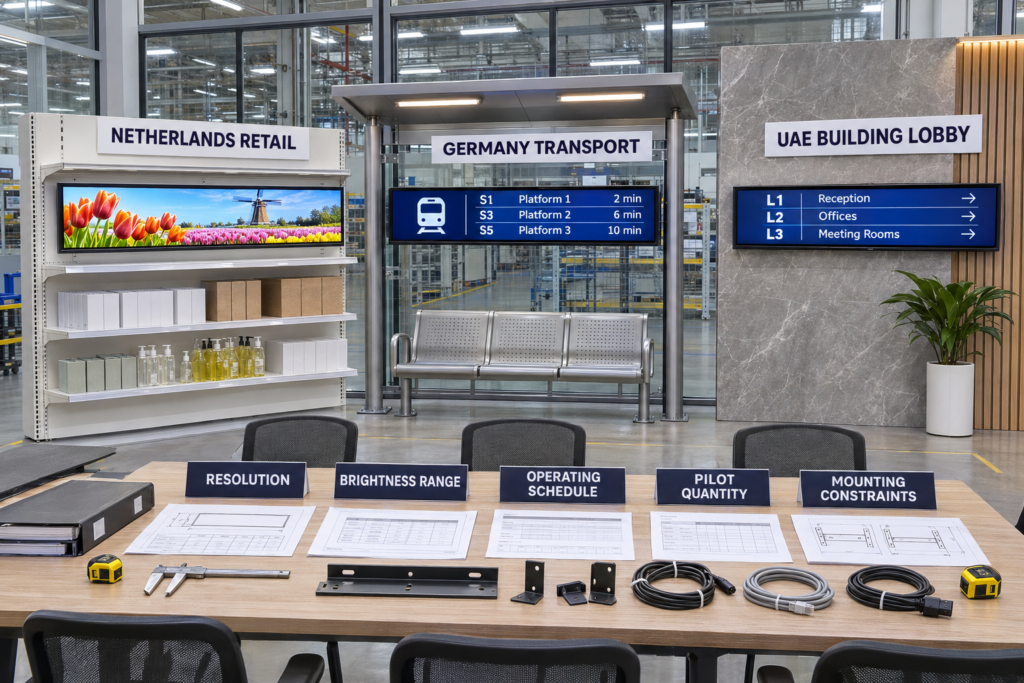
A useful RFQ translates the installation into measurable requirements. The following fields should be reviewed with the LCD manufacturer, supplier, distributor, or system integrator.
Active area and mechanical outline
The active area is the visible pixel region. The outline is the complete panel or monitor size. Also define the installation aperture, bezel overlap, total depth, mounting-hole positions, connector clearance, and cable bend radius.
Do not specify only “28-inch stretched display.” Diagonal size is insufficient for a non-standard geometry. Supply a 2D drawing or at least the maximum width, maximum height, maximum depth, visible opening, and preferred mounting method.
Native resolution and content source
Confirm the native resolution, supported input timings, orientation, refresh rate, and the player’s ability to output the required canvas. Ask the supplier to demonstrate a pixel-mapped test image containing fine text, circles, color blocks, and edge markers.
If content will be created centrally for hundreds of screens, resolve the template and scaling rules before mass production. A one-pixel error on a test bench may become a repeated layout defect across an entire rollout.
Brightness and optical performance
For early planning, a controlled indoor installation may begin around a 350–500-nit class, while bright retail or transport interiors may require roughly 500–1000 nits. Window-facing or outdoor-readable applications can require a higher-brightness design plus anti-reflection measures, thermal management, and an environmental enclosure. These are planning ranges, not universal pass/fail thresholds.
Measure the real ambient condition and define the viewing direction. The relevant acceptance plan may include center luminance, multi-point uniformity, contrast, color, reflections, viewing angle, and brightness after adding cover glass. A sample viewed in the actual site is more meaningful than choosing the largest number in a brochure.
Operating schedule and thermal design
State whether the display will run 8/5, 16/7, or 24/7. Do not assume that a consumer panel is rated for continuous commercial operation. The screen, backlight, power supply, player, storage, and cooling system all contribute to service life.
Thermal validation should use the assembled enclosure at maximum expected ambient temperature and with representative content. White or high-average-picture-level content can create a different load from a dark loop. The test should record internal hot spots, surface temperature where relevant, and any brightness reduction or instability.
Interface and player architecture
Specify HDMI, DisplayPort, DVI, USB-C video, LVDS, eDP, or another required interface at the correct integration level. Also state whether the project needs an external player, an embedded Android board, an industrial PC, or a customer’s own controller.
For managed signage, define Ethernet, Wi-Fi, or cellular connectivity; CMS compatibility; remote restart; content caching; clock synchronization; and offline playback. Lucky-XFC’s indoor digital signage coverage shows how display, computing, enclosure, interfaces, mounting, and exterior finish can be configured as a project rather than purchased as unrelated parts.
Enclosure, glass, and environmental protection
Options may include an open-frame module, metal chassis, finished monitor, panel-mount assembly, or a complete digital-signage unit. Cover glass can add impact resistance and simplify cleaning, but it can also introduce reflections, reduce transmitted light, add weight, and affect touch performance.
For dusty, wet, outdoor, food-service, marine, or industrial sites, define the protected surfaces and the intended ingress rating of the finished assembly. A front-sealed monitor is not the same as a fully weatherproof enclosure. Sun load, condensation, corrosion, UV exposure, drainage, and cable glands may require separate controls.
Compliance destination
Tell the OEM factory where the finished equipment will be sold and how it will be used. IEC lists IEC 62368-1:2023 as the valid fourth edition of the safety standard for audio/video and information and communication technology equipment. The applicable national adoption, edition, product scope, and certification route still need to be confirmed for the destination market.
For EU-bound finished apparatus, the current EMC Directive 2014/30/EU requires equipment to achieve an adequate level of electromagnetic compatibility and places technical-documentation and conformity responsibilities on manufacturers. The EU RoHS Directive 2011/65/EU addresses restricted substances in electrical and electronic equipment. These references are starting points, not a substitute for project-specific compliance review.
Representative Engineering Scenarios
The following scenarios are composite examples for specification planning. They are not published Lucky-XFC customer case studies, sales records, or promises of identical performance. Their purpose is to show how a B2B buyer can turn an application into a measurable RFQ.
Scenario 1: Netherlands grocery shelf-edge rollout
A retail integrator in the Netherlands needs a display strip beneath premium beverage shelves. The first concept uses a 28.6-inch-class, 1920 × 540 canvas in landscape orientation. The target viewing distance is 1–2 m, the stores operate up to 16 hours per day, and the content combines prices, short product videos, and a QR code.
The integrator plans a 20-unit engineering pilot before considering 200–500 units across multiple stores. Early brightness planning is 500–700 nits because the shelves sit under strong indoor lighting, but the final value will be decided after an on-site sample test. Ethernet is preferred for reliable CMS updates, while local cached playback is required if the network drops.
The important purchasing documents are not just a quotation. They include the active-area drawing, shelf bracket drawing, power budget per bay, cable-routing plan, native-resolution content template, remote-management workflow, and sample acceptance checklist. The pilot should verify small-text readability, reflection, heat accumulation behind the shelf fascia, and simultaneous content updates.
Scenario 2: German railway-station information band
A German system integrator is evaluating a long passenger-information display for an indoor concourse. The available opening is approximately 1200–1300 mm wide but less than 400 mm high. A 3840 × 1080, 32:9-class display is considered because it can show four information zones without stacking them vertically.
The planning target is 700–1000 nits for the bright station interior, a 24/7 operating profile, HDMI or DisplayPort input from an industrial player, and wired Ethernet for remote monitoring. The enclosure concept includes a lockable service panel, controlled airflow, and redundant content storage. Exact rail or public-information requirements would be determined by the installation authority and project specification.
Before procurement, the buyer should run a full-size mock-up with the real font, color contrast, viewing distance, and emergency-message layout. It should also define behavior after power loss, player failure, network interruption, and invalid content. For a 100-unit program, keeping validated spare displays and player images can be more valuable than choosing the lowest initial unit price.
Scenario 3: UAE elevator-lobby media header
A building-technology contractor in the United Arab Emirates wants a narrow display above an elevator bank for tenant information and advertising. The architectural recess limits depth, while the ambient temperature behind the decorative wall may be higher than the air-conditioned lobby.
The concept uses a 1920 × 360-class canvas, 400–700-nit planning range, 16/7 operation, embedded Android playback, Wi-Fi plus USB service access, and a black powder-coated metal enclosure. The initial requirement is 12 screens for one building, with the possibility of repeating the design in later properties.
The main engineering risk is heat, not pixel count. The contractor should measure the recess temperature, preserve airflow or a conduction path, leave connector and service clearance, and test the complete wall assembly. A digital mock-up should also confirm that tenant names remain readable in the shallow format. If later sites use a different opening, the supplier must review the drawing again rather than assume the same chassis will fit.
How an OEM/ODM Stretched Display Project Should Be Developed
1. Define the installation envelope
Start with the physical opening and service constraints. Record maximum outline width, height, and depth; visible active area; orientation; mounting method; cable direction; cover material; viewing distance; and access for replacement. Photographs help, but a dimensioned drawing controls production.
2. Freeze the content and system architecture
Define native canvas size, video codec, player type, operating system, CMS, network method, offline behavior, and start-up sequence. If a customer-supplied player is used, provide a real unit for compatibility testing. Confirm whether the stretched screen is the primary display, a second extended desktop, or an independent signage endpoint.
3. Select a feasible panel and product form
The LCD supplier should compare native and resized panel options against the active area, brightness, temperature, duty cycle, resolution, interface, lifecycle, quantity, and budget. Buyers should ask whether the proposal is panel-only, panel plus controller, open-frame monitor, enclosed monitor, or complete signage terminal.
Panel selection can affect the enclosure and content, so it should be approved before tooling or site fabrication. For a custom project, request a controlled model code and revision process. A silent panel substitution can change brightness, color, dimensions, mounting points, or input timings.
4. Build and evaluate an engineering sample
The sample should use representative cover glass, electronics, cables, enclosure, player, and content. Review visible defects, uniformity, scaling, touch accuracy if applicable, connector access, mounting, temperature, power recovery, network recovery, and continuous playback.
Record acceptance results in a signed sample report. Photographs are useful, but measurable criteria reduce disputes when mass-production units arrive. If the project has multiple sites, include one site-like installation mock-up rather than testing only on an open workbench.
5. Confirm production controls and traceability
A professional stretched bar LCD display factory should define incoming inspection, assembly checks, firmware control, image testing, burn-in or functional run procedure, final cosmetic inspection, packing, and serial or batch traceability as appropriate to the order.
The buyer should approve the golden sample, critical-to-quality dimensions, inspection level, acceptable cosmetic limits, label content, accessories, packaging, and carton marks. If the monitor will be integrated into another machine, define who performs the final system test and which failures belong to the display, host, application, or installation.
6. Plan logistics, spares, and lifecycle
Non-standard displays are more difficult to replace from a local electronics shop. Agree on production lead time, minimum order quantity, forecast method, spare percentage, warranty return process, repair level, and advance notice for panel or component changes.
Packaging should be validated for the long, narrow geometry. A stretched monitor may be more vulnerable to twisting or concentrated impact than a compact screen. Corner protection, internal support, pallet orientation, moisture protection, and handling labels should match the shipping method.
Quality Checks to Put in the Purchase Specification
A B2B procurement team can use the following checklist when comparing an LCD manufacturer, OEM factory, or display supplier:
- Model code and hardware/firmware revision are controlled.
- Active area, outline dimensions, depth, mounting points, and connector positions match the approved drawing.
- Native resolution and every required input timing are verified with the intended player.
- Center brightness and multi-point uniformity are measured against agreed criteria.
- Color, contrast, viewing angle, and reflections are acceptable in the installation mock-up.
- No unacceptable bright pixels, dark pixels, mura, scratches, contamination, light leakage, or bezel damage is present under the agreed inspection conditions.
- Touch accuracy, multi-touch count, edge response, USB behavior, glove mode, and cover-glass performance are tested where applicable.
- Power-on, scheduled reboot, unexpected power interruption, and signal-loss recovery produce a safe state.
- Continuous representative-content playback is completed for the agreed sample or production test period.
- Operating temperature is evaluated in the finished enclosure, not only on an open bench.
- CMS connection, offline cache, clock, content update, and remote status functions are verified for integrated signage units.
- Labels, accessories, documentation, packaging, serial numbers, and carton marks match the purchase order.
Not every project needs the same acceptance limits. The important step is to agree on measurable criteria before mass production. “Industrial grade,” “high brightness,” and “24/7” should be supported by a model-level specification and validation plan rather than treated as self-explanatory marketing terms.
Questions to Ask a Stretched Bar LCD Display Manufacturer
Before choosing a manufacturer or supplier, ask:
- Is the proposed LCD native bar-type or professionally resized, and what is its expected supply status?
- What are the exact active area, outer dimensions, thickness, weight, and mounting points?
- What native resolution and input timings does the controller support without distortion?
- Is the quoted brightness measured at the panel, after cover glass, or on the finished monitor?
- What operating schedule and temperature range apply to the exact model?
- Which video interfaces, player platforms, network options, and CMS integrations are available?
- Can the factory provide open-frame, chassis, finished-monitor, or complete-signage versions?
- Can cover glass, PCAP touch, enclosure color, logo, connectors, firmware, packaging, and labels be customized?
- What sample, tooling, engineering, MOQ, production, and change-control terms apply?
- Which test reports and compliance documents are available for the exact configuration and destination market?
- How will panel end-of-life, approved substitutions, spare stock, repairs, and warranty returns be handled?
- Can the supplier review the customer’s mechanical drawing and content source before quotation?
These questions help distinguish a component reseller from an engineering-capable OEM/ODM partner. The best proposal is the one that closes the mechanical, optical, electronic, software, compliance, and service gaps—not simply the quotation with the highest brightness or lowest unit price.
What Information Should Be Included in an RFQ?
Send as much of the following information as possible:
- Target active area or maximum width × height × depth
- Horizontal or vertical installation
- Preferred resolution or content canvas
- Indoor, window-facing, semi-outdoor, or outdoor environment
- Measured ambient light and expected ambient temperature
- Required operating schedule: 8/5, 16/7, or 24/7
- Estimated sample quantity, pilot quantity, annual volume, and project lifetime
- Display-only, open-frame, enclosed monitor, or complete signage terminal
- HDMI, DisplayPort, DVI, USB-C, LVDS, eDP, or other interface
- External player, Android board, Windows/Linux PC, or customer host
- Ethernet, Wi-Fi, cellular, USB update, and CMS requirements
- Touch technology, cover-glass, glove, stylus, or impact requirements
- Mounting drawing, enclosure drawing, connector direction, and service access
- Destination country, compliance requirements, labels, manuals, and packaging
- Desired delivery date, warranty process, and spare-parts strategy
If some values are unknown, provide the application, photographs, available opening, expected quantity, and content source. A capable manufacturer can then identify the remaining decisions and state which assumptions affect price or lead time.
Frequently Asked Questions
Is a stretched bar LCD the same as an ordinary monitor with cropped content?
No. Cropping content on a 16:9 monitor does not reduce the physical height of the panel. A stretched bar LCD has a genuinely narrow active area and mechanical outline, although its panel may be native bar-type or professionally resized from a standard-format panel.
Can a stretched LCD display be installed vertically?
Often yes, but portrait use must be approved for the exact panel and enclosure. Confirm viewing-angle behavior, heat flow, mounting points, content rotation, cable direction, and whether the panel supplier permits the intended orientation.
Does every stretched display support 4K content?
No. Some ultra-wide products use 3840 horizontal pixels, while others use 1920, 1366, 1280, or another count. The player may decode a 4K video but still output a different native canvas. Always distinguish media decoding capability from the panel’s physical resolution.
Can a stretched bar LCD have a touchscreen?
Yes. PCAP and other touch solutions can be integrated for suitable sizes, but they require a matched sensor, controller, cover glass, host interface, firmware, and mechanical design. Request a sample using the real application and enclosure.
Is a high-brightness stretched LCD automatically sunlight readable?
No. Sunlight readability depends on luminance, reflections, contrast under ambient light, cover glass, optical treatment, temperature, viewing angle, and installation geometry. A window-facing or outdoor project should be evaluated as a complete optical and thermal system.
Can one 16:9 video play correctly on a stretched screen?
It can play, but the result may be cropped, scaled, letterboxed, or distorted. The preferred method is to create content at the screen’s native resolution or use a CMS template designed for that canvas.
What affects the price of a stretched bar LCD display?
Major factors include panel size and availability, native versus resized construction, resolution, brightness, backlight design, touch, cover glass, enclosure, controller, embedded player, interfaces, operating temperature, order quantity, tooling, certification, testing, packaging, and lifecycle commitment. A project quotation should state what is included rather than provide one unexplained unit price.
Build the Display Around the Installation
A stretched bar LCD display solves a real design problem: it puts digital content into a space where a standard monitor does not fit. The successful projects are built from the installation outward. First define the aperture, ambient conditions, viewing distance, operating schedule, content canvas, host architecture, and service plan. Then select the panel and complete the mechanical, optical, electrical, and software design around verified requirements.
Lucky-XFC develops configurable advertising display screens, indoor signage, touch-enabled displays, and custom kiosk-ready systems. For a stretched-display project, availability and specifications need an application review rather than an assumption based on a conventional product page.
Send your target width × height × depth, installation drawing, brightness environment, native content size, interface, operating hours, destination market, sample quantity, and forecast volume through the Lucky-XFC contact page. The engineering and sales team can review panel feasibility, OEM/ODM scope, prototype requirements, and the information needed for a project-specific quotation.