
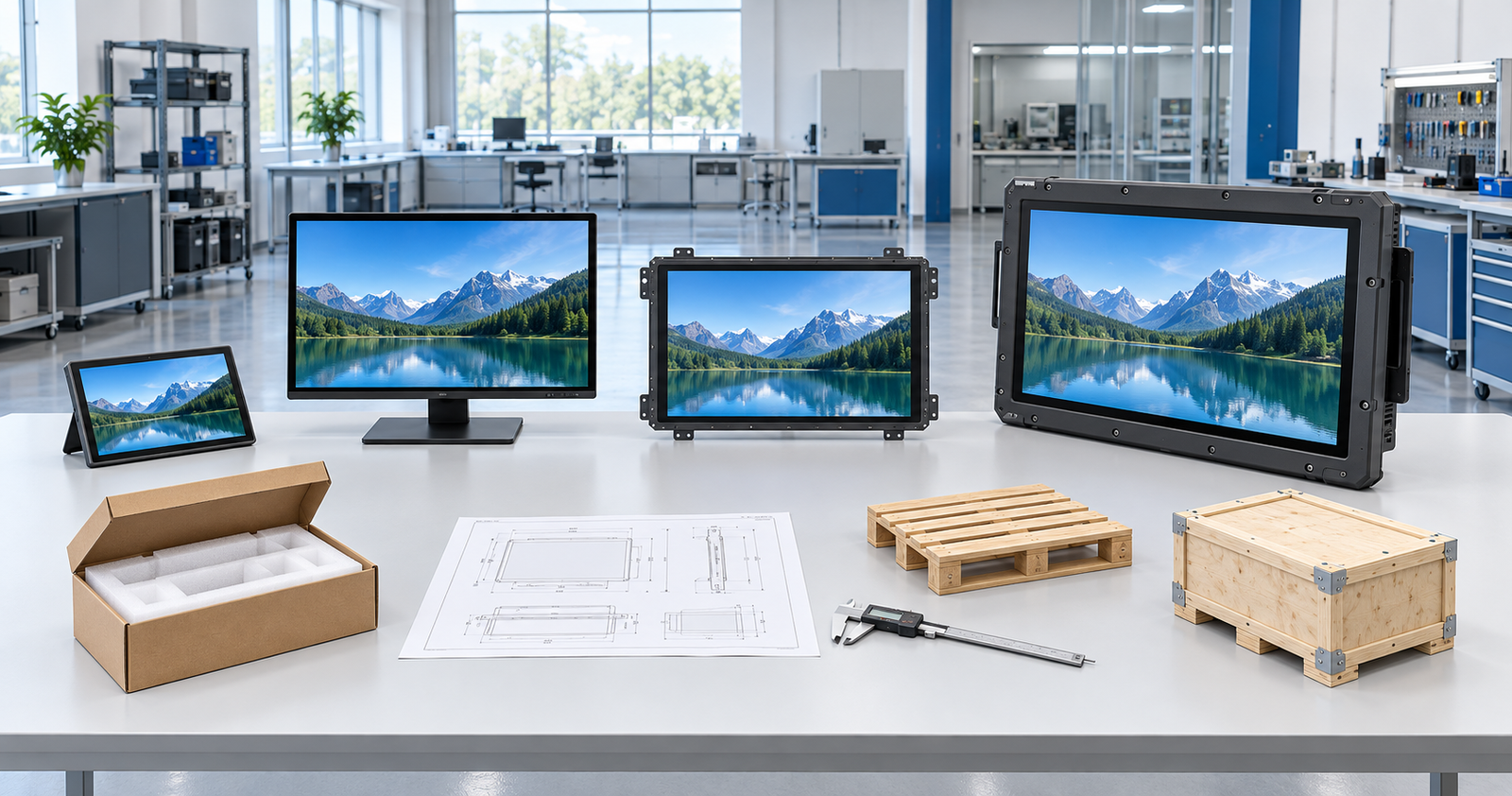
A touch screen monitor can cost about $100 to $400 for a portable consumer model, $300 to $800 for a typical 22- to 27-inch desktop model, and $500 to $1,200 or more for a commercial POS or open-frame model. Large interactive displays can move well into four figures. Custom industrial, high-brightness, rugged, waterproof, or curved touch monitors are normally quoted to specification rather than sold at one standard price.
Current US listings illustrate the range. On October 21, 2026, Best Buy’s touch monitor category showed a 15.6-inch portable touch monitor at $129.99 and several 22- to 24-inch desktop touch monitors at $309.99 to $399.99. Dell listed its 23.8-inch P2424HT touch monitor at $424.99 and its 75-inch P7525QT 4K touch monitor at $3,999.99.
These products are not equivalent, and promotional prices change. Use them as planning references, not as a universal price list. A useful budget must define the screen size, touch technology, housing, interfaces, operating environment, mounting, quantity, freight, and support scope.
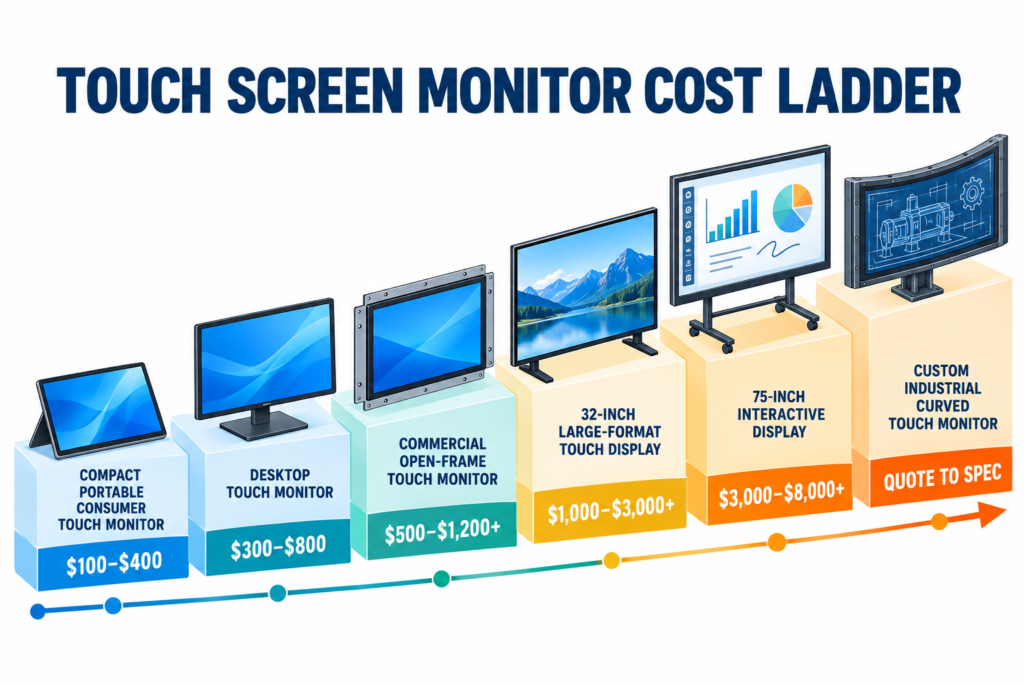
Touch Screen Monitor Cost at a Glance
| Product type | Useful 2026 US planning range | Typical purchase route | Important limitation |
|---|---|---|---|
| 10- to 16-inch portable consumer touch monitor | About $100–$400 | Electronics retailer or online marketplace | Low price may depend on promotion, seller, cable bundle, and USB-C compatibility |
| 22- to 27-inch desktop touch monitor | About $300–$800 | Brand store, electronics retailer, or commercial reseller | Stand, touch technology, ports, peripherals, and warranty differ by model |
| Small or medium commercial POS/open-frame touch monitor | About $500–$1,200+ | POS reseller, industrial distributor, or manufacturer | Enclosure, duty cycle, sealing, peripherals, and integration support affect price |
| 32-inch large-format touch monitor | Around $1,000 for current retail examples | Commercial display reseller or manufacturer | Resolution, touch method, stand, operating system, and brightness vary |
| 55- to 75-inch large interactive display | Commonly a four-figure purchase; a current 75-inch example is $3,999.99 | Commercial AV channel or display manufacturer | Mounting, delivery, collaboration functions, embedded computing, and installation may be separate |
| Custom industrial, rugged, waterproof, or curved touch monitor | Project quotation | Touch-display manufacturer or integrator | Engineering, sample, compliance, mechanical work, and order quantity must be defined |
The table reflects public US retail examples and common sourcing structures in October 2026. It excludes sales tax, international freight, customs duties, installation, software, host computer, custom tooling, and ongoing support unless a seller explicitly includes them.
Make Sure You Are Pricing the Same Product
“Touch screen monitor” is used for several different hardware architectures. A price comparison is misleading if one offer includes only a display and another includes a computer, operating system, stand, or complete kiosk.
Monitor-Only Touch Display
A monitor-only product receives video from an external computer and sends touch data back to that host. HDMI, DisplayPort, or USB-C may carry video, while USB often carries touch data. It does not run an application by itself unless an embedded computer is included.
Touchscreen All-in-One Computer
An all-in-one includes the display, touch system, processor, memory, storage, operating system, and additional connectivity. It should cost more than a monitor with similar screen specifications because it includes the host computer.
Open-Frame or Panel-Mount Monitor
An open-frame touch monitor is designed for integration into a kiosk, machine, cabinet, or console. Its price may include a metal frame, mounting structure, controller board, custom cable positions, and engineering documentation that a consumer monitor does not provide.
Large Interactive Display
A large touch screen monitor may be a monitor-only display, interactive signage, or a collaboration screen with speakers, USB-C, network functions, an Android system, or an optional PC. The product role must be defined before comparing prices.
Touch Overlay or Sensor Kit
A touch overlay adds a sensor to an existing display. A low-priced overlay listing is not a complete monitor. The project may still need cover glass, a controller, USB cabling, mounting, calibration, an enclosure, and validation with the host system.
Why Do Touch Screen Monitor Prices Vary So Much?
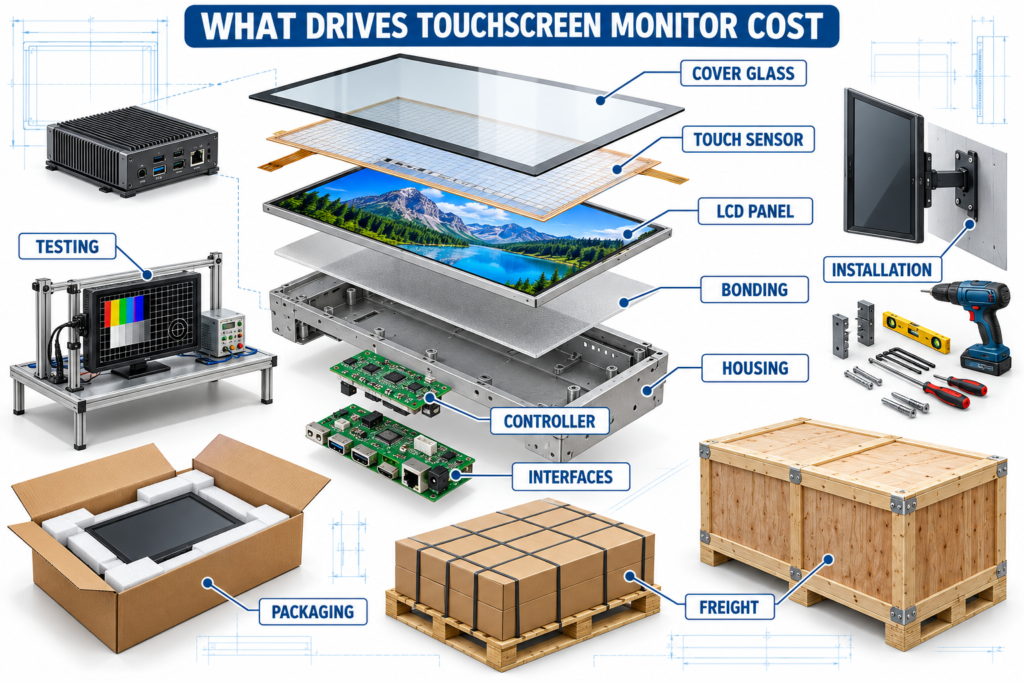
1. Screen Size and Panel Availability
Larger panels use more glass, require stronger structures, and cost more to package and ship. Price does not always increase smoothly with diagonal size because availability, production volume, aspect ratio, brightness, and panel lifecycle also matter. An uncommon industrial size can cost more than a larger mass-market size.
2. Touch Technology
Projected capacitive touch, resistive touch, infrared touch, and specialized digitizer systems use different sensors, controllers, surfaces, and integration methods.
- Projected capacitive touch (PCAP) is common for modern multi-touch interfaces and cover-glass designs.
- Resistive touch responds to pressure and may suit glove or stylus workflows in controlled applications.
- Infrared touch is frequently used on larger displays and requires a perimeter frame.
- Active pen or digitizer systems add pen electronics and software requirements beyond ordinary finger touch.
The correct choice depends on the input method, operating system, cover glass, moisture, gloves, required touch points, and user interface. Selecting by price alone can produce a monitor that cannot perform the intended task.
3. Consumer, Commercial, or Industrial Construction
A consumer desktop monitor is designed for a general office or home environment. A commercial monitor may add a stronger stand, longer operating schedule, peripheral support, or business service options. An industrial touch screen may require an open-frame or panel-mount structure, metal enclosure, defined power input, special brightness, wide-temperature components, vibration resistance, sealing, or a controlled product revision.
These requirements add material, engineering, testing, and traceability costs even when the visible screen size is unchanged.
4. Resolution, Brightness, and Optical Requirements
Higher resolution can raise panel and controller costs, especially on large or uncommon display formats. High brightness, low reflection, anti-glare treatment, optical bonding, wide viewing angles, and color-performance requirements can also change the price.
Do not assume every monitor in a family supports the same resolution or brightness. Request the selected model’s datasheet and specify the operating mode that the host must deliver.
5. Cover Glass and Surface Treatment
Cover-glass thickness, shape, edge treatment, strengthening, printing, anti-glare coating, anti-reflection treatment, and bonding method affect both cost and touch performance. Custom logo or border printing may require artwork approval, a sample, tooling, and a minimum production quantity.
6. Housing, Mounting, and Mechanical Customization
A finished desktop monitor includes a stand and external housing. An equipment monitor may need an open-frame chassis, front bezel, mounting brackets, custom cutout, defined screw locations, cable exits, service clearance, or a shaped enclosure.
A curved touch monitor adds another level of mechanical work. The curve profile, display, touch sensor, cover glass, touch mapping, cabinet opening, and mounting structure must be reviewed together. A price based only on “43-inch curved monitor” is not enough to define the product.
7. Interfaces, Controller Boards, and Computing
HDMI, DisplayPort, VGA, USB-C, USB touch, serial communication, network ports, and special power inputs require compatible electronics and validation. USB-C may combine functions, but the host port and cable must support the required video, data, and power modes.
Adding Android or Windows computing changes the product from a monitor toward an all-in-one system. Processor, memory, storage, operating-system licensing, wireless functions, and thermal design then become separate cost drivers.
8. Environmental and Compliance Requirements
Outdoor light, dust, moisture, chemicals, cleaning routines, vibration, temperature, and continuous operation can require different components and protection. Compliance costs depend on the product configuration, destination market, equipment category, and scope of the required test or certificate.
A logo on a supplier’s website does not establish that a document covers the exact monitor being quoted. Request the document, model scope, issuing body, legal entity, and applicable standard before assigning value to it.
9. Quantity, Sampling, and Engineering Work
A standard retail unit can be purchased one at a time. A custom project may include requirement review, drawing preparation, sample production, touch tuning, tooling, firmware, packaging development, and repeat-order change control.
Higher quantities may reduce the per-unit allocation of engineering and tooling, but they also increase the cost of any specification error. Approve the drawing and a functional sample before treating the lowest volume quotation as a production price.
10. Packaging, Freight, and Installation
Glass-front displays are fragile, and freight cost rises quickly with size and packed weight. Large monitors may need reinforced cartons, foam structures, pallets, wooden cases, lift equipment, two-person handling, wall reinforcement, professional mounting, or onsite commissioning.
Retail Price, Factory Price, and Landed Cost Are Different
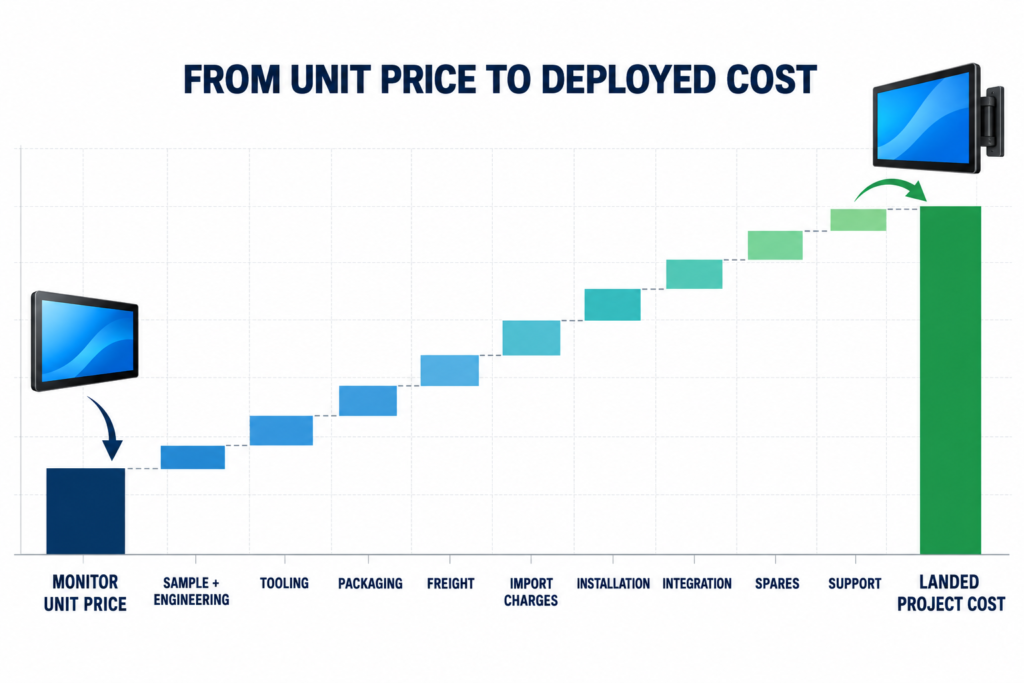
Retail price is the amount shown at checkout before any excluded services. A factory quotation may use EXW, FOB, CIF, DDP, or another Incoterm and may exclude destination charges. The correct comparison is the cost of a working, accepted monitor at the deployment location.
Use this structure:
Total landed project cost = product price + sample and engineering charges + tooling + packaging + freight + insurance + duties and taxes + installation + integration + spare units + support
For example, consider a hypothetical order of 20 monitors quoted at $600 each. If the project also needs $800 for sampling and engineering, $1,800 for freight and import charges, $1,000 for integration, and $1,200 for spare or replacement coverage, the project cost is $16,800, or $840 per deployed unit before local tax and ongoing support.
This example does not estimate a Lucky-XFC product. It shows why two suppliers with similar unit prices can produce different installed costs.
How to Compare Touch Screen Monitor Quotations
Send the same requirement to every shortlisted supplier and normalize the replies before comparing price.
| Quote item | What to request | Common scope gap or red flag |
|---|---|---|
| Product identity | Manufacturer, full model, revision, datasheet, and product label | Generic “touch monitor” description without a controlled model |
| Display | Size, active area, aspect ratio, resolution, brightness, orientation, and operating schedule | 4K or high-brightness wording without an exact operating mode |
| Touch system | Technology, touch points, controller, USB or other data interface, driver, and OS support | Video connector is listed but touch-data connection is omitted |
| Cover glass | Thickness, treatment, printing, bonding, and edge design | Custom glass mentioned without drawing or sample approval |
| Mechanical structure | Outline drawing, opening, thickness, mounting points, connector positions, and cable exits | Product photo is offered instead of a dimensioned drawing |
| Electronics | Video inputs, touch port, power input, included cables, and optional boards | Connector shape is listed without supported signal or power details |
| Computing | Monitor-only, Android, Windows, or external host architecture | Quote combines monitor and all-in-one offers without separating cost |
| Environment | Temperature, brightness environment, dust, moisture, glove use, vibration, and cleaning | Industrial or waterproof label without test scope or protection details |
| Compliance | Required standard, destination, model scope, document, and responsible party | Certificate logos without document numbers or matching product scope |
| Sample and NRE | Sample price, engineering fee, tooling, refundable items, and revision allowance | Low production price excludes mandatory sample and tooling charges |
| Production | Quantity, MOQ, unit-price breaks, lead-time basis, inspection, and change control | Supplier may substitute the panel or controller without approval |
| Commercial terms | Currency, tax, Incoterm, payment terms, quotation validity, and warranty process | Freight or destination costs are unclear |
| Packaging | Packing method, package count, dimensions, gross weight, pallet or crate | No packaging specification for a large glass display |
| After-sales | Spare parts, response path, repair/replacement method, and revision support | Warranty is stated without process, location, or exclusions |
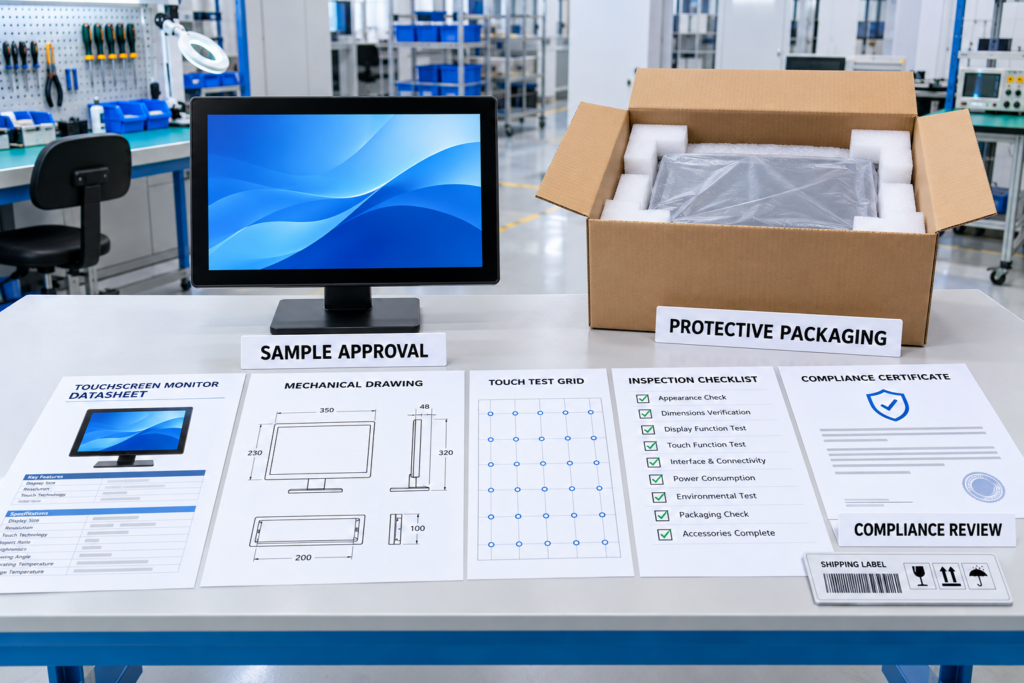
What Evidence Should a Commercial Buyer Request?
A Model-Level Datasheet
The datasheet should identify the actual panel, resolution, brightness, interfaces, power requirements, dimensions, touch system, and operating conditions. A family brochure is useful for discovery but is not enough for final approval.
A Dimensioned Engineering Drawing
Check the active area, external dimensions, cutout, mounting points, depth, connector positions, cable direction, bezel, and service clearance against the equipment design. The drawing should carry a revision that can be referenced in the purchase order.
A Functional Sample
Install the sample with the intended host, operating system, cables, enclosure, grounding, application, and user input method. Test image quality, every required signal mode, touch recognition, edge accuracy, gestures, wake and reconnect behavior, temperature, and maintenance access.
An Inspection Plan
Ask how the supplier checks appearance, image, touch response, interfaces, dimensions, configuration, labeling, quantity, and packaging. For a custom product, record the accepted panel, controller, firmware, cable set, mechanical drawing, and sample revision.
Applicable Compliance Documents
Review the actual document rather than a website badge. Confirm the model, standard, applicant or manufacturer, report or certificate number, issue date, and relevance to the destination market and final equipment.
Packaging and Logistics Data
Request package dimensions, gross weight, quantity per carton or pallet, protection method, and damage-claim procedure. These values are necessary for a realistic landed-cost comparison.
Red Flags in a Low Touch Screen Monitor Price
- The listing is for a touch overlay, panel, replacement LCD, or laptop screen rather than a complete external monitor.
- The seller does not state who manufactures or warrants the product.
- The listing combines touch and non-touch variants under one headline price.
- The quote does not identify whether a stand, power supply, video cable, and USB touch cable are included.
- “USB-C” is shown without confirming video, touch-data, and power behavior.
- The supplier cannot provide a model-level datasheet or dimensioned drawing.
- An industrial, waterproof, or rugged description has no defined operating or test conditions.
- Custom glass, housing, or mounting is promised without sample, tooling, or engineering charges.
- The price excludes freight, duty, destination handling, or mandatory software.
- The warranty has no written claim process, return location, or replacement responsibility.
- The supplier may change the panel, touch controller, firmware, or board without written approval.
How to Set a Realistic Touch Monitor Budget
Step 1: Define the System Architecture
Decide whether the project needs a monitor, an all-in-one computer, a touch overlay, an interactive display, or a complete kiosk. Specify which device runs the software.
Step 2: Freeze the Mandatory Requirements
Record the screen size, resolution, brightness environment, touch technology, input method, operating system, video interface, touch-data interface, power input, mounting, and environmental conditions. Separate mandatory items from preferences.
Step 3: Set a Hardware Planning Range
Use current retail examples for a standard product. For a commercial or custom monitor, obtain budgetary quotations from suppliers using the same requirement. Do not use the price of a portable consumer monitor to estimate an industrial open-frame project.
Step 4: Add One-Time Project Costs
Include engineering, drawings, tooling, samples, software integration, certification, fixtures, packaging development, and onsite installation where applicable.
Step 5: Calculate the Landed Cost
Add packaging, freight, insurance, duties, taxes, brokerage, local delivery, and handling equipment. Use packed dimensions and gross weight rather than estimating from screen size.
Step 6: Add Lifecycle Costs
Budget for spare units, replacement cables, cleaning, repairs, software maintenance, field service, and product revision management. For a multi-year equipment program, availability and change control can matter more than the lowest initial price.
Step 7: Approve a Sample Before Production
Test the complete system and record acceptance criteria. Do not release a batch order because a sample “looks good” on a desk; validate it in the actual enclosure and software workflow.
Where Does Lucky-XFC Fit?
Lucky-XFC is a touch-display manufacturer and integration partner for buyers who need more than a standard retail monitor. Its current touchscreen monitor range provides starting points for commercial projects, while its industrial page lists flat PCAP reference configurations in 21.5, 23.8, 27, 31.5, and 43 inches. Other sizes, touch technologies, and structures are evaluated against the application and installation requirements.
Relevant project directions include flat enclosed monitors, open-frame displays, industrial touch monitors, large touch displays, and C-type or J-type curved monitors. The selected display, touch sensor, controller, cover glass, interfaces, housing, mounting, and host system are reviewed as an integration package.
Lucky-XFC does not publish one price that can represent every configuration. A meaningful quotation requires the application, size, quantity, touch requirements, operating system, interfaces, power, installation drawing, operating environment, destination, and customization scope. This approach is appropriate for OEM equipment, kiosks, industrial systems, commercial terminals, and shaped gaming or interactive cabinets.
Before adding touch to a project, buyers can also review whether a touchscreen monitor is worth the added cost for the intended workflow. If users only view content, a non-touch display may provide better value.
Frequently Asked Questions
What is the cheapest type of touch screen monitor?
Portable consumer models are usually the lowest-cost complete monitors. Current US promotions can put a basic 15.6-inch model near $100 to $150. Check whether the advertised variant actually includes touch, whether the seller is the retailer or a marketplace merchant, and whether your USB-C or HDMI-plus-USB connection supports video and touch.
How much does a 24-inch touch screen monitor cost?
Current US examples place many mainstream 24-inch desktop touch monitors around $310 to $425. Commercial models with different touch technology, peripherals, service terms, or integration features can cost more. Compare the exact model and included functions.
How much does a 32-inch touch screen monitor cost?
A current retail example is close to $1,000, but 32-inch prices vary with touch method, resolution, brightness, housing, stand, operating system, and commercial features. Open-frame or industrial models should be quoted from a complete specification.
How much does a 55-inch touch screen monitor cost?
Most 55-inch commercial or custom projects require a model-level quotation. Large touch monitors are generally four-figure purchases, but the total can change substantially with 4K resolution, touch points, cover glass, Android or Windows computing, wall mount, mobile stand, shipping, and installation. The 55-inch touchscreen monitor buying guide explains the specification decisions that should come before price comparison.
Why is a touch screen monitor more expensive than a regular monitor?
It adds a touch sensor, controller, touch-data connection, cover-glass and bonding requirements, mechanical integration, firmware or driver compatibility, and touch testing. Commercial and industrial versions may also add stronger structures, environmental protection, revision control, and specialized support.
Does HDMI carry the touch signal?
HDMI normally carries the image and audio, not touch input. Many monitors use a separate USB connection for touch data. USB-C may carry several functions, but only when the host, monitor, and cable support the required modes.
Is an open-frame touch monitor cheaper than a desktop model?
Not necessarily. It may omit a consumer stand and decorative housing, but it adds equipment-integration requirements, mounting hardware, controlled dimensions, commercial electronics, and engineering documentation. Compare complete functionality rather than enclosure appearance.
Does ordering more units reduce the price?
It can reduce the per-unit allocation of setup, engineering, tooling, and logistics. The result depends on the configuration, component availability, order quantity, packaging, and commercial terms. Ask for quantity breaks using one frozen specification.
What information is needed for an accurate quotation?
Provide the application, screen size, quantity, monitor-only or all-in-one architecture, resolution, brightness environment, touch method, operating system, interfaces, power input, mounting drawing, cover-glass requirements, environmental conditions, compliance needs, destination, and delivery target.
Request a Project-Specific Touch Monitor Quote
The cost of a touch screen monitor depends on what the product must do, where it will operate, and how it will be installed. Use current retail prices for standard desktop purchases. For an OEM, industrial, open-frame, large-format, or curved project, compare model-level quotations on the same technical and commercial scope.
Contact Lucky-XFC with your application, size, quantity, host system, touch requirements, interfaces, power input, mounting drawing, operating environment, destination, and customization needs. The team can review a suitable product direction and prepare a quotation based on the defined configuration rather than an unreliable generic price.
