
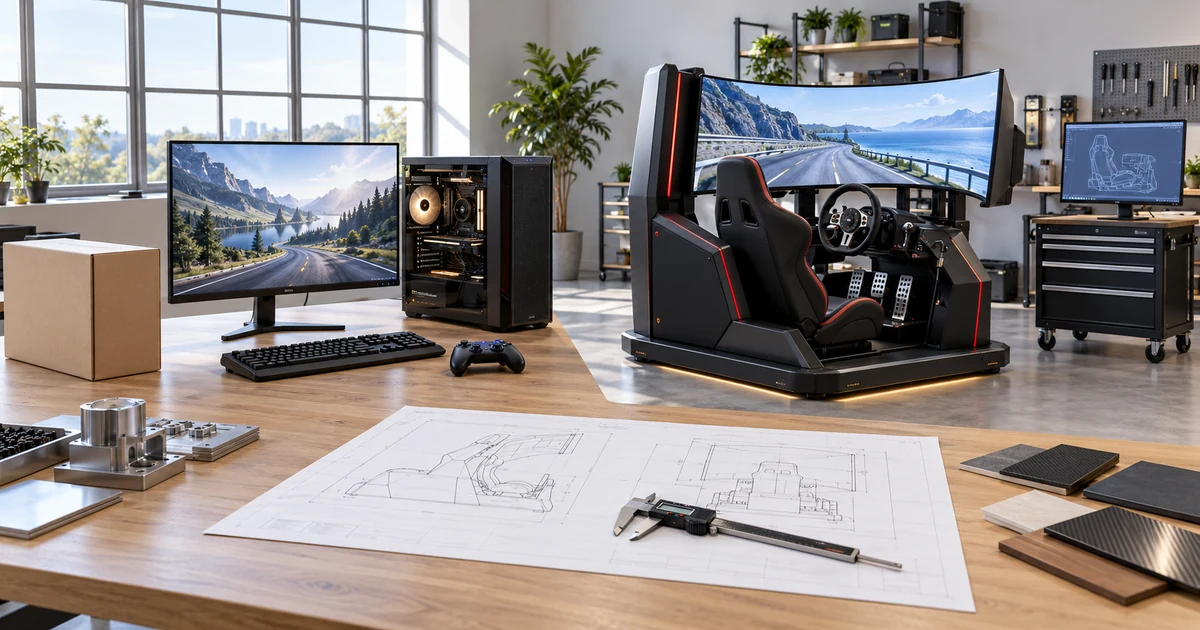
You can buy a standard gaming monitor from a display brand’s official store, an authorized electronics retailer, a specialist computer store, or a reputable online marketplace. In the United States, common examples include Best Buy, Newegg, Micro Center, Walmart, Costco, Dell, Amazon, and other authorized sellers. The right place depends on whether you need an off-the-shelf monitor for a PC or console, or a custom display for a gaming cabinet, simulator, arcade system, or casino machine.
For a normal desktop gaming setup, prioritize a legitimate seller, a suitable return window, regional warranty coverage, and the exact model specification. For an equipment project that needs touch, a shaped screen, a custom housing, or cabinet integration, buy from a specialized display manufacturer or integration partner rather than a general retailer.
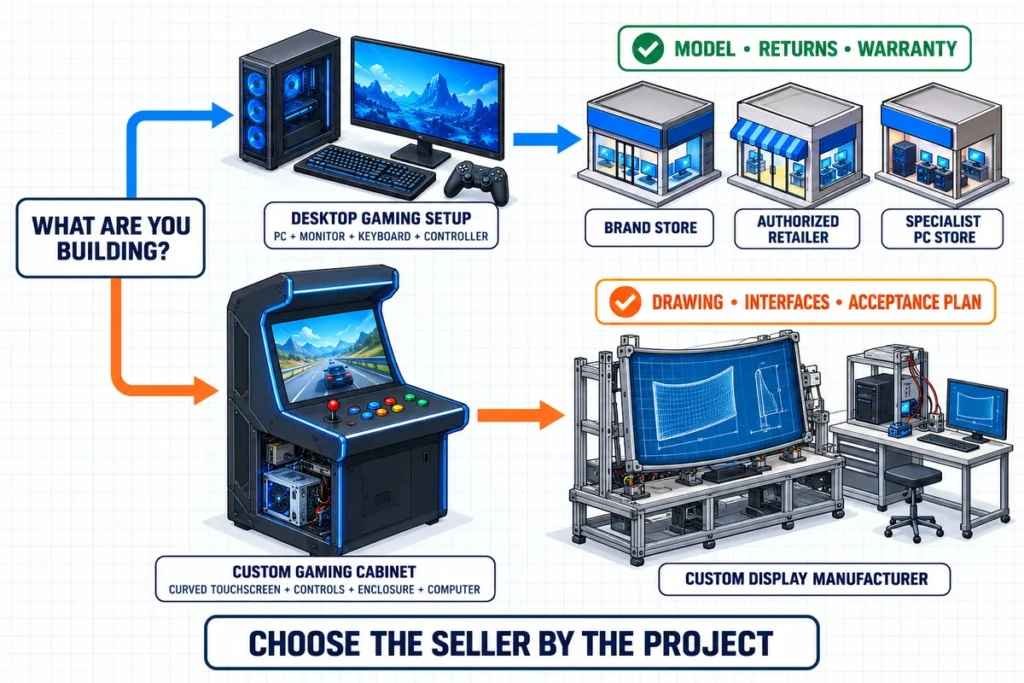
Quick Answer: Choose the Seller by Your Use Case
| What you are buying | Best starting channel | Why it usually fits | What to check first |
|---|---|---|---|
| One standard PC gaming monitor | Brand store or authorized electronics retailer | Broad model choice, consumer returns, local warranty | Exact model number, refresh rate, resolution, ports, return policy |
| One console gaming monitor | Authorized retailer with easy returns | Easier compatibility testing with your console and cables | Supported resolution and refresh over the console’s output port |
| A portable gaming monitor | Brand store or specialist computer retailer | Better access to power, USB-C, and compatibility details | Video-capable USB-C, power requirements, stand and cable bundle |
| Multiple monitors for an esports room | Brand business channel, system integrator, or commercial reseller | Batch consistency, invoicing, deployment support, spare units | Model revision, warranty process, delivery schedule, mounting plan |
| A touch-enabled gaming cabinet display | Touch-display manufacturer or equipment integrator | Touch controller, glass, housing, cabling, and software must work together | Drawing, touch interface, operating system, mounting, sample validation |
| A curved or shaped gaming-machine display | Custom curved-display manufacturer | Cabinet geometry and screen profile cannot be selected from diagonal size alone | Curve type, active area, mounting depth, radius/profile, service clearance |
| A replacement slot-machine monitor | Original equipment channel or a qualified replacement-display supplier | The replacement must match the existing signal, power, dimensions, and mounting | Original label, drawing, connector photos, resolution, power input |
The lowest advertised price is not always the lowest project cost. A monitor with the wrong ports, an unclear seller warranty, or poor cabinet fit can cost more in returns, adapters, rework, and downtime than a correctly specified unit from a stronger channel.
First Decide What “Gaming Monitor” Means for Your Project
The term covers products with very different purchasing requirements.
Standard PC Gaming Monitor
This is a finished desktop monitor designed for use with a gaming computer. Buyers normally compare resolution, refresh rate, variable refresh rate support, panel characteristics, response behavior, ports, stand adjustment, and warranty. It is usually a retail purchase, not an engineering project.
Console Gaming Monitor
A console monitor is also normally an off-the-shelf product, but its supported modes must match the console and the selected HDMI connection. A high number on a product page does not guarantee that the same mode is available at every resolution or through every input.
Touchscreen Gaming Monitor
A gaming touchscreen monitor adds a touch sensor, controller, touch-data connection, and software-integration requirement. It may be used in an interactive entertainment system, simulator, arcade cabinet, or other purpose-built equipment. Video and touch are separate signal paths in many configurations: HDMI or DisplayPort carries the picture, while USB commonly carries touch data.
Curved Gaming-Cabinet Display
A consumer curved desktop monitor and a curved touch monitor are not interchangeable. An equipment display may need a C-type or J-type profile, custom cover glass, metal housing, defined mounting points, touch mapping, cable routing, and access for maintenance. The cabinet drawing becomes part of the product specification.
Slot-Machine or Casino Display
A slot machine display is a commercial component integrated into a cabinet. It may be flat, curved, vertical, or touch-enabled. The display must match the gaming computer, power input, cabinet opening, mounting method, user interface, and applicable compliance requirements. It is not the same purchase as a home gaming monitor, and the display supplier does not necessarily provide the complete machine or gaming software.
Where Can You Buy a Standard Gaming Monitor?
1. The Brand’s Official Store
Buying directly from the manufacturer is useful when you want a specific current model, a brand-managed promotion, or a clearly identified warranty channel. It also reduces confusion between similarly named regional variants.
Before ordering, confirm that the store serves your country, the warranty applies where the monitor will be used, and the listed model code is identical to the one you researched. A model family name alone may hide differences in panel, stand, ports, or bundled accessories.
2. An Authorized Electronics or Computer Retailer
Specialist retailers are often the most practical option for individual buyers. Stores such as Best Buy, Newegg, and Micro Center appear prominently for this type of search in the US, while availability varies by region. A physical store can be helpful when you want local pickup or a straightforward return. An online specialist may offer a broader specification filter and more niche models.
Check whether the product is sold by the retailer itself or by a marketplace seller using the retailer’s platform. The storefront name, warranty path, return shipping rules, and restocking conditions matter as much as the website logo.
3. A Mass-Market or Warehouse Retailer
Large retailers and membership warehouses can be convenient for common sizes and mainstream configurations. They may offer easy local returns or member benefits, but their model selection can be narrower and may change quickly. Compare the full model number rather than assuming two monitors with the same screen size and brand are identical.
4. An Online Marketplace
Marketplaces can provide broad selection, discontinued stock, refurbished units, and competitive prices. They also require more seller due diligence. Confirm:
- who fulfills the order;
- whether the unit is new, open-box, renewed, or used;
- whether the manufacturer’s regional warranty applies;
- who pays return freight for a defective display;
- whether the listing identifies the exact model and included cables;
- whether the seller has a traceable business identity and consistent history.
For an expensive or difficult-to-ship monitor, a vague return policy can erase any initial saving.
5. A Commercial Reseller or System Integrator
For esports rooms, training centers, gaming lounges, and multi-station deployments, a commercial channel may be more suitable than buying unrelated retail units one at a time. Ask for a quotation tied to an exact model revision, delivery batch, mounting plan, cable package, warranty procedure, and spare-unit strategy.
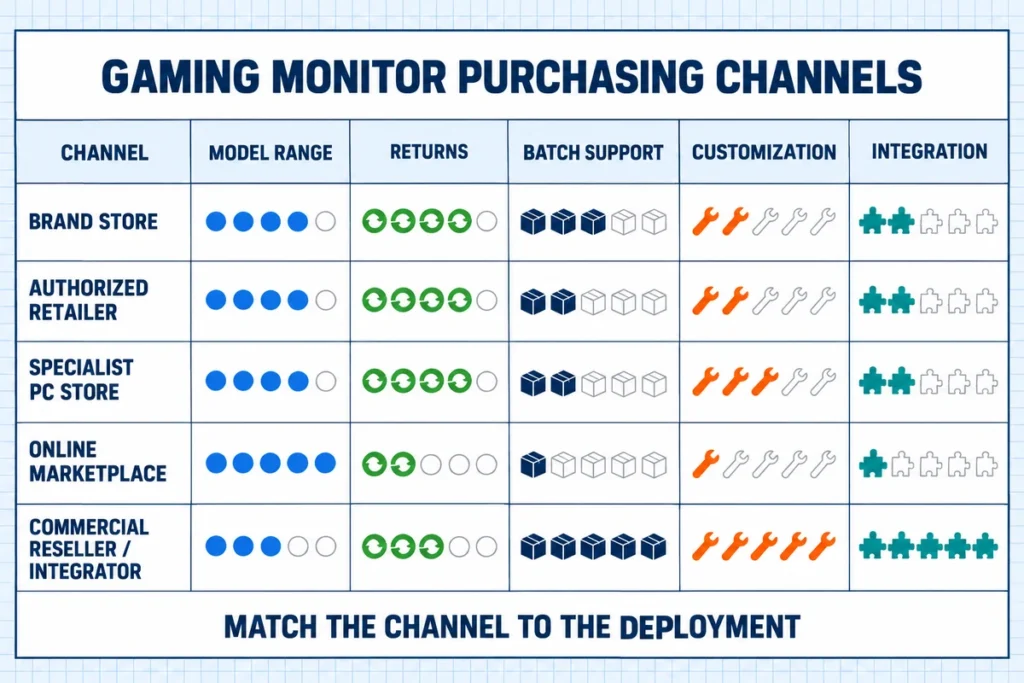
How to Compare Gaming Monitor Sellers
Use the same model and delivery assumptions when comparing offers. A useful seller evaluation covers more than price.
| Criterion | What to ask | Evidence to review | Red flag |
|---|---|---|---|
| Product identity | What is the complete regional model number? | Manufacturer product page, label photo, written quotation | Only a generic product title is provided |
| Seller status | Are you the brand, an authorized reseller, or a third-party marketplace seller? | Seller profile, authorization where relevant, invoice entity | Seller identity changes between listing and invoice |
| Stock condition | Is the unit new, open-box, refurbished, or used? | Condition statement and serial/packaging policy | “Like new” without a grading definition |
| Returns | How many days are allowed, and who pays freight? | Written return and damaged-on-arrival policy | Large-item exceptions are hidden or unclear |
| Warranty | Who handles the claim and in which country? | Regional warranty terms and service contact | Imported model has no local support path |
| Pixel policy | How are bright or dark pixel complaints handled? | Seller or manufacturer defect policy | Staff promise a replacement that the written policy excludes |
| Delivery | How is the panel protected and inspected after transit damage? | Packaging description and claim procedure | No process for concealed shipping damage |
| Business orders | Can the seller hold a model revision and supply spares? | Formal quotation, batch and lifecycle statement | Substitutions are allowed without approval |
For a single consumer monitor, returns and warranty may carry the most weight. For a multi-site rollout, batch consistency, lead time, change control, and service logistics become more important. Adjust the evaluation to the risk of your purchase rather than applying one universal score.
What to Check Before Buying a Retail Gaming Monitor
Match Resolution and Refresh Rate to the Source
The monitor, graphics card or console, output port, cable, and selected resolution must support the desired operating mode together. Do not evaluate refresh rate in isolation. Ask which combinations are supported through each input and whether special settings are required.
Confirm Adaptive-Synchronization Compatibility
Variable refresh rate can reduce tearing and uneven frame delivery, but support depends on the source, input, monitor range, and settings. Check the exact model documentation and your graphics platform rather than relying on a general family badge.
Look Beyond the Advertised Response-Time Number
Response-time labels may be measured under different modes and conditions. Independent testing can help reveal motion clarity, overshoot, input behavior, and performance across refresh rates. Use the advertised number as one data point, not a complete quality judgment.
Check Ports, Cables, and Charging Requirements
Confirm the port version and supported modes, not merely the connector shape. For USB-C models, check whether the port accepts video, how much power it requires or provides, and whether the included cable supports the required function. For consoles, confirm the intended resolution and refresh through HDMI.
Review Physical Fit
Measure desk depth, stand footprint, screen height, VESA mounting needs, and cable clearance. Ultrawide and aggressively curved products can require more usable depth than the diagonal size suggests.
Read the Return, Damage, and Warranty Terms Before Checkout
Dead-pixel expectations, open-box returns, return freight, restocking fees, and damage-reporting windows vary. Save the product listing, seller identity, invoice, serial number, and packaging until the monitor has passed inspection.
When Should You Buy from a Custom Gaming Display Manufacturer?
Use a specialist manufacturer or integrator when the display is a component inside your equipment rather than a finished desktop accessory. Typical triggers include:
- a custom cabinet opening, bezel, or mounting pattern;
- projected-capacitive touch or another defined touch technology;
- a C-type, J-type, vertical, or unusual display profile;
- custom cover glass, printing, housing, connectors, or cable exits;
- Windows, Android, or Linux touch-controller integration;
- controlled product revisions for repeat production;
- sample validation before a production order;
- a replacement display that must reproduce an existing mechanical and electrical interface.
In these projects, “32-inch monitor” or “4K screen” is not a sufficient request. The supplier needs a drawing, system information, interface requirements, expected environment, quantity, and an acceptance plan.
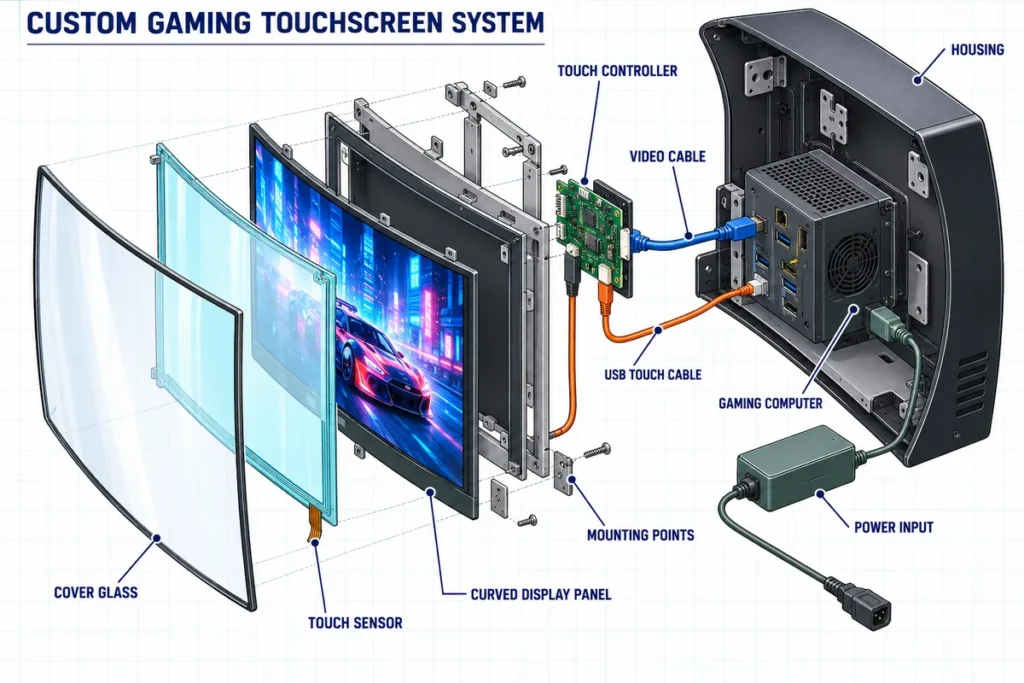
How to Evaluate a Custom Gaming Monitor Supplier
Product and Application Fit
Describe the actual equipment and user interaction. Ask the supplier to identify an existing platform that is close to the requirement and list every proposed customization. A credible response should separate confirmed standard features from options that require engineering review.
For curved projects, compare C-curved touch monitors with J-curved touch monitors based on cabinet geometry and interface design. Neither profile is automatically better. The continuous C-type curve and the asymmetric J-type edge serve different mechanical and UI layouts.
Mechanical Engineering Support
Request a dimensioned drawing that identifies the active area, external outline, opening, thickness, mounting points, connector positions, bend profile, cable exit, and maintenance clearance. Compare it with the cabinet model before approving a sample. A product photo cannot establish mechanical compatibility.
Display and Signal Compatibility
Specify the required resolution, operating refresh rate, brightness environment, orientation, video interface, power input, and expected operating schedule. Request a model-level datasheet and test the actual source computer or controller. Treat optional 4K, high-brightness, or special interface configurations as separate engineering selections rather than automatic family-wide features.
Touch-System Compatibility
Ask for the touch technology, supported touch points, controller, touch-data interface, operating-system support, driver requirements, cover-glass construction, and calibration method. Validate edge accuracy, continuous drawing, multi-touch behavior, wake/reconnect behavior, and operation inside the real application. Electrical noise, grounding, cover-glass thickness, and cabinet metal can affect the result.
Quality and Traceability
Request the inspection plan for the approved configuration. It can include incoming-component checks, display function, touch accuracy, interface communication, appearance, aging where applicable, and packing inspection. Also ask how the supplier records the approved drawing, firmware, controller, panel, cable set, and product revision for repeat orders.
Compliance Scope
Do not accept a certificate logo as sufficient proof. Provide the destination market and intended equipment category, then ask which documents apply to the exact configuration and legal entity supplying it. Confirm whether the evidence covers the complete monitor, a component, or a different model. Final equipment compliance may remain the responsibility of the system builder.
Sample and Change Control
Approve a sample only after testing it in the final cabinet, with the intended computer, cables, grounding, software, and operating mode. Record the accepted hardware and firmware revision. The purchase agreement should require written approval before any panel, touch controller, board, connector, or mechanical substitution.
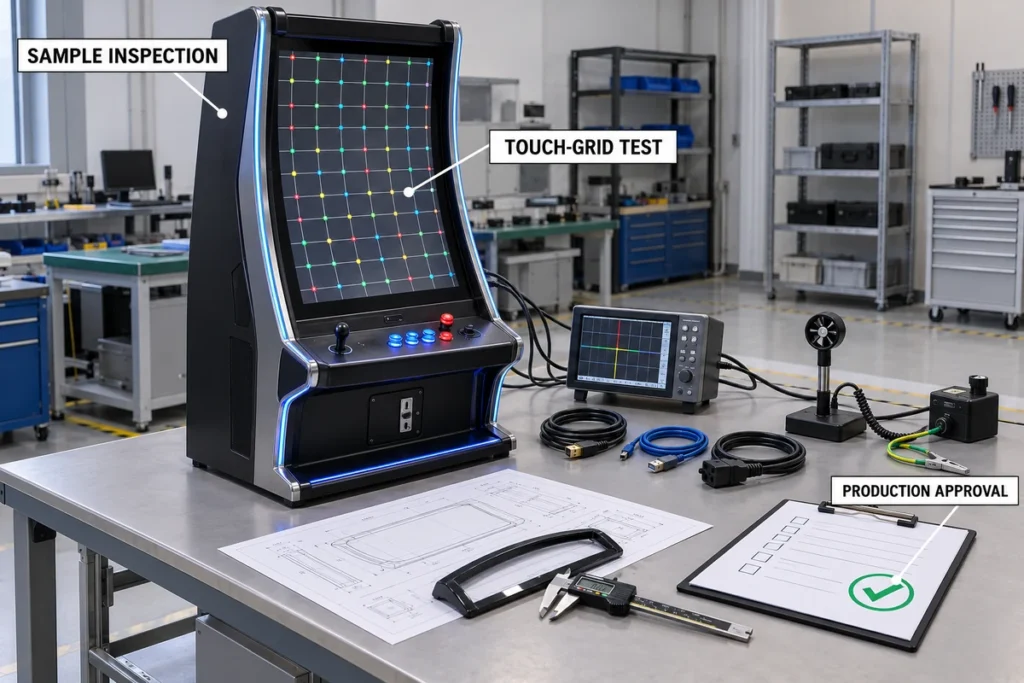
Custom Gaming Monitor Sample-Approval Checklist
- Confirm the label, model, serial information, and approved revision.
- Inspect packaging and record any transport damage before installation.
- Compare all external dimensions, mounting points, connector positions, and cable exits with the approved drawing.
- Test every required resolution and refresh mode through the specified video input.
- Check image uniformity, visible defects, orientation, viewing position, and brightness in the actual cabinet.
- Connect the separate touch-data path and confirm operating-system recognition.
- Test taps, drags, continuous lines, corners, edges, multi-touch gestures, and long interactions.
- Verify boot, restart, sleep, wake, cable reconnect, and loss-of-signal behavior.
- Test the assembled cabinet for grounding, electrical noise, heat, ventilation, and service access.
- Run the actual game or application instead of relying only on a desktop touch test.
- Record test results and unresolved deviations before authorizing production.
Information to Put in Your RFQ
A complete request for quotation helps suppliers respond with comparable proposals.
| RFQ field | Information to provide |
|---|---|
| Application | Desktop gaming, simulator, arcade, casino cabinet, esports room, replacement, or another use |
| Quantity | Sample quantity, first order, and estimated repeat demand |
| Screen format | Flat, C-type, J-type, vertical, open-frame, or enclosed |
| Size and geometry | Diagonal, aspect ratio, active area, cabinet opening, curve/profile, mounting drawing |
| Display requirement | Resolution, operating refresh rate, brightness environment, viewing direction, orientation |
| Touch requirement | Touch/no touch, touch points, glove or cover-glass conditions, controller and USB needs |
| Host system | PC, embedded computer, Android board, game controller, operating system and software |
| Interfaces | Video input, touch-data port, power input, connector position and cable length |
| Mechanical requirement | Housing, bezel, mounting points, glass printing, cable route, service clearance |
| Environment | Indoor use, ambient light, temperature, ventilation, cleaning and expected duty cycle |
| Compliance | Destination country, required documents, equipment category and responsible party |
| Commercial terms | Target schedule, sample plan, warranty expectation, packaging and delivery destination |
| Acceptance | Drawing approval, functional tests, sample tests, inspection records and change control |
Attach cabinet drawings, original-monitor labels, connector photos, and source-computer specifications when available. For a replacement project, include the old monitor’s external dimensions and power information; screen diagonal alone is not enough.
Is Lucky-XFC the Right Place to Buy Your Gaming Monitor?
Lucky-XFC is a relevant option when you are sourcing a touch-enabled or shaped display for equipment integration. Its published curved range includes projected-capacitive J-type starting options in 43, 49, and 55 inches and C-type starting options in 32, 43, 49, and 55 inches. A 1920 × 1080 configuration is documented as a reference; 4K, brightness, touch details, interfaces, power, and dimensions are confirmed by the selected model and project.
The documented workflow covers requirement review, product selection, drawing review, sample production, validation in the buyer’s cabinet and software environment, production inspection, packaging, and shipment. This suits gaming cabinets, casino terminals, interactive equipment, and replacement-display projects that require engineering confirmation.
Lucky-XFC supplies display and touch hardware. It does not supply complete slot machines, wagering systems, or gaming software. If you simply need a packaged monitor for a home PC or console, an authorized consumer retailer will normally be the more efficient route. If you need a custom monitor inside equipment, the manufacturer route becomes appropriate.
Frequently Asked Questions
What is the best place to buy a gaming monitor?
For most individual buyers, the best place is the brand’s official store or an authorized retailer with a clear return policy and local warranty support. The best channel is not necessarily the one showing the lowest price; it is the one that can prove the exact model, condition, seller identity, return terms, and warranty path.
Is it better to buy a gaming monitor online or in a store?
Online stores usually offer more models and easier specification comparison. A physical store may offer faster pickup and simpler local returns. Use whichever channel provides the better combination of exact model availability, total delivered cost, return protection, and regional warranty.
Is it safe to buy a gaming monitor from a marketplace?
It can be, but check whether the platform or a third party is the actual seller. Review the unit condition, seller history, warranty eligibility, return freight, restocking rules, and damage process. Keep the original packaging until testing is complete.
Can I buy a gaming monitor directly from the manufacturer?
Yes. Consumer display brands may sell finished monitors through their own stores, while custom display manufacturers sell components or integrated monitor assemblies for equipment projects. These are different purchasing models. Send a technical RFQ to a custom manufacturer instead of expecting a retail checkout process.
Can a gaming monitor also have a touchscreen?
Yes, but touch is uncommon on conventional high-performance desktop gaming monitors. Touch is more common in arcade systems, simulators, casino equipment, interactive entertainment, and custom cabinets. The host needs both a video path and a supported touch-data path.
Does HDMI carry touchscreen data?
HDMI normally carries video and audio, not touch input. Many touchscreen monitors use a separate USB connection for touch data. Confirm the exact controller and host requirements for the selected model.
What should I send when requesting a custom curved gaming monitor?
Send the application, curve type if known, size, quantity, cabinet drawing, resolution, operating refresh rate, touch requirement, operating system, video interface, power input, environmental conditions, and destination country. For a replacement, add the original label, connector photos, and measurements.
Should I order a sample before buying in quantity?
Yes for a custom or cabinet-integrated display. Install the sample in the real enclosure and test display modes, touch, software, grounding, temperature, cable routing, and service access. Freeze the approved revision before production.
Start with the Right Buying Channel
Buy an off-the-shelf PC or console gaming monitor from an official brand store or authorized retailer with suitable returns and warranty coverage. Buy a custom touch, curved, open-frame, or cabinet-integrated gaming display from a supplier that can review drawings, provide model-level specifications, build a sample, and control the approved production revision.
For a curved or touch-enabled gaming-equipment project, contact Lucky-XFC with your application, screen size, quantity, operating system, interfaces, and cabinet drawing. The engineering team can review whether a flat, C-type, or J-type display platform is a practical starting point and identify the specifications that require model-level confirmation.
